

Internet radio, also known as web radio, online radio, or streaming radio, is a digital broadcasting service that delivers audio content over the internet rather than through traditional AM or FM frequencies.
Its appeal lies in both its accessibility and its breadth of content. Most internet radio services can be accessed without subscription or registration fees, making them available to a wide audience. Listeners can choose from tens of thousands of stations worldwide, offering an extensive range of programming, including music, news, sport, cultural content, and talk shows. Genres span everything from classical and jazz to pop, folk, and specialist interests, giving users far greater choice than is typically available through local terrestrial broadcasting. With a stable internet connection, listeners can access this content from almost anywhere, making internet radio a flexible and convenient alternative to conventional radio services.
RadioGoGo is a terminal application for browsing and playing internet radio stations. Written in Go, it uses the RadioBrowser API to discover stations and relies on FFmpeg tools for playback and optional recording.
Installation
I evaluated RadioGoGo with CachyOS, an Arch-based distribution.
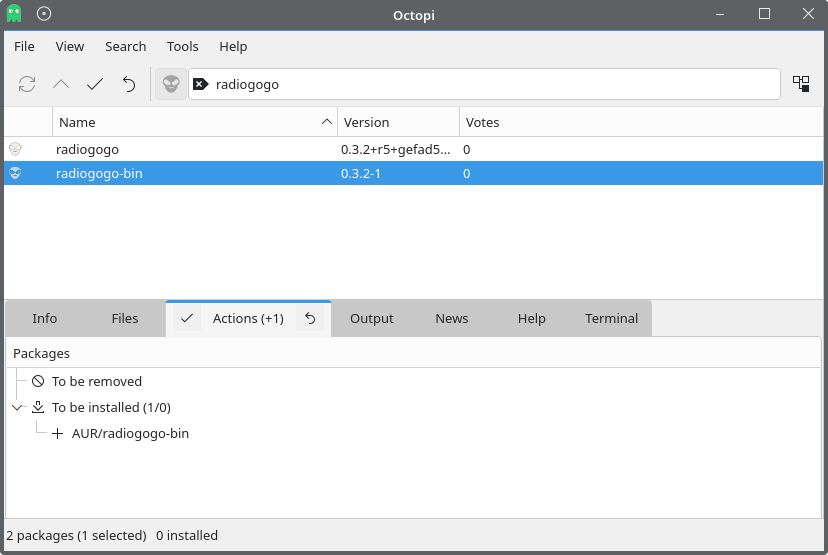
At the time of writing, the AUR package is outdated, and the program doesn’t work properly, crashing when searching for a radio station. The project’s GitHub page shows a newer release is available: version 0.4.0, compared with version 0.3.2 currently in the AUR.
I’ll install the latest version with the command:
$ go install github.com/zi0p4tch0/radiogogo@latest
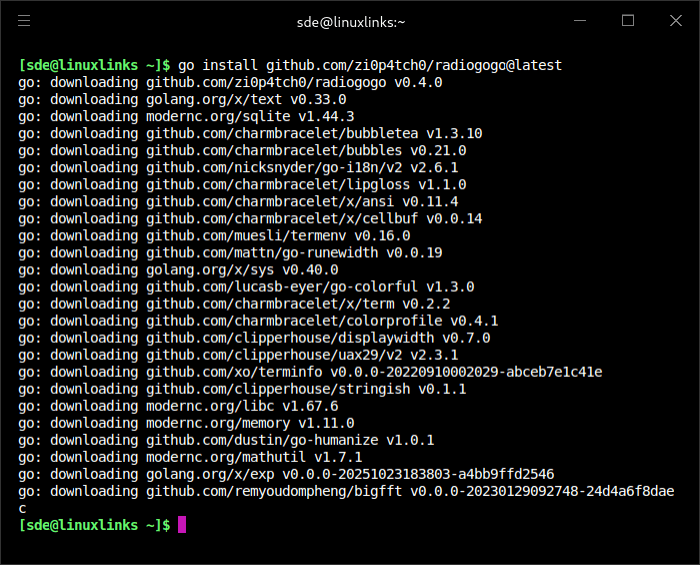
This install the executable to ~/go/bin. Just make sure that directory is in your PATH.
This is cross-platform software. Besides Linux, there’s support for macOS, Windows, as well as ARM builds for Raspberry Pi.
In Operation
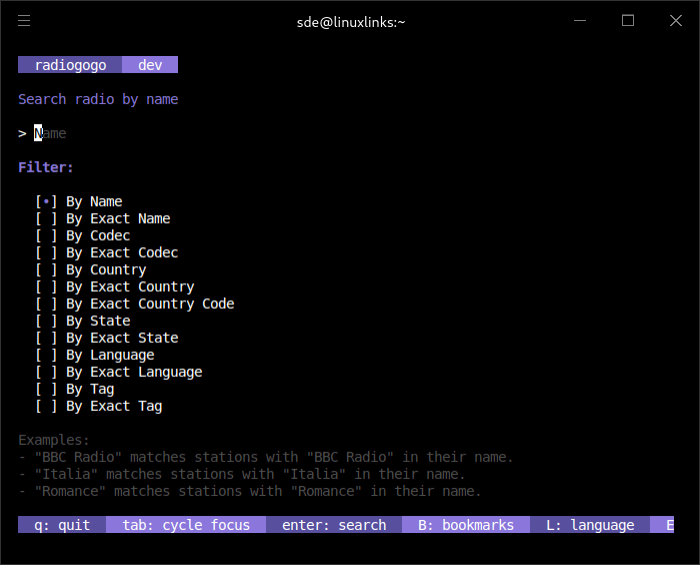
This is what we see when starting the program.
The software lets you play a huge number of radio streams courtesy of the Radio Browser API, a free, open-source web API for internet radio station data. It lets apps search and browse a community-maintained directory of radio stations and retrieve metadata such as station name, stream URL, country, language, tags, codec, bitrate, favicon, and popularity/click information
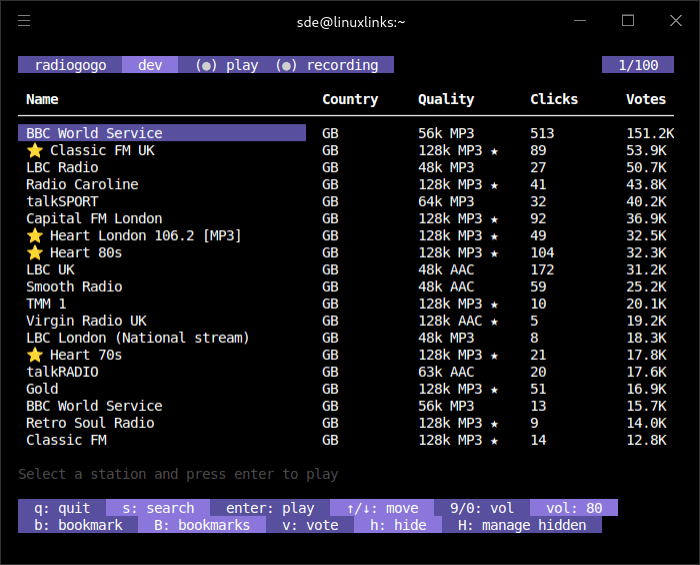
We can search stations by name, country, language, codec, or tag (with exact searches available for each). In the example below, I’ve performed a search by name.
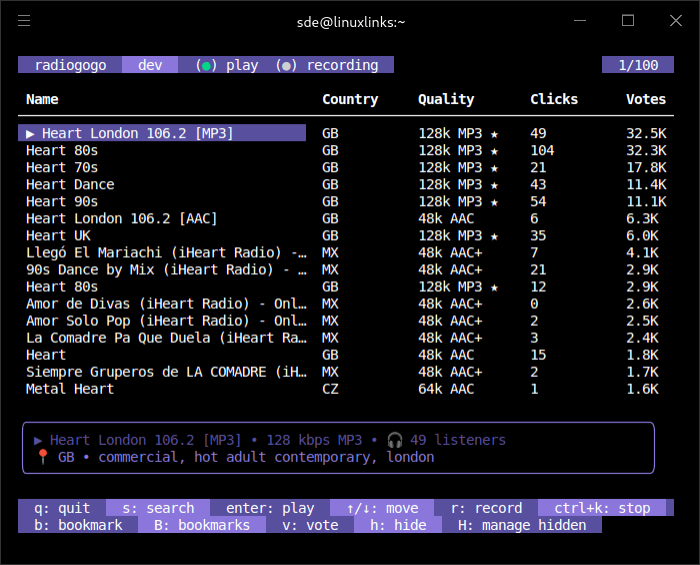
I like that the software shows columns for bitrate, clicks and votes. Stations are sorted by votes.
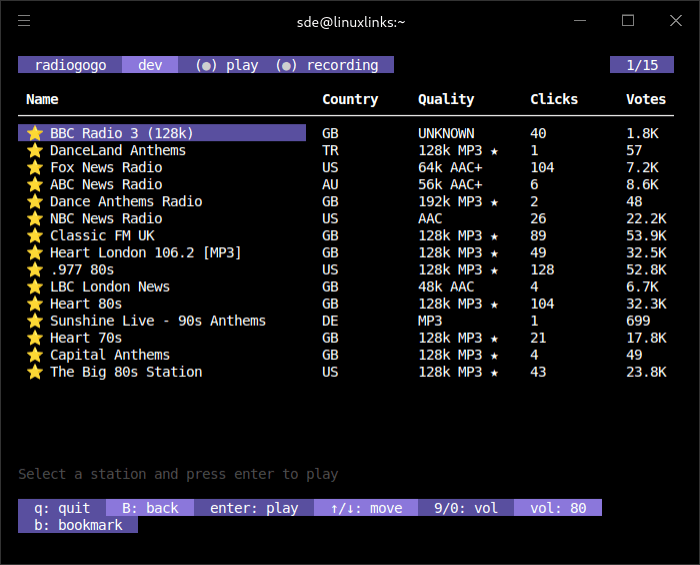
In the next image I’ve filtered by country. You’ll also see stars next to some of the stations. These are bookmarks, which let you access your favourite stations for quick access.
Access the bookmarks by pressing B.
Other Features
- Records live streams to disk using FFmpeg.
- Allows unwanted stations to be hidden from search results.
- Supports custom colour themes and configurable keybindings.
- Vote for stations in the app.
- Real-time volume control which lets you adjust the volume during playback.
- Offers a multilingual user interface (9 languages are supported).
Summary
RadioGoGo is an impressive terminal-based internet radio player. It’s easy to use, offers an attractive interface, and has a light resource footprint. ps_mem reports the memory footprint is around 60MB (and add in 45MB for ffplay).
It doesn’t have the range of features that PyRadio and some TUI-based internet radio apps have, but hopefully the feature-set will flesh out with more development.
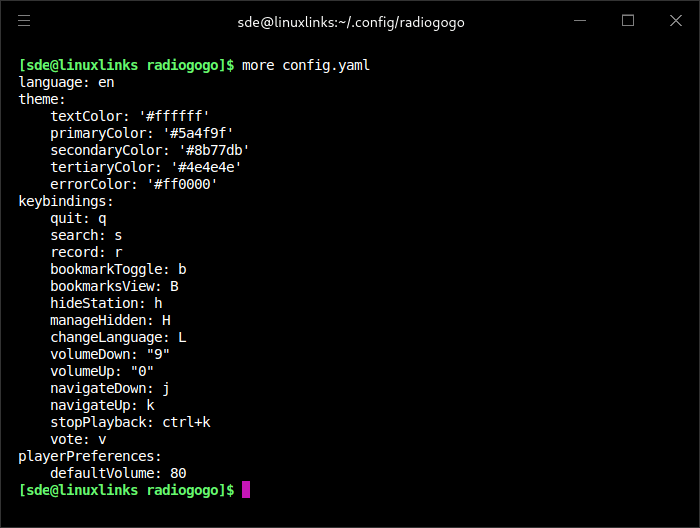
On my terminal, some text is a little difficult to read. The software does support customizable color themes and keybindings, but these settings can’t be changed from within the application and instead require manual editing of the config.yaml file.
Website: github.com/matteo-pacini/RadioGoGo
Support:
Developer: Matteo Pacini
License: MIT License
RadioGoGo is written in Go. Learn Go with our recommended free books and free tutorials.
Related Software
| Terminal-Based Internet Radio Apps | |
|---|---|
| PyRadio | Cross-platform curses based with support for Radio Browser |
| radio-active | Command-line tool to listen to more than 30,000 radio stations |
| SonicRadio | Stylish TUI radio player |
| radion | TUI client written in Bash |
| tera | Play radio stations, CRUD your favorite lists, and explore stations |
| cTune | ncurses tool with good search functionality |
| Radio Recorder | Internet radio player and recorder |
| Radioboat | Terminal web radio client, built with simplicity in mind |
| kew | Music player which has added internet radio support |
| radio-cli | Simple radio CLI written in Rust |
| pmrp | Poor Man's Radio Player |
| Curseradio | Very simple application for navigating and playing radio streams |
Read our verdict in the software roundup.
 Explore our comprehensive directory of recommended free and open source software. Our carefully curated collection spans every major software category. Explore our comprehensive directory of recommended free and open source software. Our carefully curated collection spans every major software category.This directory is part of our ongoing series of informative articles for Linux enthusiasts. It features hundreds of detailed reviews, along with open source alternatives to proprietary solutions from major corporations such as Google, Microsoft, Apple, Adobe, IBM, Cisco, Oracle, and Autodesk. You’ll also find interesting projects to try, hardware coverage, free programming books and tutorials, and much more. Discovered a useful open source Linux program that we haven’t covered yet? Let us know by completing this form. |