

OMERewriter is a desktop application for working with microscopy image metadata stored in OME-TIFF files.
It lets users inspect existing OME-TIFF datasets, update common metadata fields, and convert ScanImage TIFF output into metadata-rich OME-TIFF files, making it useful for researchers who need cleaner, standards-compliant imaging data for analysis and archiving.
This is free and open source software.
Key Features
- Opens and inspects OME-TIFF files, including multi-channel Z-stack images.
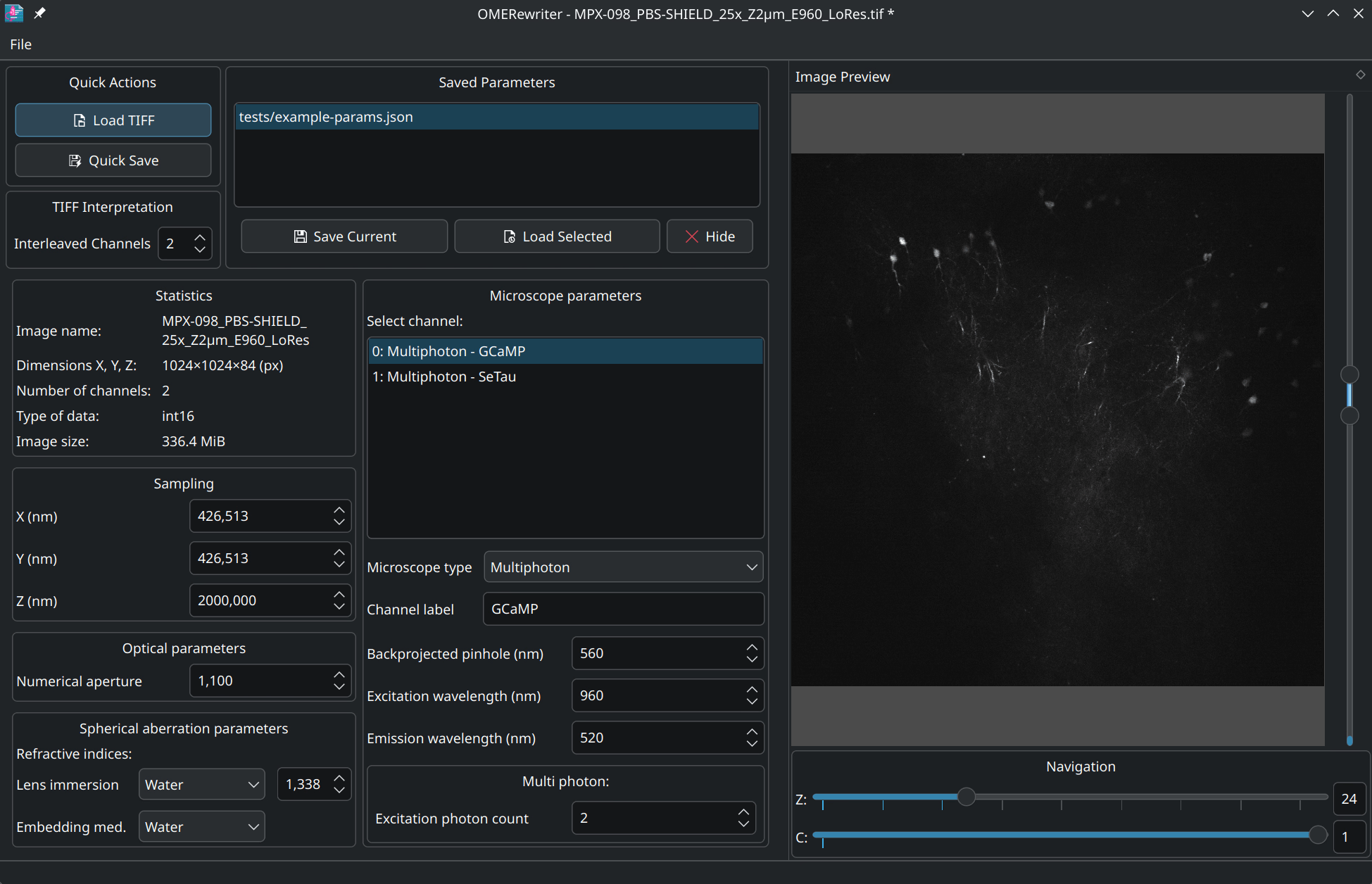
- Edits acquisition metadata such as physical voxel sizes, numerical aperture, lens immersion, and embedding medium.
- Modifies channel-specific settings including microscope type, excitation and emission wavelengths, and pinhole size.
- Deinterleaves raw TIFF files and saves them as standards-compliant OME-TIFF files.
- Saves and reloads parameter sets for quick reuse across multiple acquisitions.
- Cross-platform support – runs under Linux and Windows.
Website: github.com/bothlab/omerewriter
Support:
Developer: BothLab
License: GNU Lesser General Public License v3.0
OMERewriter is written in C++. Learn C++ with our recommended free books and free tutorials.
 Explore our comprehensive directory of recommended free and open source software. Our carefully curated collection spans every major software category. Explore our comprehensive directory of recommended free and open source software. Our carefully curated collection spans every major software category.This directory is part of our ongoing series of informative articles for Linux enthusiasts. It features hundreds of detailed reviews, along with open source alternatives to proprietary solutions from major corporations such as Google, Microsoft, Apple, Adobe, IBM, Cisco, Oracle, and Autodesk. You’ll also find interesting projects to try, hardware coverage, free programming books and tutorials, and much more. Discovered a useful open source Linux program that we haven’t covered yet? Let us know by completing this form. |