
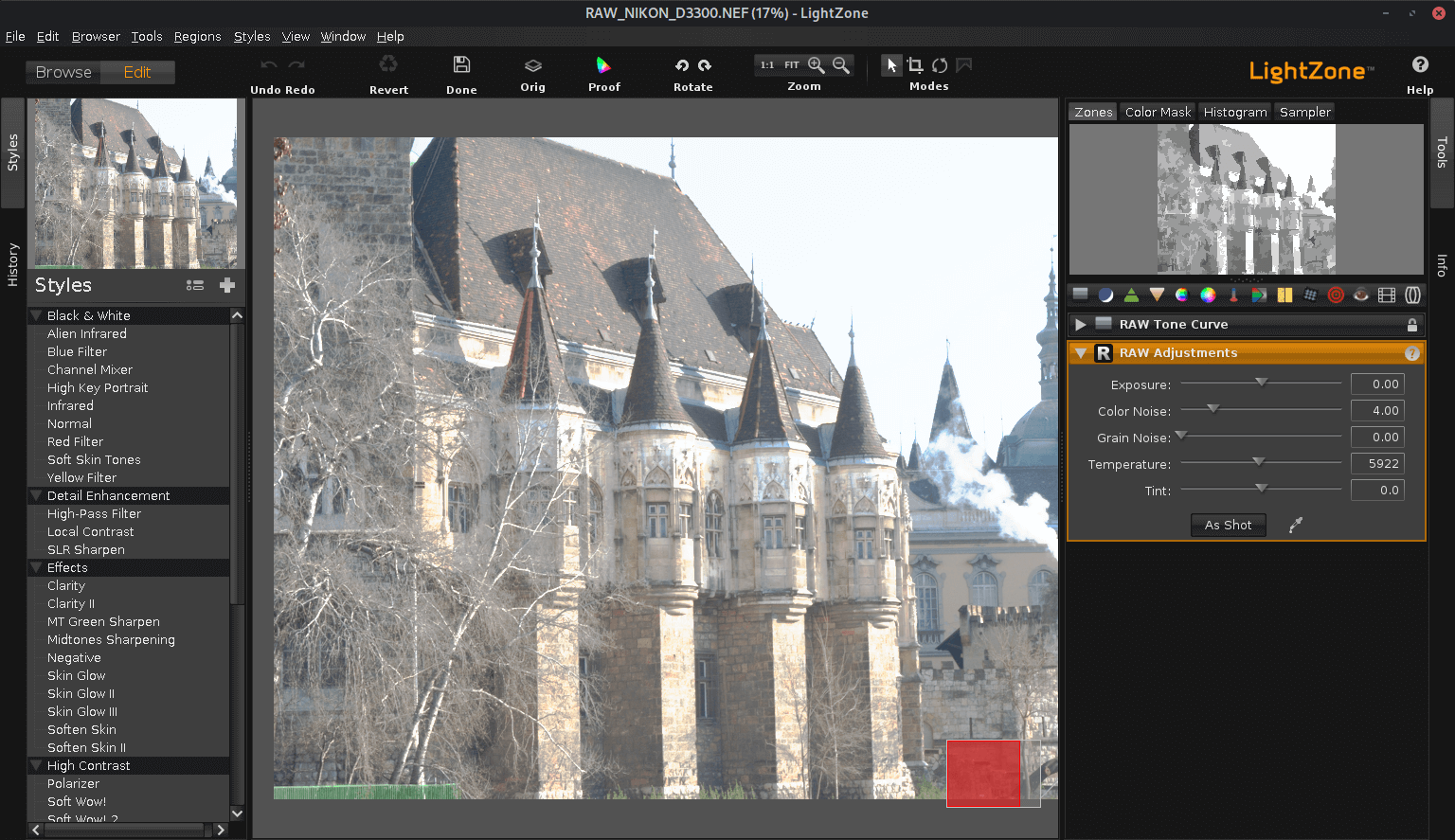
LightZone is professional-level digital darkroom software.
Rather than using layers in the way that other photo editors do, LightZone lets the user build up a stack of tools which can be rearranged, readjusted, turned off and on, and removed from the stack.
It’s a completely non-destructive editor, where any of the tools can be re-adjusted or modified later — even in a different editing session. A tool stack can even be copied to a batch of photos at one time. LightZone always operates in a 16-bit linear color space with the wide gamut of ProPhoto RGB.
Key Features
- Non-destructive RAW editor. It treats the digital image original (typically a RAW file) as non-editable. When LightZone edits an original digital image, a new resulting post-edit image file is created (for example a new JPEG copy) and the original image file is left unaltered. By being non-destructive LightZone preserves the original “digital negative” which contains the maximum information originally captured by the camera, and allows additional images with different transformations to be produced from the original.
- Unlimited Layers – you can apply as many effects as you want to a photo
- Edits both RAW and JPEG format images.
- Create and apply pre-determined image transformations, called “styles”, to an entire batch of images in a single operation.
- Outputs JPEG files which contain metadata references to the original image file location and a record of the transformations applied during editing.
- Relight Tool – one-touch photo enhancing.
- Cross-platform support – runs under Linux, Mac OS X, and Windows.
- Internationalization support
Website: github.com/ktgw0316/LightZone
Support:
Developer: Masahiro Kitagawa, Michael Schulze, Pavel Benak and many others in the team
License: New BSD License
LightZone is written in Java. Learn Java with our recommended free books and free tutorials.
Related Software
| RAW Processing Tools | |
|---|---|
| Darktable | Virtual lighttable and darkroom for photographers |
| digiKam | Professional photo management |
| RawTherapee | RAW image processing application |
| LightZone | Professional-level digital darkroom software |
| ART | Fork of RawTherapee |
| ansel | Fork of Darktable |
| RapidRAW | Non-destructive, and GPU-accelerated RAW image editor |
| Filmulator | RAW photo editing application with library management |
| Photivo | Photo processor for RAW and Bitmap images |
| nUFRaw | Import and edit RAW images from digital cameras |
| UFRaw | Standalone tool to import RAW data from high-end digital cameras |
| Rawstudio | RAW image converter |
| vkdt | Workflow toolbox for raw stills and video |
| DNGLab | Camera RAW utility and DNG converter |
| GTKRawGallery | Workflow oriented photo retouching software |
| rawbit | Camera RAW image preprocessor and importer |
Read our verdict in the software roundup.
 Explore our comprehensive directory of recommended free and open source software. Our carefully curated collection spans every major software category. Explore our comprehensive directory of recommended free and open source software. Our carefully curated collection spans every major software category.This directory is part of our ongoing series of informative articles for Linux enthusiasts. It features hundreds of detailed reviews, along with open source alternatives to proprietary solutions from major corporations such as Google, Microsoft, Apple, Adobe, IBM, Cisco, Oracle, and Autodesk. You’ll also find interesting projects to try, hardware coverage, free programming books and tutorials, and much more. Discovered a useful open source Linux program that we haven’t covered yet? Let us know by completing this form. |
Please read our Comment Policy before commenting.