

In Operation
On a fresh Ubuntu installation, this is what we see when starting Gear Lever.
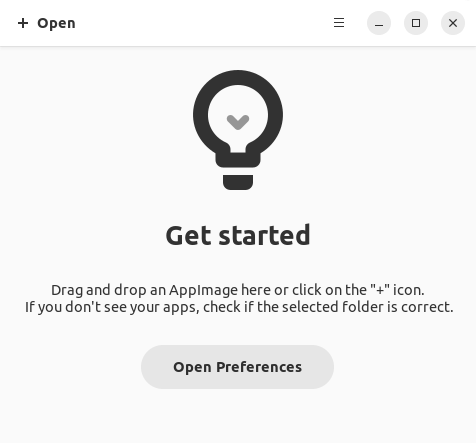
To add a program’s AppImage, simply drag and drop an AppImage from our file manager. Alternatively, click + Open and locate an AppImage.
You are prompted to verify the source of the app before unlocking it. After unlocking, we can either launch the app, or move it to the app menu.
Here’s some AppImages we’ve added. They automatically appear in Show apps, so we can launch the software without launching Gear Lever.
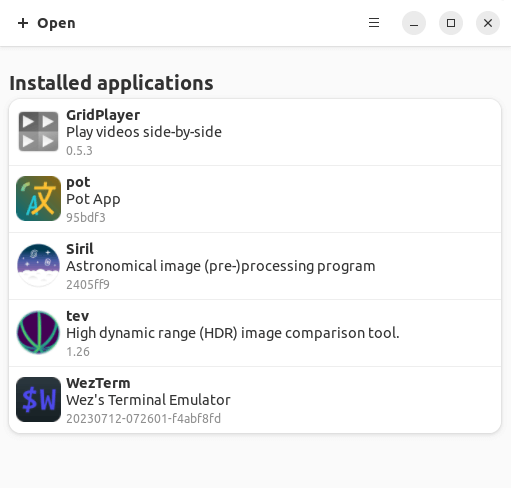
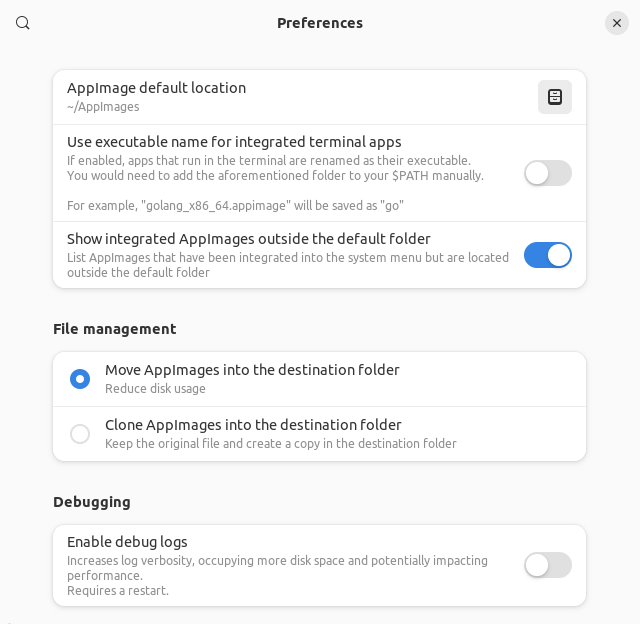
Gear Lever groups your AppImages into a specific folder and keep them organized. By default, AppImages are stored in ~/AppImages but that folder can be changed in Preferences (see below). There are also some useful options here such as cloning AppImages.
Summary
Gear Lever is a simple, effective, and very handy utility that makes it a cinch to integrate AppImages into your system. The user interface has a modern appearance.
We can now launch AppImages either from Gear Lever, from Show Apps from the Ubuntu desktop, or pin our favorites to the Dash. The software also handles CLI apps well.
Gear Lever comes with a simple tutorial, something we’d like more apps to include.
Newer AppImages offer a portable mode, which allows for bundling an application’s data next to the application’s AppImage. The portable mode is not supported by Gear Lever.
Website: github.com/mijorus/gearlever
Support:
Developer: Lorenzo Paderi
License: GNU General Public License v3.0
Gear Lever is written in Python. Learn Python with our recommended free books and free tutorials.
Pages in this article:
Page 1 – Introduction and Installation
Page 2 – In Operation and Summary
Related Software
| AppImage Integration Tools | |
|---|---|
| AppImageLauncher | Integrate AppImages to your application launcher with a single click |
| Gear Lever | Python-based tool to manage AppImages |
| appimaged | AppImage daemon |
| Pin It! | Pin shortcuts for your favorite portable apps to your app launcher |
| appImageHelper | Create, delete, control and organize shortcuts to AppImage |
| AIDM | Create desktop shortcuts to AppImage applications |
Read our verdict in the software roundup.
 Explore our comprehensive directory of recommended free and open source software. Our carefully curated collection spans every major software category. Explore our comprehensive directory of recommended free and open source software. Our carefully curated collection spans every major software category.This directory is part of our ongoing series of informative articles for Linux enthusiasts. It features hundreds of detailed reviews, along with open source alternatives to proprietary solutions from major corporations such as Google, Microsoft, Apple, Adobe, IBM, Cisco, Oracle, and Autodesk. You’ll also find interesting projects to try, hardware coverage, free programming books and tutorials, and much more. Discovered a useful open source Linux program that we haven’t covered yet? Let us know by completing this form. |