

A news aggregator gathers news, blog posts, and other web content into one place, making it easier to follow updates from many different sources. Given the huge number of news sites and blogs online, these tools are invaluable for quickly spotting important developments and breaking stories.
They’re especially useful for people who follow lots of blogs, as they remove the hassle of checking each site individually. That’s particularly helpful when some blogs are updated only occasionally.
Feedr is a terminal-based RSS and Atom feed reader for Linux, macOS, and Windows. It lets you subscribe to feeds, browse and search articles, organise subscriptions into categories, and save items for later reading. It’s free and open source software.
At the time of writing, Feedr has a modest 189 GitHub stars. GitHub star counts are a poor measure of software quality, so don’t judge a project by that number alone. Its low star count is really just a consequence of it being a new project. Feedr only saw its first public release in September 2025.
Installation
I evaluated Feedr using Manjaro, a popular Arch-based Linux distributions. There are a couple of packages for Feedr in the Arch User Repository (AUR). The AUR is useful for testing software because it gives you access to a huge amount of packages that aren’t in the official Arch repositories.
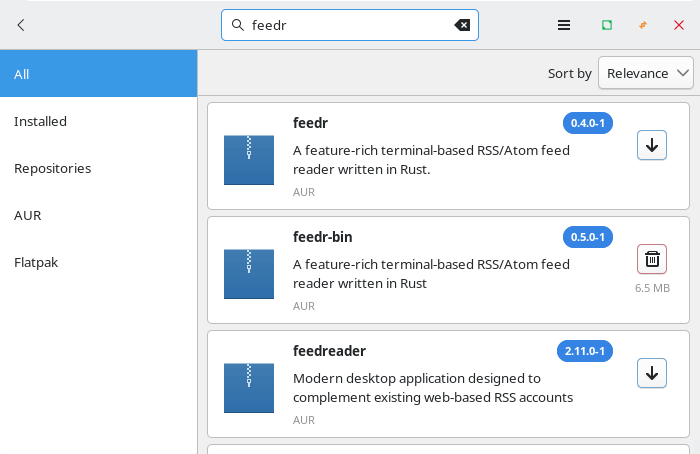
Installation proceeds without any issues. I haven’t tested Feedr on macOS or Windows. After all, this is a Linux site.
In Operation
Here’s an image of Feedr in action pointed at our RSS feed. The top menu lets you view the dasboard, feeds, items, detail, categories, and articles you’ve starred.
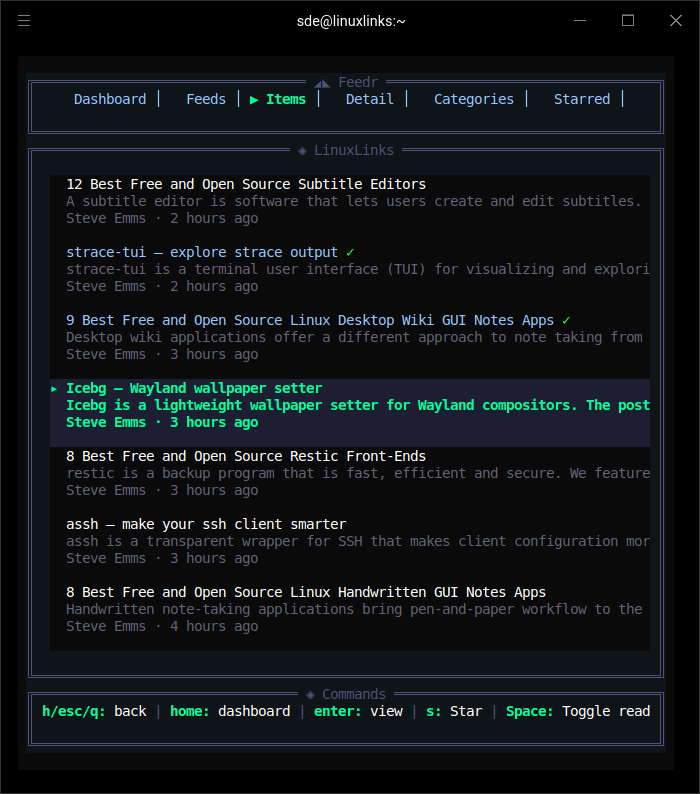
The first thing to note is Feedr’s impressively clean and easy to use TUI interface. It looks great and functions smooth.
The program has bags of functionality. Here’s an overview of the feature set.
- Dashboard view showing the latest articles across all feeds, sorted chronologically.
- Feed management for subscribing to and organizing multiple RSS and Atom feeds.
- Starred articles view for saving items to read later.
- Custom categories with create, rename, and delete support.
- Advanced filtering by category, age, author, read status, starred status, and content length.
- Dual themes, with dark and light theme switching.
- Live search across feed titles and article content. Search results update as you type (fzf-style) instead of requiring Enter to see the results.
- Summary view showing articles added since the last session, with per-feed stats.
- Persistent read/unread tracking across sessions.
- Inline article preview pane.
- OPML import for bulk importing feeds.
- Browser integration for opening articles in the default browser.
- Background refresh with configurable intervals and smart rate limiting.
- Per-domain request throttling to avoid “too many requests” errors.
- Vim-style navigation with j and k as well as arrow keys.
- Rich content display with HTML-to-text conversion.
- Authenticated feed support using custom HTTP headers for private feeds.
- Compact mode for small terminals, with manual override in config.
- CLI config management and an interactive TUI config editor.
- Customization with TOML-based configuration for timeouts, themes, UI behavior, and default feeds.
- XDG-compliant configuration and data storage.
Summary
Feedr is a decent terminal-based news aggregator. Feedr looks especially strong if you’re a Linux user who prefers the terminal and wants a feed reader that feels modern rather than spartan. Feedr rivals Newsboat in many respects as the finest terminal news aggregator for Linux. Newsboat is the mature, battle-tested option, while Feedr is the rising contender with a more polished TUI and a nicer user experience.
Where Feedr looks better than many other feed readers, especially other terminal ones, is in the combination of polish and pragmatism. Many terminal-based feed readers offer the essential functionality including fetching feeds, marking read, and sometimes starring items.
Feedr adds several quality-of-life features that are especially useful on Linux desktops and servers: per-domain rate limiting, background refresh, authenticated/private feed support, config editing from the CLI, compact mode for small terminals, and a proper “What’s New” summary view for articles added since the last session. That mix makes it feel more mature for everyday use than minimal readers that are only comfortable for hobby use.
Website: github.com/bahdotsh/feedr
Support:
Developer: Gokul
License: MIT License
Feedr is written in Rust. Learn Rust with our recommended free books and free tutorials.
Related Software
| Terminal-Based News Aggregators | |
|---|---|
| Newsboat | Snazzy RSS feed reader |
| Elfeed | Extensible web feed reader for Emacs, supporting both Atom and RSS |
| goread | Go-based news feed reader |
| gorss | Simple RSS/Atom reader written in Golang |
| tuifeed | News feed reader with a fancy terminal user interface |
| Snownews | Text mode reader for RSS and Atom feeds written in C |
| moccasin | TUI feed reader for RSS, Atom, and (eventually) Podcasts |
| nom | RSS reader for the terminal written in Go |
| CAST-text | Full-text RSS terminal reader |
| Newsraft | Greatly inspired by Newsboat and tries to be its lightweight counterpart |
| srss | Simple command-line news feed reader |
| newsroom | Modern CLI to get your favorite news |
| Canto | Crank through feeds using a minimal, yet information packed interface |
| Feedln | Simple interface to view, update, and categorize feed |
Read our verdict in the software roundup.
 Explore our comprehensive directory of recommended free and open source software. Our carefully curated collection spans every major software category. Explore our comprehensive directory of recommended free and open source software. Our carefully curated collection spans every major software category.This directory is part of our ongoing series of informative articles for Linux enthusiasts. It features hundreds of detailed reviews, along with open source alternatives to proprietary solutions from major corporations such as Google, Microsoft, Apple, Adobe, IBM, Cisco, Oracle, and Autodesk. You’ll also find interesting projects to try, hardware coverage, free programming books and tutorials, and much more. Discovered a useful open source Linux program that we haven’t covered yet? Let us know by completing this form. |