
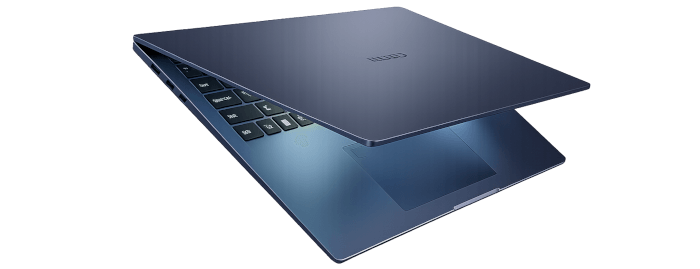
This is a new series looking at the Chuwi CoreBook Air Plus laptop.
The Chuwi CoreBook Air Plus has a price of $629 (that’s not an affiliate link). There’s a $50 early bird discount available which brings the price down to $579. And Chuwi is offering LinuxLinks readers a 13% discount on the purchase price. Use the discount code LinuxAirPlus at the checkout. With both discounts applied, the price is $547.23. For UK readers, this means the laptop costs around £400. There’s also a 14-inch model available (the Chuwi Corebook Air) at a lower price.
For this article in the series, I’m looking at the battery life of the laptop in more detail. The 16″ model of the laptop has a 60Wh battery. This is confirmed in KDE’s System Settings.

When looking at battery life, it doesn’t really matter what a laptop idles at or what usage is under full load.
As indicated in my power consumption article, the screen brightness plays a big part in how many hours you’ll get from a full charge. There are many other factors that play a part including CPU, iGPU, backlight, draw from USB devices etc.
To give an idea of battery life, I have maintained LinuxLinks with the laptop over many days. Maintaining the website involves a wide range of software including web browsers, RStudio, building and evaluating software, manipulating images, etc.
Here’s the Info Centre output showing the energy consumption for an hour.
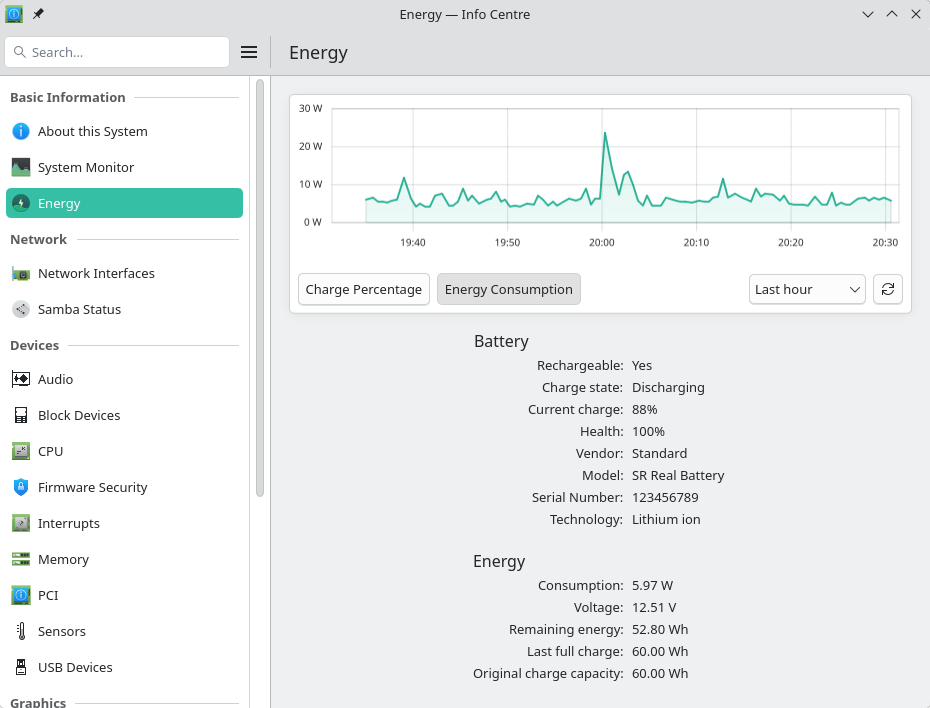
As you can see, the peak was just over 20 W. Even when building programs, it’s rare to consume anything higher.
Overall, I get slightly less than 8 hours battery life when using the Air Plus to maintain the website. Take into account the following points:
- Screen brightness is set at 50%. As we saw in my power consumption article, power draw is significantly affected by the screen brightness. I can extend battery life by lowering the brightness.
- The balanced governor is used. Battery life will be increased by using the power save governor but this makes some tasks too slow for my liking.
- Wi-Fi is used.
- The keyboard backlight is set to on (first brightness level).
- An external keyboard and mouse are attached.
Besides keeping screen brightness at 50%, I haven’t performed any other battery optimization techniques to achieve longer battery life. Under Linux, I recommend installing a power management tool. My recommended tools are TLP or Auto-CPUfreq. TLP is a feature-rich utility for Linux, saving laptop battery power without the need to delve deeper into technical details.
Complete list of articles in this series:
| Chuwi CoreBook Air Plus | |
|---|---|
| Hardware Review | A concise look at the hardware |
| Specifications | Using the inxi tool to delve into the laptop's specifications |
| Benchmarks | I put the laptop through a series of benchmarks |
| BIOS | Basic Input/Output System |
| Power Consumption | Testing the laptop's power consumption |
| Battery | Battery life while updating the LinuxLinks website |