
Clock
Ubuntu Touch comes with a decent clock utility. It also offers a stopwatch with useful laptimes, a timer, and alarms.
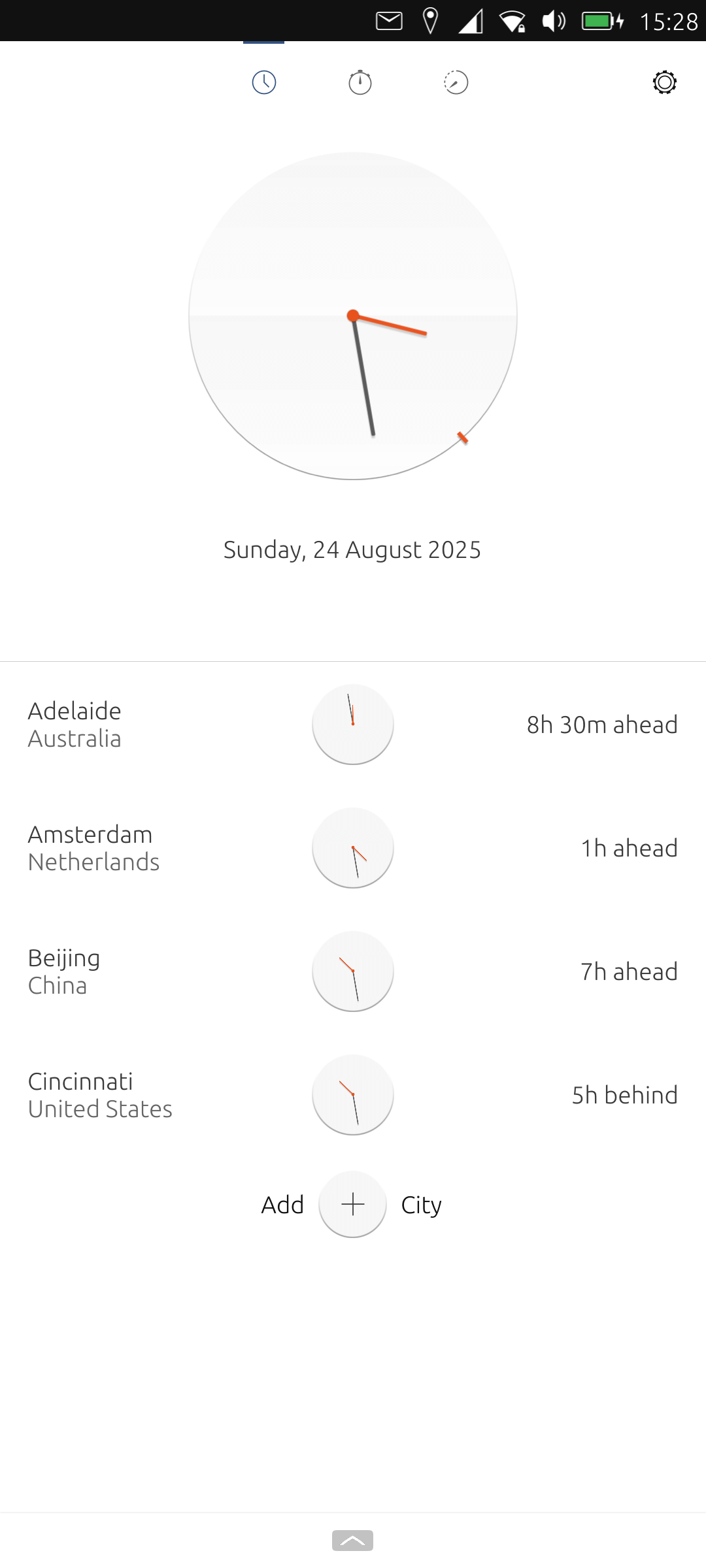
What makes the clock utility particularly useful is the ability to show multiple clocks for different cities around the world.
There are some customization options available. For alarms, we can set the alarm volume, the time after which an alarm stops, a configurable snooze period, and a choice of alarm sounds. By defaults, alarms have vibration but this can be turned off, and there’s the ability to change the theme.
In the image below, we’re showing analogue clocks. But with a tap on the clock, the clocks cycle between digital and analogue display.
Click image for full size
Next page: Page 6 – File Manager
Pages in this article:
Page 1 – Introduction and Morph Browser
Page 2 – Calculator
Page 3 – Calendar
Page 4 – Camera
Page 5 – Clock
Page 6 – File Manager
Page 7 – Gallery
Page 8 – Music
Page 9 – Notes
Page 10 – OpenStore
Page 11 – Terminal
Page 12 – Weather
Complete list of articles in this series:
| Volla Phone Quintus | |
|---|---|
| Introduction | Introduction to the series and interrogation of the phone |
| Ubuntu Touch | A Brief Overview of the Apps Pre-installed |
| Libertine | Run Linux Desktop Applications on the phone |
| Waydroid battery life | Run Android applications on the phone |
| Ubuntu 24.04-1.0 | Blog article about the recent upgrade to Ubuntu Touch |
| Useful Software for Ubuntu Touch | Music Recognition Radio PodCat Translate Sturm Reader |
| Lots more articles are currently being prepared | |