
In Operation
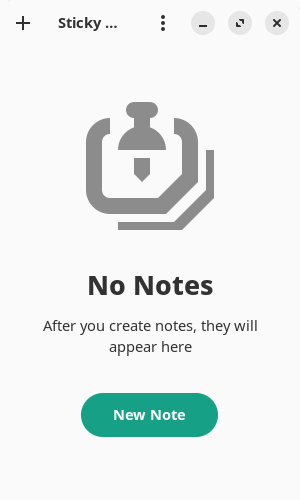
Start the program, and we’re invited to create a new note.
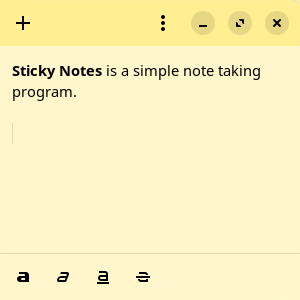
We’ve created a note and applied a little formatting.
When we hover over a note, there are focus indicators.
The interface lets us create a new note by clicking the + icon in the top left hand corner.
Adjacent to the + icon is a hamburger icon which lets us change to different styles in addition to the yellow style. These styles are: Pink, Green, Purple, Blue, Gray, Charcoal, and Window.
There are also some basic formatting options revealed at the bottom of the window. Besides bolding text, we can apply italics, underline and strikethrough.
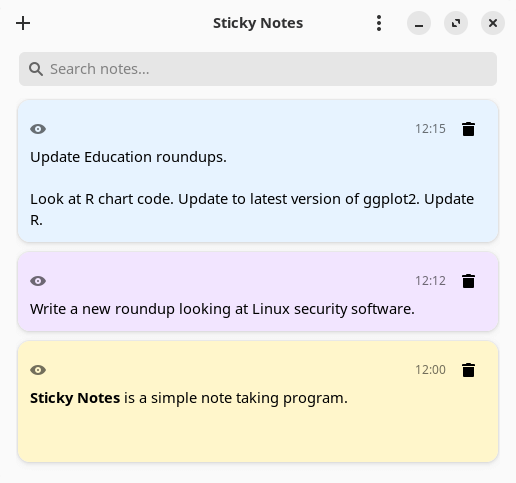
Once we’ve created some notes, the main window offers search functionality and the ability to quickly edit each note.
Summary
Sticky Notes is a very basic app which lets you take notes and stay organized. It’s probably too basic for most users.
We’d like additional functionality added such as the ability to import and export JSON, create groups, images, as well as the ability to backup and restore notes. At the time of writing the last release was back in May 2023, but there are recent commits.
For other sticky note tools, check out our updated roundup.
Website: github.com/vixalien/sticky
Support:
Developer: Angelo Verlain, Chris Davis
License: MIT License
Sticky Notes is written in TypeScript. Learn TypeScript with our recommended free books and free tutorials.
Pages in this article:
Page 1 – Introduction and Installation
Page 2 – In Operation and Summary
Related Software
| Note Taking Software | |
|---|---|
| Sticky | Very simple utility offering a good range of features |
| PrimeNote | Modern and highly customizable sticky note application |
| NoteSH | Terminal-based sticky notes app |
| KNotes | A simple Qt-based application |
| Xpad | Sticky note application for jotting down things to remember |
| GloboNote | Simple and easy to use open source note taking application |
| Sticky Notes | Simple note taking program designed for GNOME |
| Notejot | Billed as a stupidly simple sticky notes applet. |
| MyNotes | Customizable sticky notes program |
| redthread | Sticky-note pegboard for your terminal |
| Jorts | Colourful sticky notes program |
| Indicator Stickynotes | Write reminders on notes |
| LinSticky | Modern sticky notes application |
| Clues | Sticky notes app with connections |
Read our verdict in the software roundup.
 Explore our carefully curated directory of recommended free and open source software, covering every major software category. Explore our carefully curated directory of recommended free and open source software, covering every major software category.The directory forms part of our extensive collection of articles for Linux enthusiasts. It includes hundreds of detailed reviews, together with free and open source alternatives to proprietary software from companies such as Google, Microsoft, Apple, Adobe, IBM, Cisco, Oracle, and Autodesk. LinuxLinks also covers interesting projects worth exploring, Linux-compatible hardware, free programming books and tutorials, and much more. Know a useful free and open source Linux application that we haven’t covered? Tell us about it using our submission form. |
Please read our Comment Policy before commenting.
Usually you include links to 1. Sticky Notes apps and/or 2. Notes apps
Hi Ben
We wanted to update our sticky note roundup before including a link to it here. The roundup has now been updated, and a link to it is in the Summary section.