

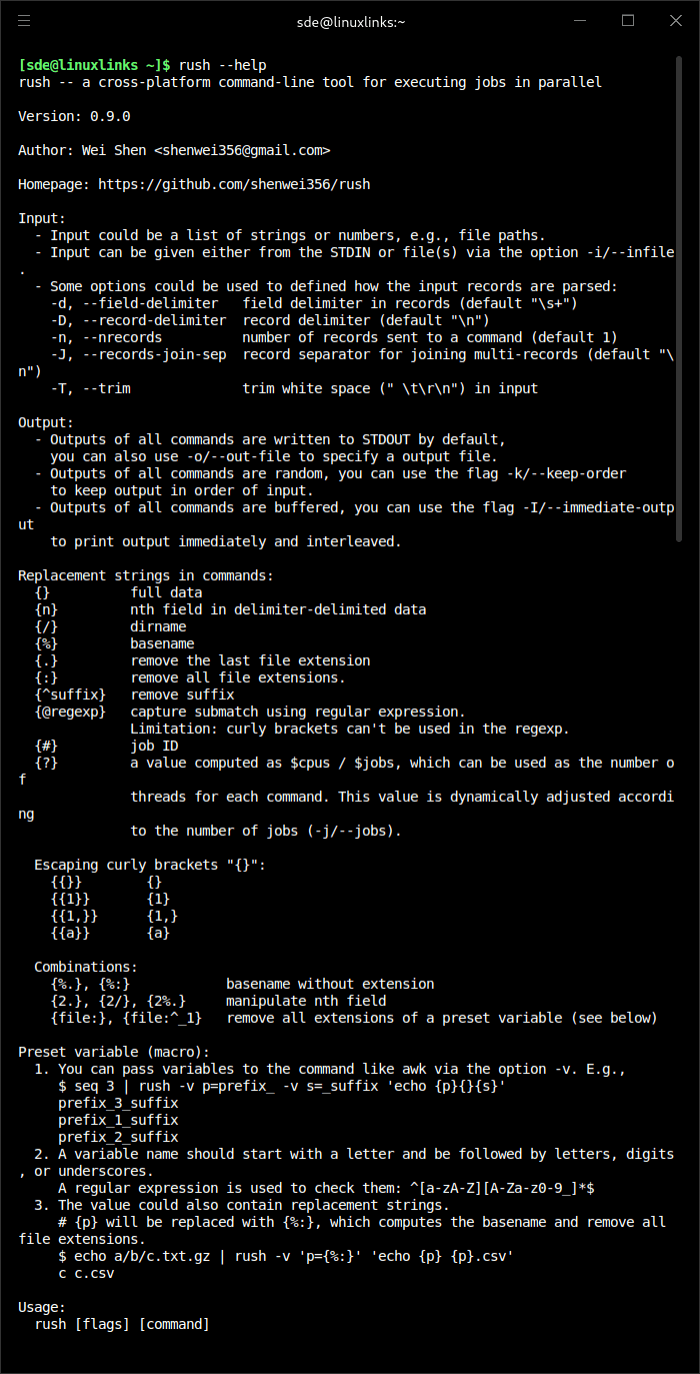
rush is a cross-platform command-line tool for executing jobs in parallel.
It is intended for users who want a flexible alternative to parallel and similar utilities, with support for complex command construction, replacement strings, retries, timeouts, and resumable workflows. The project is particularly well suited to shell-based batch processing and data-heavy pipelines where you need controlled parallel execution from the command line.
This is free and open source software.
Key Features
- Supporting Linux, macOS and Windows (not CygWin).
- Avoid mixed lines from multiple processes without loss of performance, for example when the first half of a line is from one process and the last half is from another process. (
--line-bufferin GNU parallel) - Timeout (
-t). (--timeoutin GNU parallel) - Retry (
-r). (--retry-failed --joblogin GNU parallel) - Safe exit after capturing Ctrl-C (not perfect; you may stop it by typing Ctrl-C or closing the terminal)
- Continue (
-c). (--resume --joblogin GNU parallel, but it does not support multi-line commands, which are common in workflows) awk -v-like custom defined variables (-v). (Using shell variables in GNU parallel)- Keeping output in order of input (
-k). (Same-k/--keep-orderin GNU parallel) - Exit on first error(s) (
-e). (Not perfect; you may stop it by typing Ctrl-C or closing the terminal) (--halt 2in GNU parallel) - Settable record delimiter (
-D, default\n). (--recstartand--recendin GNU parallel) - Settable records sent to every command (
-n, default 1). (-n/--max-argsin GNU parallel) - Settable field delimiter (
-d, default\s+). (Same-d/--delimiterin GNU parallel) - Practical replacement strings (like GNU parallel):
{{}},{}itself{{1,}},{1,}{#}, job ID. (Same in GNU parallel){}, full data. (Same in GNU parallel){n}, nth field in delimiter-delimited data. (Same in GNU parallel)- Directory and file
{/}, dirname. ({//}in GNU parallel){%}, basename. ({/}in GNU parallel){.}, remove the last file extension. (Same in GNU parallel){:}, remove all file extensions. (Not directly supported in GNU parallel){^suffix}, remove suffix. (Not directly supported in GNU parallel){@regexp}, capture submatch using a regular expression. (Not directly supported in parallel). There is a limitation here: curly brackets cannot be used in the regular expression.
- Combinations
{%.},{%:}, basename without extension{2.},{2/},{2%.}, manipulate nth field{file:},{file:^_1}, remove all extensions of a preset variable (see below)
- Preset variable (macro), for example,
rush -v p={^suffix} 'echo {p}_new_suffix', where{p}is replaced with{^suffix}. (Using shell variables in GNU parallel)
Website: github.com/shenwei356/rush
Support:
Developer: Wei Shen
License: MIT License
rush is written in Go. Learn Go with our recommended free books and free tutorials.
Related Software
| Alternatives to xargs | |
|---|---|
| rargs | xargs + awk with pattern matching support |
| rust-parallel | Execute commands in parallel |
| parallel | Shell tool for executing jobs in parallel |
| xjobs | Similar to xargs with enhanced support for multiprocessor machines |
 Explore our comprehensive directory of recommended free and open source software. Our carefully curated collection spans every major software category. Explore our comprehensive directory of recommended free and open source software. Our carefully curated collection spans every major software category.This directory is part of our ongoing series of informative articles for Linux enthusiasts. It features hundreds of detailed reviews, along with open source alternatives to proprietary solutions from major corporations such as Google, Microsoft, Apple, Adobe, IBM, Cisco, Oracle, and Autodesk. You’ll also find interesting projects to try, hardware coverage, free programming books and tutorials, and much more. Discovered a useful open source Linux program that we haven’t covered yet? Let us know by completing this form. |