

Last Updated on January 26, 2026
A podcast is a type of media, either audio or video, that you can access through RSS feeds. The term “podcast” is a blend of “broadcast” and “iPod.” By subscribing, you can automatically get the latest episode of a program you love as soon as it’s released. Podcasts are similar to radio or TV shows and can be produced by both professionals and enthusiasts, making them available for streaming or downloading on the internet.
podliner is a terminal-based podcast player. It’s cross-platform software that runs under Linux, macOS, and Windows. And it’s free and open source goodness.
Installation
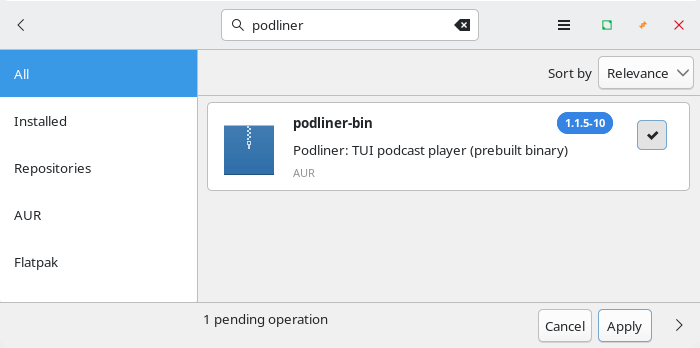
There’s a binary package in the Arch User Repository (AUR) for Arch and Arch-based distributions. I can install the package using Pamac, Manjaro’s GUI package manager.
But I went with installing the program via its install script using the command:
$ bash <(curl -fsSL https://github.com/timkicker/podliner/releases/latest/download/install.sh)

You’ll notice that podliner is installed to ~/.local/bin/. That directory is not in my PATH. The PATH environment variable tells Linux where to look for executable programs when you run a command without giving its full path.
I can add ~/.local/bin/ to my PATH or copy the executable to a directory that’s already in my PATH, such as /usr/local/bin
podliner doesn’t try to reinvent the wheel. It relies on a playback engine. My system already has mpv installed but you can use ffplay (ffmpeg), or VLC as well.
In Operation
Here’s podliner in action. I’ve added a few feeds.
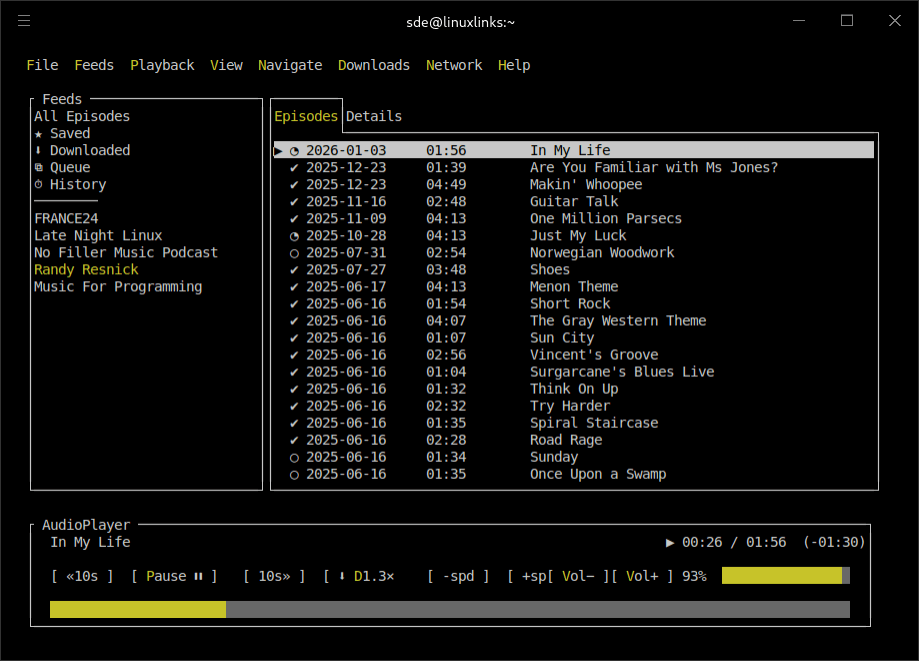
Navigation is good particularly if you like using the mouse. There’s support for downloading podcasts, resuming a podcast from where you left off, as well as decent queue management. There’s lots of nice touches along the way. For example, the episodes tab shows whether you’ve already listened to an episode, with a full tick or a partial circle. This is very convenient.
Less important to me but may be useful is the ability to play podcasts at different speeds e.g. 1.25x or 1.5x. There’s very basic theme support and search functionality.
There’s good menu support with examples of commands.

Summary
I give a thumbs up to podliner. It’s a sweet little podcast player.
podliner does many things right. I like that the program has no telemetry. The app settings and library is stored locally at ~/.config/podliner. Most of the keyboard shortcuts are sensible but there’s scope for improvement. For example, removing a feed should be a menu entry, and the command :remove-feed is too long.
In my opinion, development should focus on usability. While there’s support for importing existing subscriptions (which makes it very easy to migrate over to podliner), the software would benefit hugely with the ability to discover new podcasts. Adding integration with the Podcast Index would be a really worthwhile addition.
I’m a big advocate of TUI based programs in part because they are typically frugal with system resources, are often optimized for power users, and are easier to automate and script. I hope that MPRIS support is added in a future release.
Here are the options available from the command line.

ps_mem reports that podliner uses around 97MB of RAM in use. Remember to factor in the playback engine though.
Website: github.com/timkicker/podliner
Support:
Developer: timkicker
License: GNU General Public License v3.0
podliner will be able to our terminal podcast tools roundup shortly.
podliner is written in C#. Learn C# with our recommended free books and free tutorials.