

Installing Software
Given that the Ubuntu repositories often have fairly old packages, I strongly recommend installing Flatpak, a great app store for Linux.. There are many thousands of applications where a Flatpak is available for ARM.
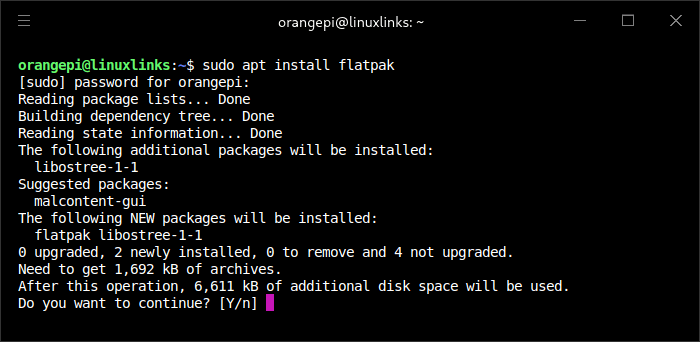
To enable Flatpak support in Ubuntu issue the following command in a terminal:
$ sudo apt install flatpak
Add the Flathub repository with the command.
$ flatpak remote-add --if-not-exists flathub https://dl.flathub.org/repo/flathub.flatpakrepo
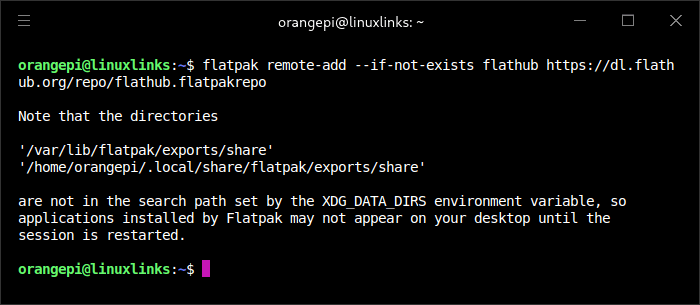
A reboot is then required. I can now install a huge range of apps on the Pi 6 Plus.
There are other ways of installing software including snaps. Here’s Firefox installing with a snap.
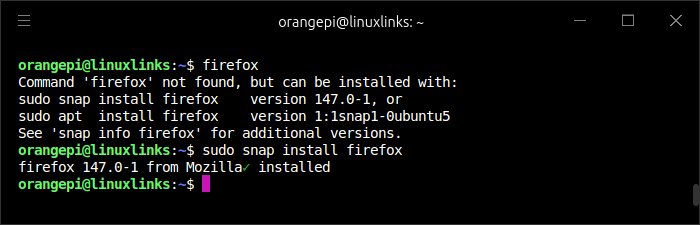
Personally I’m becoming less and less enamored with snap over time.
In the next article in the series I’m going to take a look at the BIOS.
Pages in this article:
Page 1 – Installing Ubuntu 24.04 LTS
Page 2 – Running Ubuntu 24.04 LTS
Page 3 – Installing Software
Complete list of articles in this series:
| Orange Pi 6 Plus | |
|---|---|
| Introduction | Introduction to the series and interrogation of the single-board computer |
| Benchmarks | Benchmarking the Orange Pi 6 Plus |
| Cores | The 3 different types of core |
| Power | Testing and comparing the power consumption |
| Ubuntu | Testing the Ubuntu 24.04 LTS image |
| BIOS | Exploring the BIOS |