
A system profiler is a utility that presents information about the hardware attached to a computer. Having access to hard information about your hardware can be indispensable when you need to establish exactly what hardware is installed in your machine.
NerdFetch is a simple shell script which fetches information about your system.
Installation
We tested NerdFetch in Manjaro, an Arch-based Linux distribution. There are a couple of packages available in the Arch User Repository.
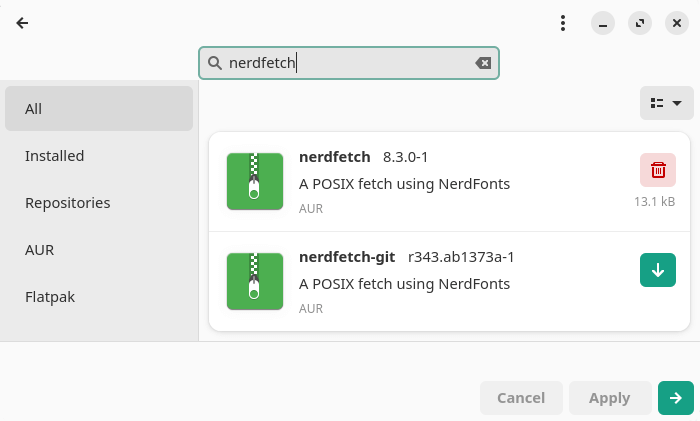
The AUR is a community-driven repository. It contains package descriptions (PKGBUILDs) that allow users to compile a package from source with makepkg and then install it via the in-house pacman, a lightweight, simple and fast package manager that allows for continuously upgrading the entire system with one command
The AUR package puts nerdfetch in the /usr/bin/ folder.
We didn’t expect any installation issues as NerdFetch is simply a shell script. You don’t actually need a distro-specific package, as it’s easy just to download the shell script and place it in a directory in your PATH.
This is cross-platform software. Besides Linux, it runs under Android, FreeBSD, OpenBSD, NetBSD, and macOS.
In Operation
You’ll need to use a compatible terminal emulator. For example, the hyper terminal has issues displaying Nerdfonts. Here’s Alacritty in action.
$ nerdfetch
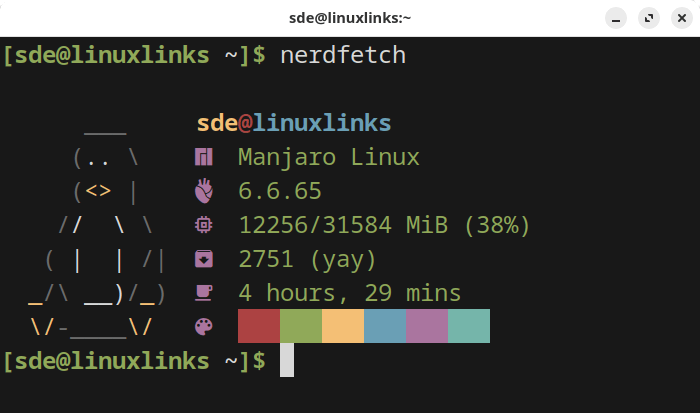
In case you are wondering, yay is a popular AUR helper written in Go. It’s fast searching for packages in the AUR.
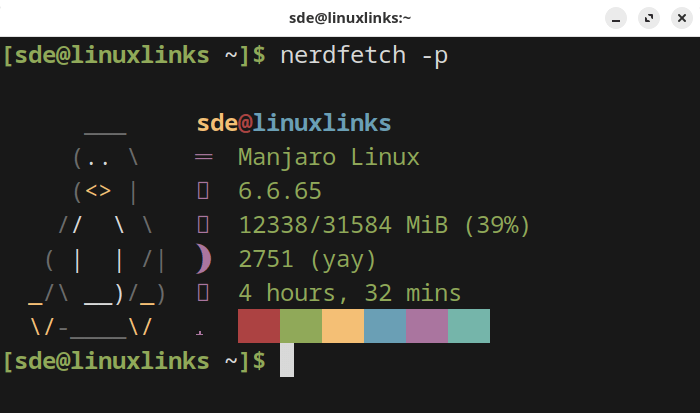
Inspecting the shell script shows there are a few options:
$ nerdfetch -p
This switches the font to Phosphor.
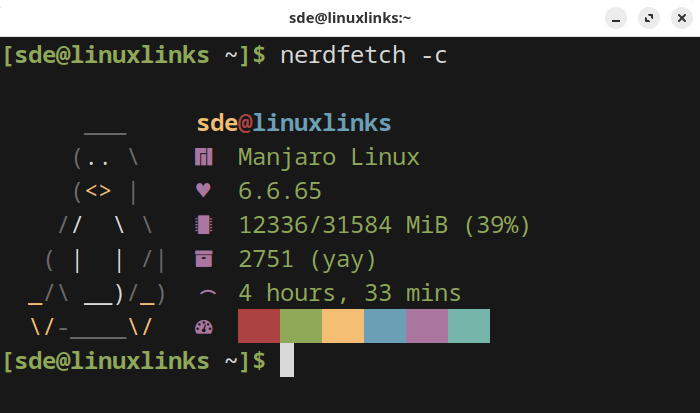
$ nerdfetch -c
We can also switch the font to Cozette.
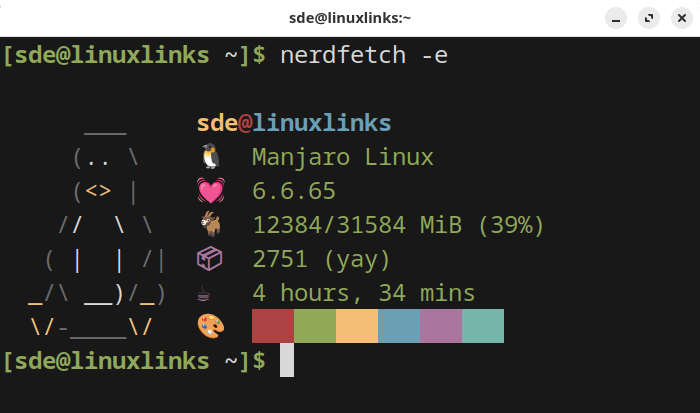
$ nerdfetch -e
And emoji fans are not forgotten.
Summary
NerdFetch is a very simple fetch script which will appeal to Nerdfont fans. It only shows a very limited amount of system information, so it’s not really a system profiler. It’s designed to be minimal, compact, portable, and as distro-agnostic as possible.
Nerd Fonts are popular fonts that are patched to include icons.
Website: github.com/ThatOneCalculator/NerdFetch
Support:
Developer: Kainoa Kanter
License: MIT License
Related Software
| Terminal-Based System Profilers | |
|---|---|
| inxi | Perl-based CLI system information tool |
| HyFetch | neofetch with LGBTQ+ pride flags |
| CPU-X | Similar tool to CPU-Z but differs in a few important ways |
| Fastfetch | Written in C, Fastfetch is a speedy fetcher |
| dmidecode | Reports information according to the SMBDIOS/DMI standard |
| Neofetch | Extremely customizable and runs on any operating that supports Bash |
| macchina | System information fetcher |
| brokefetch | neofetch clone |
| hwinfo | Provides a hardware probing library and a command line tool |
| screenFetch | Bash information tool |
| lshw | Console and graphical tool extracting detailed information |
| i7z | Reporting tool for i7, i5, i3 CPUs |
| Freshfetch | Fresh take on Neofetch |
| Katifetch | Focuses on identity and customization |
| rxfetch | Minimal but geeky fetch utility |
| albafetch | Written in C |
| UniFetch | Forked from Neofetch |
| NerdFetch | Fetch script using Nerdfonts |
| ArTTY | Art for your TTY |
| rtfetch | Neofetch but in Rust |
| F-Fetch | Fast and minimal system fetcher |
| Archey 4 | Simple system information tool |
| zeptofetch | No scripts, no bloat, just pure C |
| switchfetch | Written in Rust |
| pfetch | Pretty system information tool written in POSIX sh |
| dmitui | TUI version of dmidecode |
| zigfetch | Written in Zig |
| ufetch | Consists of platform-specific shell scripts that print concise system details |
| noorfetch | Minimalist system fetch |
| LeenFetch | Includes JSON output and remote fetching over SSH |
| Xfetch | Inspired by fastfetch and neofetch, written in Rust |
| blaeckfetch | Powered by blaeck for rendering |
| zfetch-rs | Focuses on providing a fast, minimal implementation |
| Yoctofetch | Billed as the fast(est) system fetch tool for Linux with a low footprint |
| Stormfetch | Written in Go |
| PeekFetch | Built with Go and Bubble Tea |
| NiTch Revived | System fetch written fully in Nim without any dependencies |
| Metetch | Minimal aesthetic inspired by KDE Plasma and Wayland |
| gnfetch | Written in Rust |
| bestfetch | Billed as a customizable, beautiful, and blazing fast system fetch |
Read our verdict in the software roundup.
 LinuxLinks helps you discover the best free and open source software for Linux. Explore our extensive collection of recommended applications, including alternatives to popular proprietary software. LinuxLinks helps you discover the best free and open source software for Linux. Explore our extensive collection of recommended applications, including alternatives to popular proprietary software.We also publish software reviews, Linux tutorials, hardware reviews, free programming books and articles covering the wider open source community. Browse our Linux resources to discover more. Know a useful free and open source Linux application we haven't covered? Suggest a program for inclusion. Has your software been featured on LinuxLinks? Display one of our Featured on LinuxLinks badges on your website or GitHub README. |
Please read our Comment Policy before commenting.