

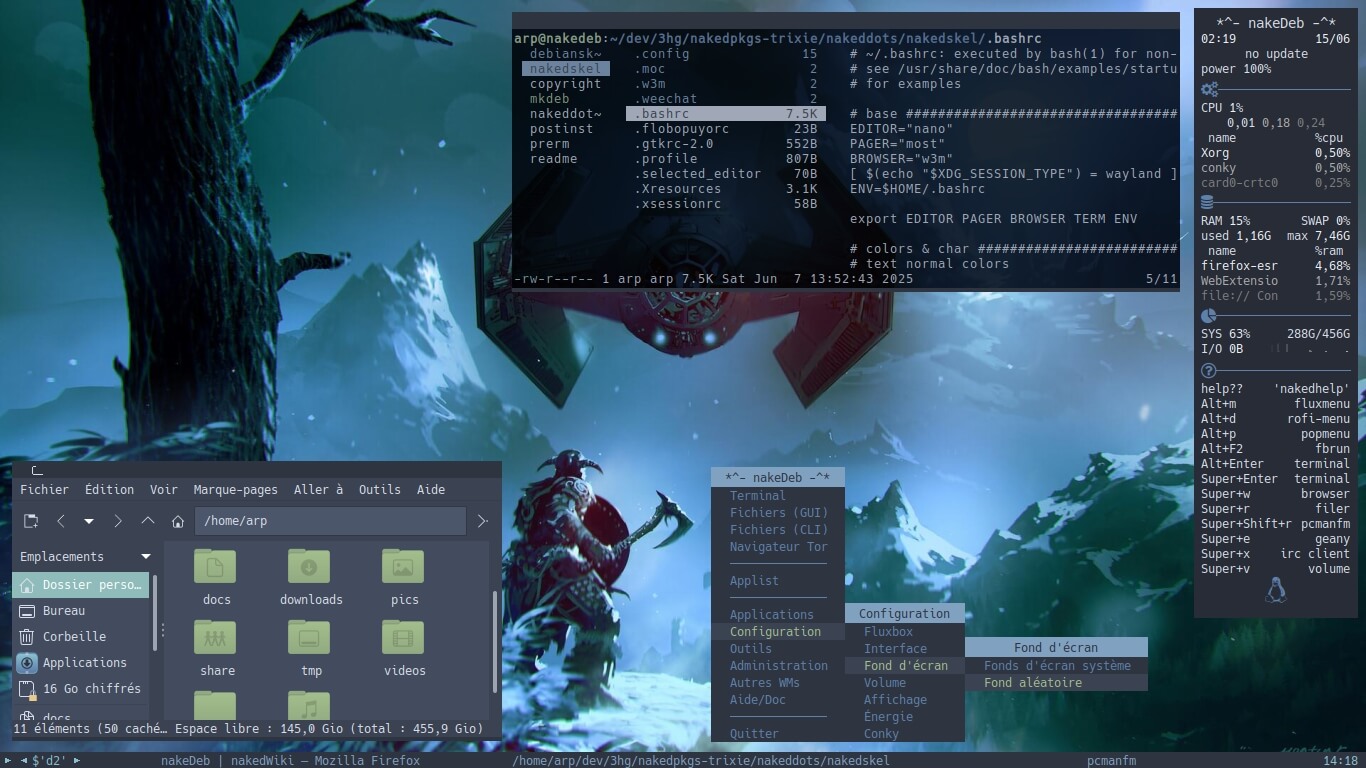
nakeDeb is a minimalist desktop Linux distribution based on Debian Stable and intended for more advanced Linux users. It uses the Fluxbox window manager by default, with an alternative i3 session also available. The distribution includes a simple text-mode installer and custom repositories offering additional software, utilities, and themes. It comes with the w3m web browser, a script to download and install the latest Tor Browser, the PCManFM file manager, and the mpv media player.
nakeDeb supports both French and English.
Key Features
- Installable live system with an amd64 kernel to run on almost all 64-bit machines.
- Basic CLI tools, with a bit of GUI, for browsing the internet, transferring data, formatting and cleaning disks, attempting data recovery with testdisk & photorec, and securing or encrypting files with luckyluks.
- Lightweight distribution: Fluxbox as the default session, pcmanfm and lf for managing data, w3m and Tor Browser Launcher for the web, connman for networking, mpv, moc and nsxiv for media files, and a few useful tools.
- Keyboard-friendly: nakeDeb can be fully controlled from the keyboard.
- Two working sessions available live or installed:
- Fluxbox: the default session.
- i3wm: the improved tiling window manager.
- Linux / Windows / macOS compatibility through dos/vfat/hfs+ tools for reading and writing Windows and macOS filesystems.
- Built-in and online documentation.
- An update cycle aligned with Debian, with one nakeDeb release for each Debian major version upgrade.
| Working state: | Active |
| Desktop: | Fluxbox, i3 |
| Init Software: | systemd |
| Package Management: | APT |
| Release Model: | Fixed |
| Platforms: | x86_64 |
| Home Page: | nakedeb.arpinux.org |
| Developer: | arpinux |
| This article is part of our Big List of Active Linux Distributions. |
What's a Linux distribution ("distro")? |
| A distro provides the user with a desktop environment, preloaded applications, and ways to update and maintain the system. Each distro makes different choices, deciding which open source projects to install and provides custom written programs. They can have different philosophies. Some distros are intended for desktop computers, some for servers without a graphical interface, and others for special uses. Because Linux is an open source operating system, combinations of software vary between Linux distros. |