
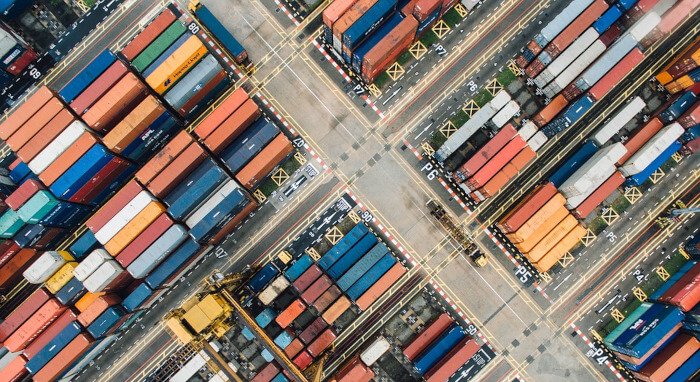
Docker is a set of platform as a service (PaaS) products that use OS-level virtualization to deliver software in packages called containers.
A container is software that packages up code and all its dependencies so the application runs quickly and reliably from one computing environment to another. A Docker container image is a lightweight, standalone, secure, executable package of software that includes everything needed to run an application: code, runtime, system tools, system libraries, and settings.
In Part 1 and Part 2 of Getting Started with Docker, we took you through the steps of installing Docker Engine and running docker as a regular user without sudo rights.
Let’s turn to the Docker CLI. Using docker consists of passing it a chain of options, commands followed by arguments. The syntax is:
$ docker [OPTIONS] command [ARGUMENTS]
The Docker CLI has 40 separate commands which are listed in the table below.
| Docker Commands | |
|---|---|
| attach | Attach local standard input, output, and error streams to a running container |
| build | Build an image from a Dockerfile |
| commit | Create a new image from a container's changes |
| cp | Copy files/folders between a container and the local filesystem |
| create | Create a new container |
| diff | Inspect changes to files or directories on a container's filesystem |
| events | Get real time events from the server |
| exec | Run a command in a running container |
| export | Export a container's filesystem as a tar archive |
| history | Show the history of an image |
| images | List images |
| import | Import the contents from a tarball to create a filesystem image |
| info | Display system-wide information |
| inspect | Return low-level information on Docker objects |
| kill | Kill one or more running containers |
| load | Load an image from a tar archive or STDIN |
| login | Log in to a Docker registry |
| logout | Log out from a Docker registry |
| logs | Fetch the logs of a container |
| pause | Pause all processes within one or more containers |
| port | List port mappings or a specific mapping for the container |
| ps | List containers |
| pull | Pull an image or a repository from a registry |
| push | Push an image or a repository to a registry |
| rename | Rename a container |
| restart | Restart one or more containers |
| rm | Remove one or more containers |
| rmi | Remove one or more images |
| run | Run a command in a new container |
| save | Save one or more images to a tar archive (streamed to STDOUT by default) |
| search | Search the Docker Hub for images |
| start | Start one or more stopped containers |
| stats | Display a live stream of container(s) resource usage statistics |
| stop | Stop one or more running containers |
| tag | Create a tag TARGET_IMAGE that refers to SOURCE_IMAGE |
| top | Display the running processes of a container |
| unpause | Unpause all processes within one or more containers |
| update | Update configuration of one or more containers |
| version | Show the Docker version information |
| wait | Block until one or more containers stop, then print their exit codes |
To view the options available to a specific command, type:
$ docker command --help
For example, let’s view the help for the stats command.
sde@ganges:~$ docker stats --help

Usage:  docker stats [OPTIONS] [CONTAINER...]

Display a live stream of container(s) resource usage statistics

Options:
  -a, --all             Show all containers (default shows just running)
      --format string   Pretty-print images using a Go template
      --no-stream       Disable streaming stats and only pull the first result
      --no-trunc        Do not truncate output
All articles in this series:
| Getting Started with Docker | |
|---|---|
| Installing Docker Engine | Let's start with the basics. We install Docker Engine on Ubuntu |
| Run Docker without sudo | Run Docker without the security privileges of root |
| Commands | A brief overview of the 40 Docker commands |
| Images | A Docker image is a file used to execute code in a Docker container |
| Portainer CE | Install this interface to manage different Docker environments |
| Dry | Interactive CLI for Docker containers |
Please read our Comment Policy before commenting.