
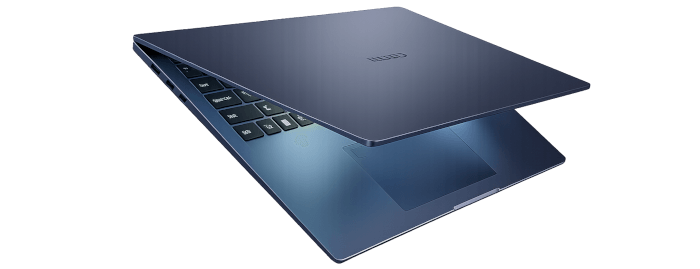
This is a new series looking at the Chuwi CoreBook Air Plus laptop.
The Chuwi CoreBook Air Plus has a price of $629 (that’s not an affiliate link). There’s a $50 early bird discount available which brings the price down to $579. And Chuwi is offering LinuxLinks readers a 13% discount on the purchase price. Use the discount code LinuxAirPlus at the checkout. With both discounts applied, the price is $547.23. For UK readers, this means the laptop costs around £400. There’s also a 14-inch model available (the Chuwi Corebook Air) at a lower price.
For this article in the series, I’m looking at the power consumption of the Chuwi CoreBook Air Plus. This laptop has a 60Wh battery.
On the face of it, you might think the Air Plus’s power consumption will be on the high side. Its processor, the AMD Ryzen 5 6600H, has a TDP of 45 W. TDP most commonly means Thermal Design Power, a measurement of the maximum amount of heat a computer component like a CPU or GPU can produce under normal operating conditions. But TDP is not actually a very reliable metric for assessing power consumption for general usage.
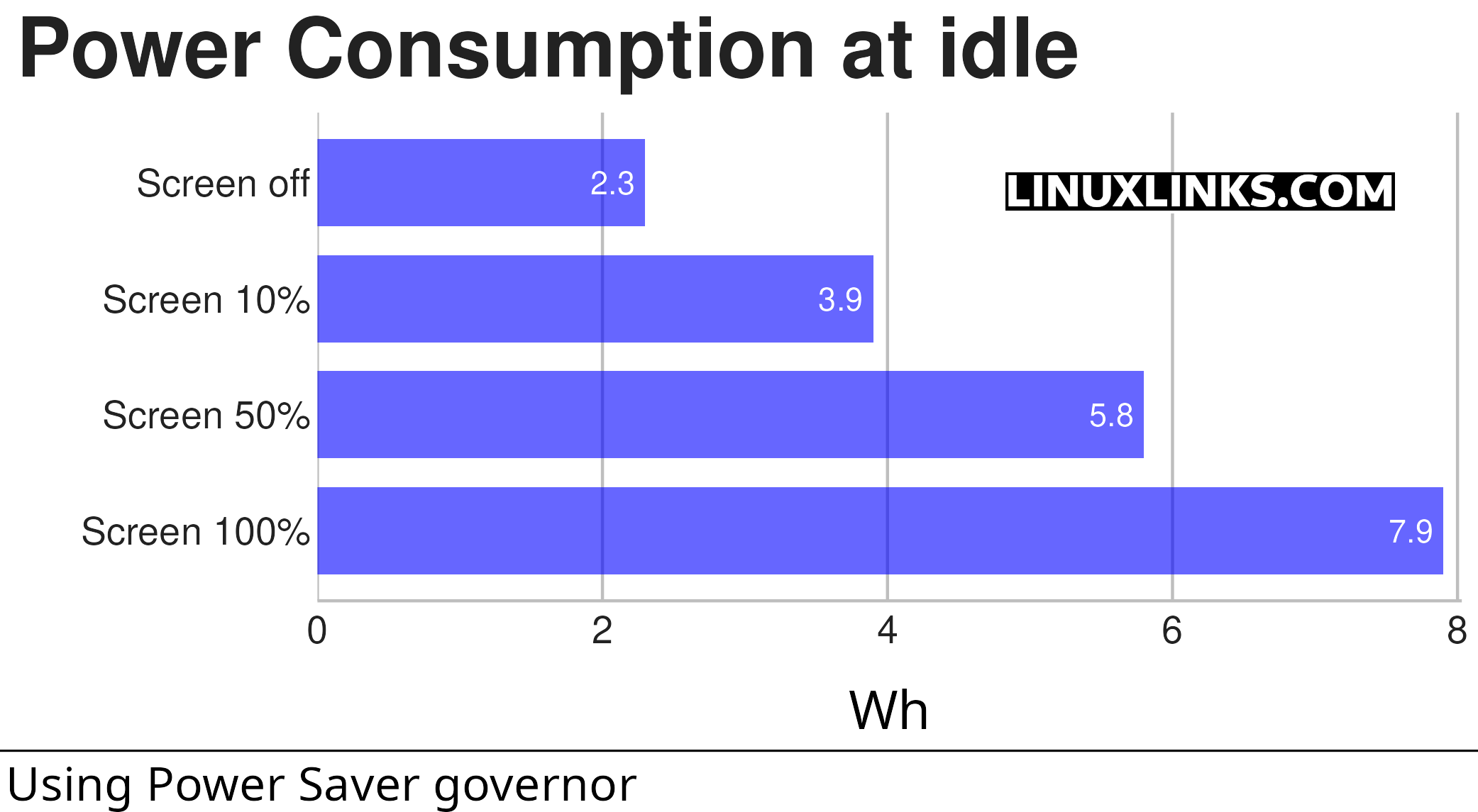
This chart shows the power consumption of the laptop when idling.
A Wh is a unit of energy equivalent to one watt of power expended for one hour of time.
The chart illustrates nicely the power consumption used by the 16″ screen. It also illustrates the fact that the laptop has a 45W TDP processor doesn’t impact power consumption when the laptop is idle.
- The chart measures the power consumption of the laptop (not just the CPU).
- The laptop is running Manjaro, an Arch-based Linux distribution.
- The Linux powersave governor maximizes energy efficiency and extends battery life by locking the CPU to its lowest possible operating frequency. It is ideal for idle systems or when reducing heat is necessary, though it significantly limits performance.
Let’s now turn to the power consumption when the CPU is fully stressed. I’m using s-tui to stress the CPU. It provides a convenient frontend to the stress utility.
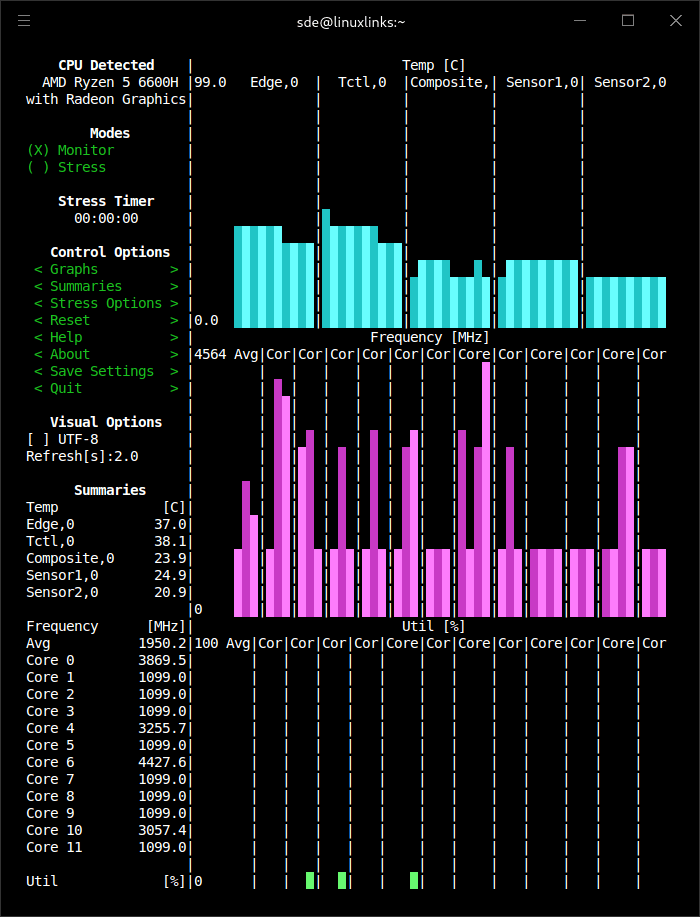
When changing the mode from Monitor to Stress, the chart captures the power consumption for the 3 different power consumption governors.
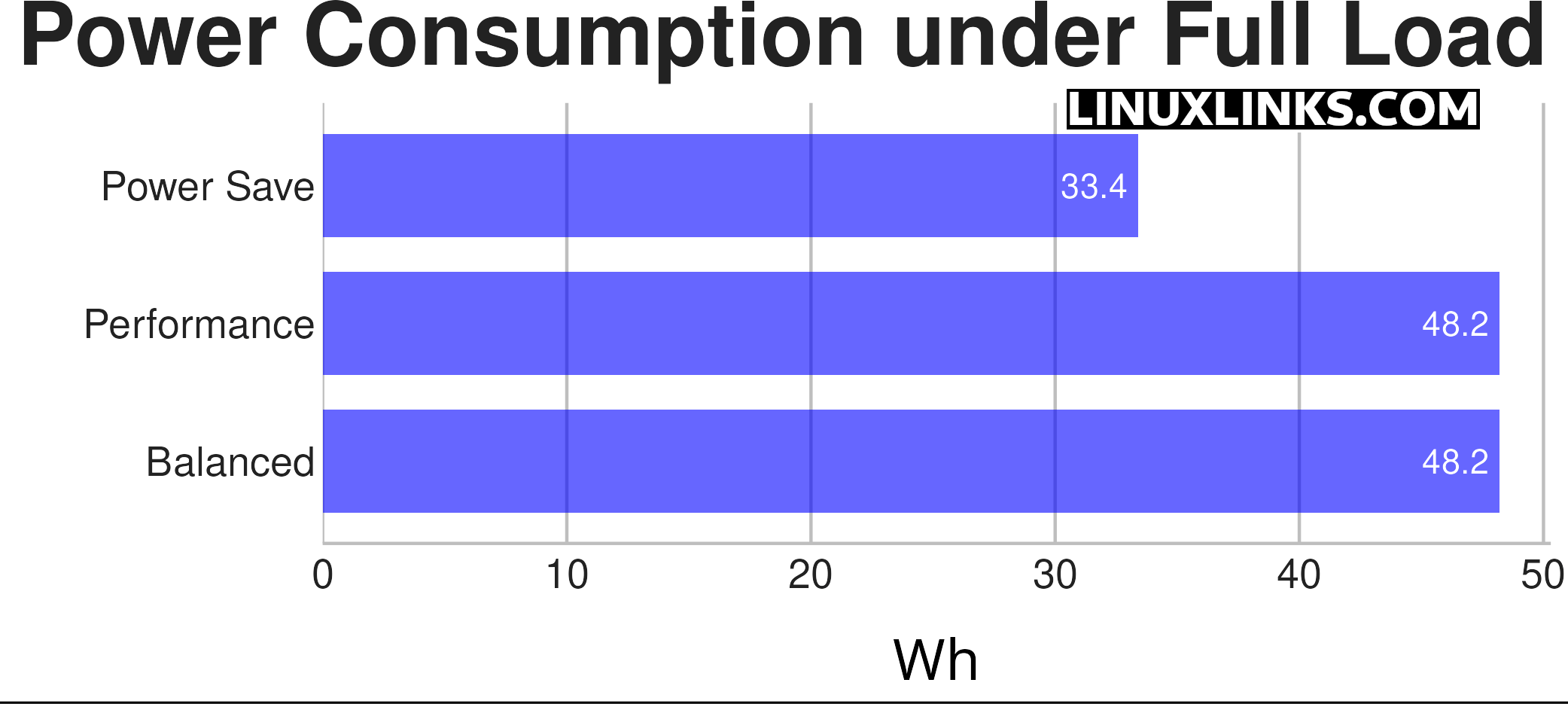
Note, only the CPU is stressed in this test. The laptop is running with 50% screen brightness. Power consumption will be higher if the iGPU is also stressed.
Under light load, the laptop gets 7-8 hours of battery life in Linux.
Complete list of articles in this series:
| Chuwi CoreBook Air Plus | |
|---|---|
| Hardware Review | A concise look at the hardware |
| Specifications | Using the inxi tool to delve into the laptop's specifications |
| Benchmarks | I put the laptop through a series of benchmarks |
| BIOS | Basic Input/Output System |
| Power Consumption | Testing the laptop's power consumption |