

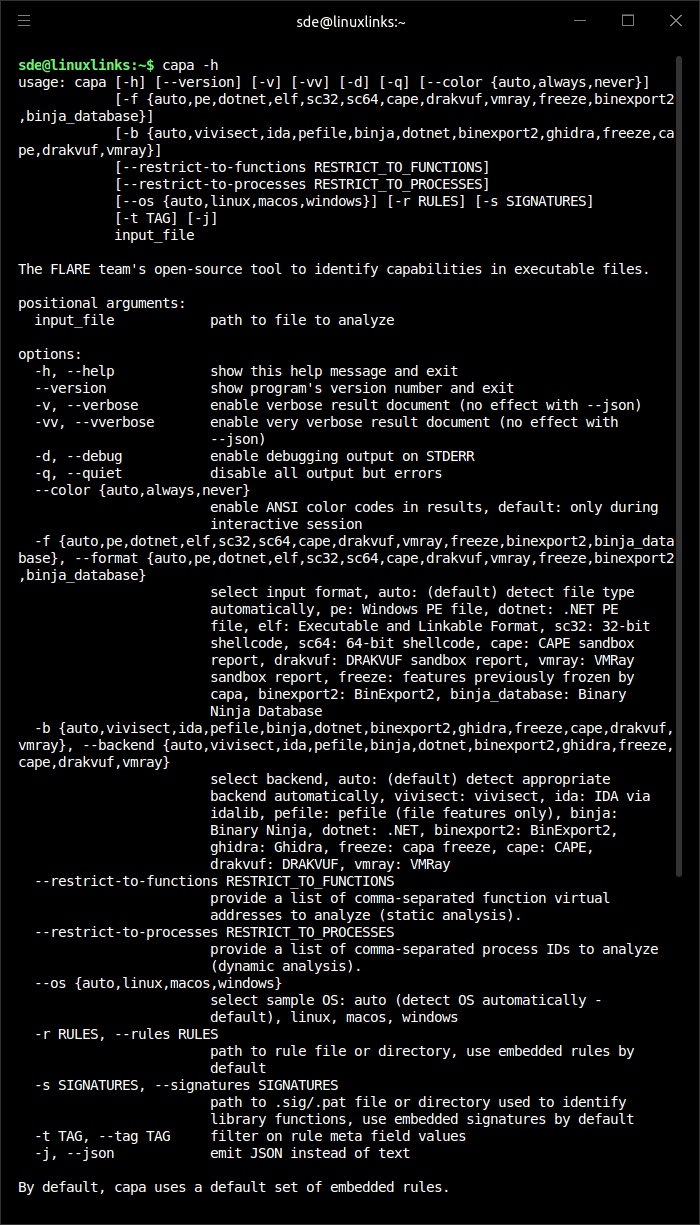
capa is a command line malware analysis tool.
It examines executable files and related analysis reports to identify behaviors such as persistence, command execution, file system access, network communication, encryption, anti-analysis checks, and other capabilities commonly relevant to reverse engineering and threat intelligence work.
This is free and open source software.
Key Features
- Analyzes PE, ELF, .NET modules, shellcode, and supported sandbox reports.
- Reports identified behavior using capability namespaces and MITRE ATT&CK mappings.
- Offers verbose output that shows the evidence and locations behind each match.
- Includes capa Explorer Web for interactively reviewing results in a browser.
- Supports static analysis and dynamic capability detection from CAPE, DRAKVUF, and VMRay reports.
- Uses a YAML-based rule format that can be extended with custom rules.
- Integrates with reverse engineering workflows through IDA Pro and Ghidra support.
- Cross-platform support – runs under Linux, macOS, and Windows.
Website: github.com/mandiant/capa
Support:
Developer: Mandiant
License: Apache License 2.0
capa is written in Python. Learn Python with our recommended free books and free tutorials.
Related Software
| Binary Analysis Tools | |
|---|---|
| Ghidra | Software reverse engineering framework |
| Radare2 | Portable reversing framework |
| Cutter | Graphical reverse engineering platform |
| Capstone | Lightweight multi-architecture disassembly framework |
| Detect it Easy | File inspection utility |
| ImHex | Analyze binary data |
| Miasm | Reverse engineering framework for analysing and emulating binaries |
| Reko | General-purpose decompiler for machine-code binaries |
| capa | Command line malware analysis tool |
| binwalk | Search a given binary image for embedded files |
| FLOSS | FLARE Obfuscated String Solver |
| unblob | Extraction suite for working with unknown binary blobs |
| Rizin | UNIX-like reverse engineering framework |
| REDasm | Cross-platform disassembler with an extensible graphical interface |
| Pharos | Framework for automated static analysis of binary programs |
| LIEF | Work with executable and binary formats |
| RetDec | Retargetable machine-code decompiler |
| knife | Static binary triage, disassembly and vulnerability analysis toolkit |
Read our verdict in the software roundup.
 Explore our carefully curated directory of recommended free and open source software, covering every major software category. Explore our carefully curated directory of recommended free and open source software, covering every major software category.The directory forms part of our extensive collection of articles for Linux enthusiasts. It includes hundreds of detailed reviews, together with free and open source alternatives to proprietary software from companies such as Google, Microsoft, Apple, Adobe, IBM, Cisco, Oracle, and Autodesk. LinuxLinks also covers interesting projects worth exploring, Linux-compatible hardware, free programming books and tutorials, and much more. Know a useful free and open source Linux application that we haven’t covered? Tell us about it using our submission form. |
Please read our Comment Policy before commenting.