
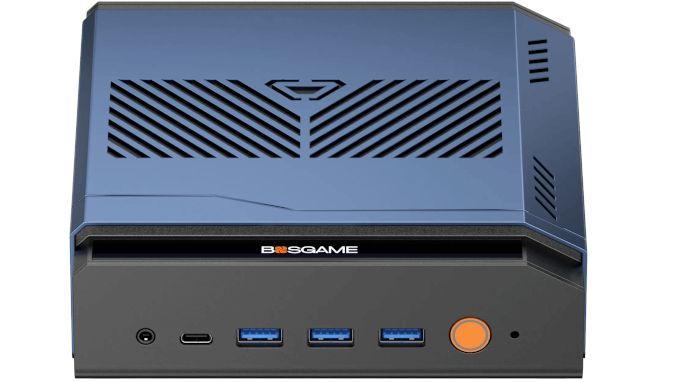
This is a new series looking at the BOSGAME M6 HX370 AI PC running Linux. In this series, I examine every aspect of this Mini PC in detail from a Linux perspective. I’ll compare the machine with other machines, including desktop machines, to put the results into context.
The BOSGAME M6 HX370 AI PC is the latest addition to the wide range of mini PCs from BOSGAME. This mini PC is based on the AMD Ryzen AI 9 HX 370 processor with integrated AMD Radeon 890M iGPU. The processor has 12 cores (24 threads) with a CPU Mark of around 35077. The machine came with 32GB of RAM and a 1TB NVMe disk which will be sufficient for most use cases.
My ideal PC is always a fanless model. A fanless setup uses passive cooling methods, such as heat sinks, to manage heat distribution effectively. This approach offers several advantages over traditional systems that rely on fans. One of the primary benefits is the complete silence—there’s no moving fan creating noise. This makes it perfect for settings where quiet is essential, like a media PC in the living room. I want something that looks good and operates silently, especially in a bedroom where the machine might run 24/7.
For desktop setups, the options for building a fanless PC are plentiful. Large CPU coolers from brands like NoFan or Noctua are quite affordable, can adequately cool higher TDP processors, and fit well in spacious cases. Plus, there are various fanless power supplies available, or at least those that feature a Zero RPM mode.
When it comes to fanless mini PCs, the choices are a bit more restricted. The Akasa Turing RC Pro fanless case is a solid option for housing a reasonably powerful CPU, like the Intel Ultra Core 7 255H, while ensuring complete silence. I’m also a fan of the Streacom FC8WD as the basis for a fanless media computer. But it’s very expensive. Achieving absolute silence comes with a significantly higher outlay. For mini PCs, I’m therefore open to tolerating some fan noise, but I still prefer the machine to be as quiet as possible.
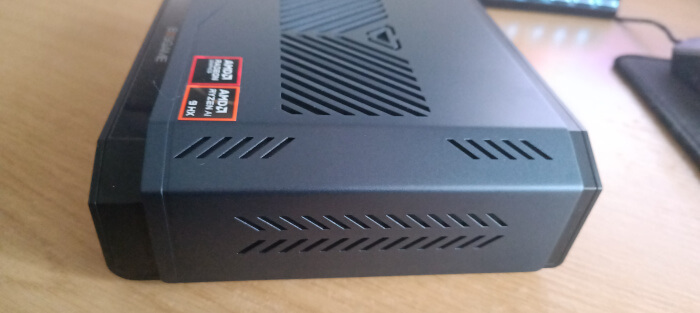 I’ve been using the BOSGAME M6 extensively for the past couple of months. It isn’t a fanless machine. On the face of it, you might think noise might be an issue bearing in mind the following points:
- The M6 is equipped with both a CPU fan and a system fan.
- As covered in my previous BIOS article, it features a power limit select option that allows you to choose between quiet, balanced, or performance modes. However, none of these settings notably affect the fan noise levels.
- Unlike some mini PCs, the M6 doesn’t offer a specific FAN mode in the BIOS. But does that really matter?
While the absence of customization options might seem like a drawback, the M6 proves to be one of the quietest mini PCs I’ve encountered. Its design is top-notch, with both fans being high quality and exceptionally quiet. The effective cooling is further enhanced by well-placed ventilation slots.
Now, let me share what I consider acceptable noise levels from a computer.
Machine at idle
When idle, the M6 is incredibly quiet from a metre away. By “incredibly quiet,” I mean it’s practically silent, even in a very quiet room. This is crucial for anyone planning to use the machine in spaces like a bedroom or living room.
Of course, this won’t be an important consideration if the machine is used in say an office environment.
Noise becomes more noticeable when the decibel level fluctuates. A machine that alters fan RPMs at idle can be quite bothersome, but the M6 handles this well.
Under regular use
The M6 shines in this department too. It’s designed to avoid rapid and disruptive cycling of fan speeds. There seems to be a built-in delay or temperature threshold that keeps the fans from frequently changing speed. Technically, that’s known as hysteresis.
Under full load
Even when pushing the machine to its limits, fan noise is noticeable from a meter away, yet it remains relatively subdued. I tend to be quite particular about fan noise, and the M6 does not disappoint.
Summary
While not a fanless solution, the M6 operates remarkably quietly. Out of all the powerful mini PC’s I’ve reviewed, the M6 comes top when considering the noise profile.
I would appreciate additional BIOS options to allow for more precise fan speed adjustments based on specific CPU temperatures.
Complete list of articles in this series:
| BOSGAME M6 HX370 AI Mini PC | |
|---|---|
| Introduction | Introduction to the series and interrogation of the machine |
| Benchmarks | Benchmarking the BOSGAME M6 HX370 AI Mini PC |
| Power | Testing and comparing the power consumption |
| BIOS | In the world of computing, BIOS, which stands for Basic Input/Output System, plays a crucial role |
| Noise | How quiet is this mini PC? |
Cheers mate. I am a musician so I need a PC to be as quiet as possible. Is the M6 quieter than the Minisforum AI X1 Pro?
Yes, it’s quieter when idling, in use, and under full load than the AI X1 Pro, but both machines are still very quiet.
The M6 is not as quiet as the ASRock NUC Box 255H under no load (the ASRock machine has configurable trip points in the BIOS which let you run the machine silently when not under load). But the ASRock’s machine doesn’t have anywhere near as effective cooling as the BOSGAME M6. For example, under heavy load the ASRock’s Intel CPU gets to 104C, and sounds like a hoover, where the M6 only goes up to around 74C and is much quieter. Now the Intel CPU doesn’t get throttled but if you live in a warm country I would be wary.