

Last Updated on March 13, 2026
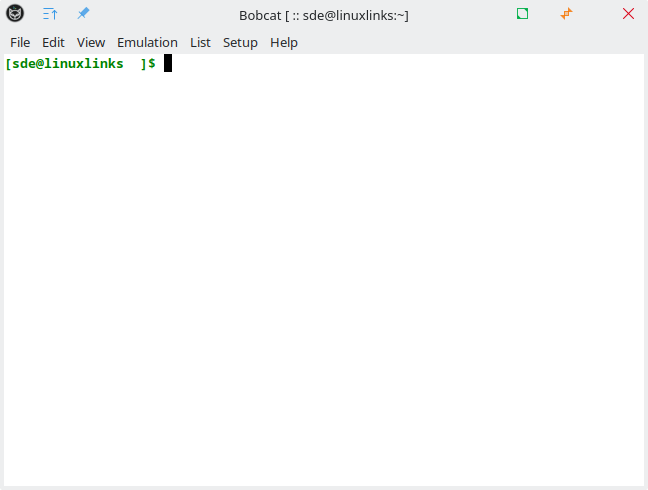
Bobcat is a modern, feature-rich terminal emulator that works across all major operating systems.
It’s built using the U++ framework and TerminalCtrl widget to create a powerful yet user-friendly command-line experience.
This is free and open source software.
Key Features
- Core:
- Cross-Platform Compatibility: Runs seamlessly on Linux, Windows, MacOS, and BSD, supporting multiple terminal backends with high VT (DEC/ANSI) and xterm compatibility.
- Inline Image Support: Displays images directly in the terminal with both Sixel and modern formats (PNG, JPG, BMP, TIFF), supporting multiple protocols such as iTerm2 and Jexer.
- Advanced Clipboard & Hyperlinks: Clickable links, OSC-based clipboard integration, and extended (rich-)text annotations for a modern workflow.
- Smart Shell Integration: Tracks working directories and allows opening them in the system’s default file manager via shortcuts or menus.
- Versatile Text Selection: Selector mode with keyboard-driven selection, customizable regex-based patterns, and support for rectangular, word, and line selections.
- Full Mouse & Keyboard Support: Works across all major protocols, with customizable key bindings for a tailored experience.
- Powerful Tools:
- Finder Search Engine: A robust text search tool with case-sensitive/insensitive modes, regex search, and CSV extraction via Harvester Mode, preserving structured data integrity.
- Linkifier: Instantly turns text into clickable hyperlinks using custom regex patterns, adaptable per terminal profile.
- QuickText: Maintain a list of frequently used commands and snippets for fast insertion with a keyboard shortcut.
- Customization & Interface
- Multiple Profiles: Configure different terminal settings and color schemes for various tasks.
- Split screen: You can spit the screen to 2 terminal panes side by side (vertical or horizontal).
- Minimal vs. Full UI: Choose between a lightweight or fully-featured interface with a stacked terminal manager for easy navigation.
- Simple Configuration: JSON-based configuration with real-time updates, or use a GUI settings panel—no manual file editing required.
Website: github.com/ismail-yilmaz/Bobcat
Support:
Developer: İsmail Yılmaz
License: GNU General Public License v3.0
Bobcat is written in C++. Learn C++ with our recommended free books and free tutorials.
Related Software
| Terminal Emulators | |
|---|---|
| Tabby | (Terminus) Highly configurable terminal emulator, SSH and serial client |
| Alacritty | Hardware-accelerated terminal emulator |
| Wave Terminal | AI-native terminal built for seamless workflows |
| urxvt | RXVT-like terminal emulator with Unicode support |
| Kitty | Like Alacritty, Kitty offers hardware acceleration |
| Ghostty | Feature-rich and cross-platform terminal emulator |
| Guake | Drop-down terminal for GNOME |
| Terminator | Multiple GNOME terminals in one window |
| WezTerm | GPU-accelerated cross-platform terminal emulator and multiplexer |
| rio | Hardware-accelerated GPU terminal emulator |
| electerm | Terminal emulator and much more |
| st | Simple terminal implementation for X which sucks less |
| contour | Aimed at power users with a modern feature mindset |
| Zutty | High-end terminal emulator for low-end systems |
| xterm | Provides DEC VT102 and Tektronix 4014 compatible terminals |
| Extraterm | Swiss army chainsaw of terminal emulators |
| Tilda | Gtk based drop down terminal |
| Ptyxis | Terminal for a container-oriented desktop |
| MATE Terminal | Terminal emulator the MATE desktop environment |
| Hyper | Terminal emulator built with web technologies |
| GNOME Terminal | Terminal emulator for the GNOME desktop environment |
| foot | Fast, lightweight and minimalistic Wayland terminal emulator |
| Xfce Terminal | Lightweight and easy to use terminal emulator application |
| Tilix | Advanced GTK3 tiling emulator |
| Terminology | Fast, lean and visually enhanced open source terminal emulator |
| Konsole | The KDE 5 terminal emulator |
| Black Box | GTK 4 terminal |
| Yakuake | Drop-down terminal emulator based on KDE Konsole technology |
| Station | Convergent terminal emulator |
| Sakura | Vte-based terminal emulator |
| QTerminal | Lightweight Qt-based terminal emulator |
| Zashterminal | Modern, intuitive, and innovative terminal built with GTK4 and Adwaita |
| LazyCat Terminal | Built with Vala and GTK4. |
| Kerminal | Modern terminal emulator and SSH manager |
| Termy | Minimal terminal emulator |
| DomTerm | Terminal emulator, REPL console, and screen multiplexer |
| CRT | Visually expressive terminal emulator written in Rust |
| kermit | VTE-based, simple and froggy terminal emulator |
| ROXTerm | VTE terminal emulator with tabs |
| LXTerminal | Lightweight terminal emulator based on GTK+ for the LXDE desktop |
| Bobcat | Built using the U++ framework and TerminalCtrl widget |
| fortty | GPU-accelerated terminal emulator written in Fortran |
| Tess | Hackable, simple, rapid and beautiful terminal |
| mlterm | Multilingual terminal emulator on X11 |
| Termite | Keyboard-centric VTE-based terminal |
| Packet | Terminal multiplexer and broadcast system |
| fingerterm | Terminal emulator with a custom virtual keyboard |
Read our verdict in the software roundup.
 Explore our comprehensive directory of recommended free and open source software. Our carefully curated collection spans every major software category. Explore our comprehensive directory of recommended free and open source software. Our carefully curated collection spans every major software category.This directory is part of our ongoing series of informative articles for Linux enthusiasts. It features hundreds of detailed reviews, along with open source alternatives to proprietary solutions from major corporations such as Google, Microsoft, Apple, Adobe, IBM, Cisco, Oracle, and Autodesk. You’ll also find interesting projects to try, hardware coverage, free programming books and tutorials, and much more. Discovered a useful open source Linux program that we haven’t covered yet? Let us know by completing this form. |