

This article looks at software which provides a graphical user interface for automating desktop tasks. Tasks can be recorded as they are performed by the user or can be selected from a list. The output of the previous action can become the input to the next action.
This type of software can be a real boon to productivity. The software saves time and effort over human intervention.
Here’s our verdict captured in a legendary LinuxLinks ratings chart. We only feature free and open source software here.
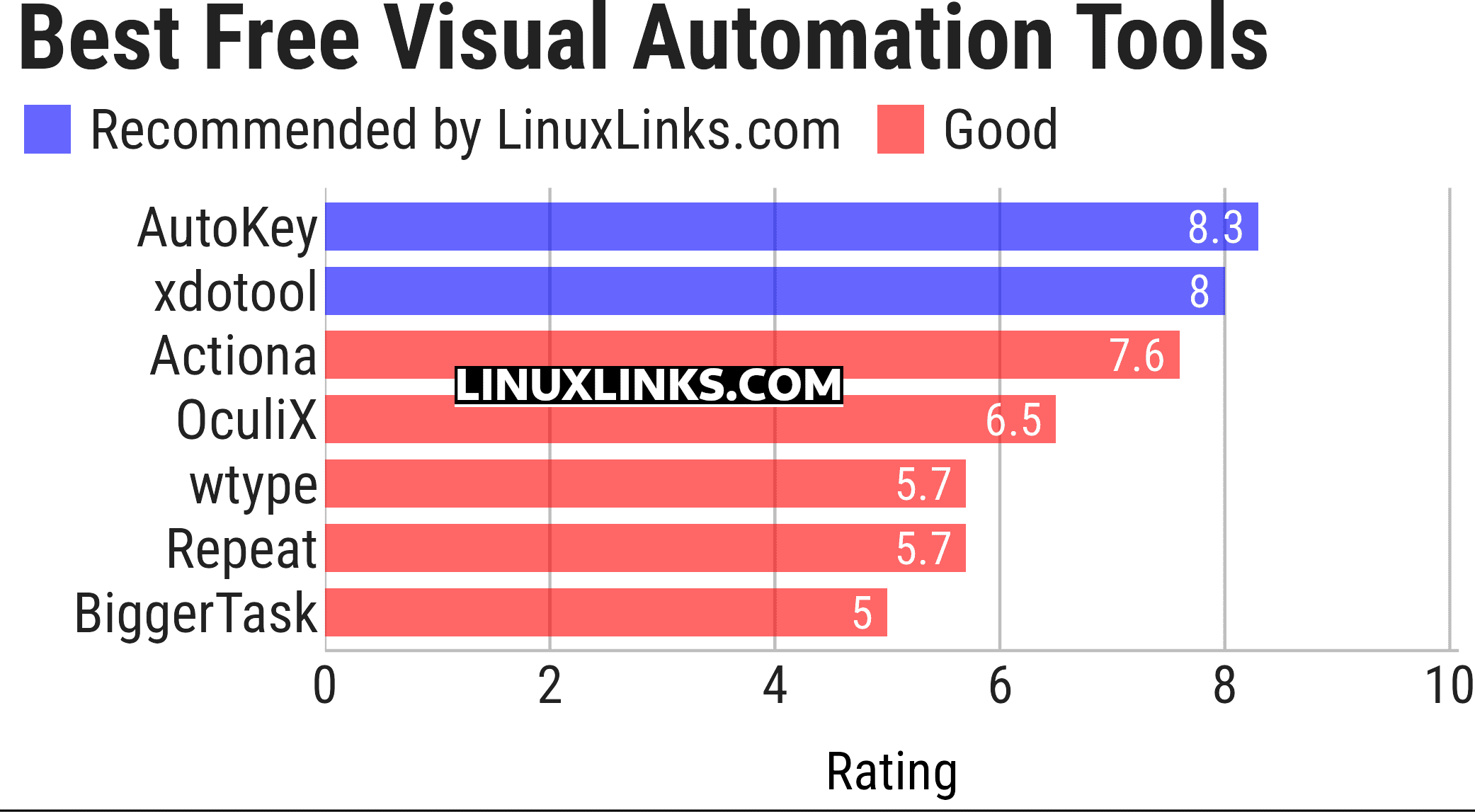
Let’s explore the 7 tools at hand. For each program we have compiled its own portal page, a full description with an in-depth analysis of its features, a screenshot, together with links to relevant resources.
| Visual Automation Tools | |
|---|---|
| AutoKey | Desktop scripting with hotkeys, abbreviations and Python |
| xdotool | Simulates keyboard and mouse input and controls X11 windows |
| Actiona | Builds scripted desktop workflows from configurable actions and conditions |
| OculiX | Coordinates desktop workflows using screen recognition and scripted actions |
| wtype | Generates keyboard input on Wayland compositors |
| Repeat | Records and replays desktop activity to handle repetitive everyday tasks |
| BiggerTask | Records mouse and keyboard actions for straightforward playback on Linux |
This article has been updated to reflect the changes outlined in our recent announcement.
 Explore our carefully curated directory of recommended free and open source software, covering every major software category. Explore our carefully curated directory of recommended free and open source software, covering every major software category.The directory forms part of our extensive collection of articles for Linux enthusiasts. It includes hundreds of detailed reviews, together with free and open source alternatives to proprietary software from companies such as Google, Microsoft, Apple, Adobe, IBM, Cisco, Oracle, and Autodesk. LinuxLinks also covers interesting projects worth exploring, Linux-compatible hardware, free programming books and tutorials, and much more. Know a useful free and open source Linux application that we haven’t covered? Tell us about it using our submission form. |
Please read our Comment Policy before commenting.