

Linux offers a huge range of free and open source music software, much of it mature, powerful, and actively developed. Many Linux music players include advanced features and integrate smoothly with online music services. Most desktop environments already come with one or more audio players, and there are also many excellent cross-platform and standalone options available. With so many choices, Linux users are genuinely spoiled when it comes to music players.
Every music collection is different, and choosing the right open source music player can make a real difference to how you enjoy your library, particularly if you manage a large collection of music.
Astra is a music player designed for playing local music files, whether your collection consists of FLAC, MP3, or other common audio formats. What began as a side project it aims to produce a capable application featuring a native C++ digital signal processing engine, real-time audio visualizers, multichannel audio remapping, and Dolby Atmos decoding support. It’s free and open source too. Sounds tantalizing.
Installation
I wanted to evaluate Astra with Manjaro, an Arch-based Linux distribution, installing the software with Pamac. The project also provides binaries for Windows and macOS, but my testing is limited in Linux.
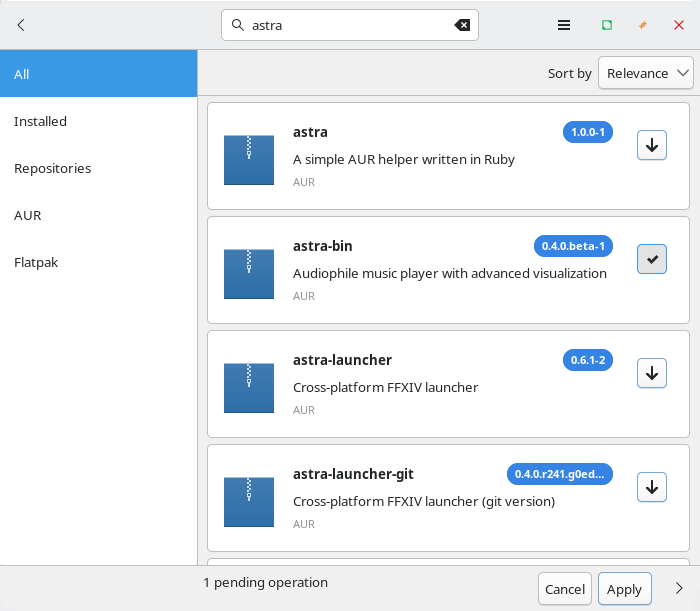
You’ll note there are a few different programs with the same name. I wish projects would not duplicate names.
The AUR package simply installs an AppImage and a symbolic link. If you’re running a Debian/Ubuntu-based distro, you’ll be better off installing the project’s deb package.
The AppImage fails to launch. Rather than waste time investigating if that’s a local issue, I moved over to Ubuntu and installed the deb package.
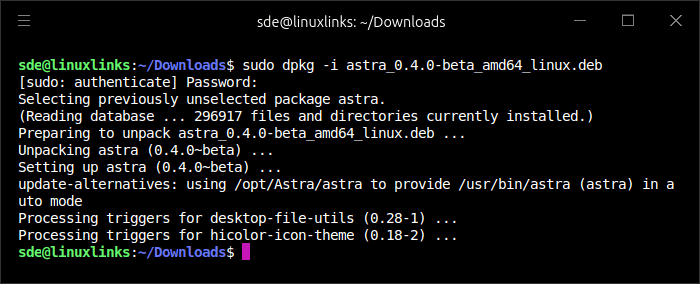
As the program starts with no fuss under Ubuntu, I evaluated the program under Ubuntu only.
In Operation
I’m showing an image of Astra with its default configuration. I’ve simply added a small collection of music.
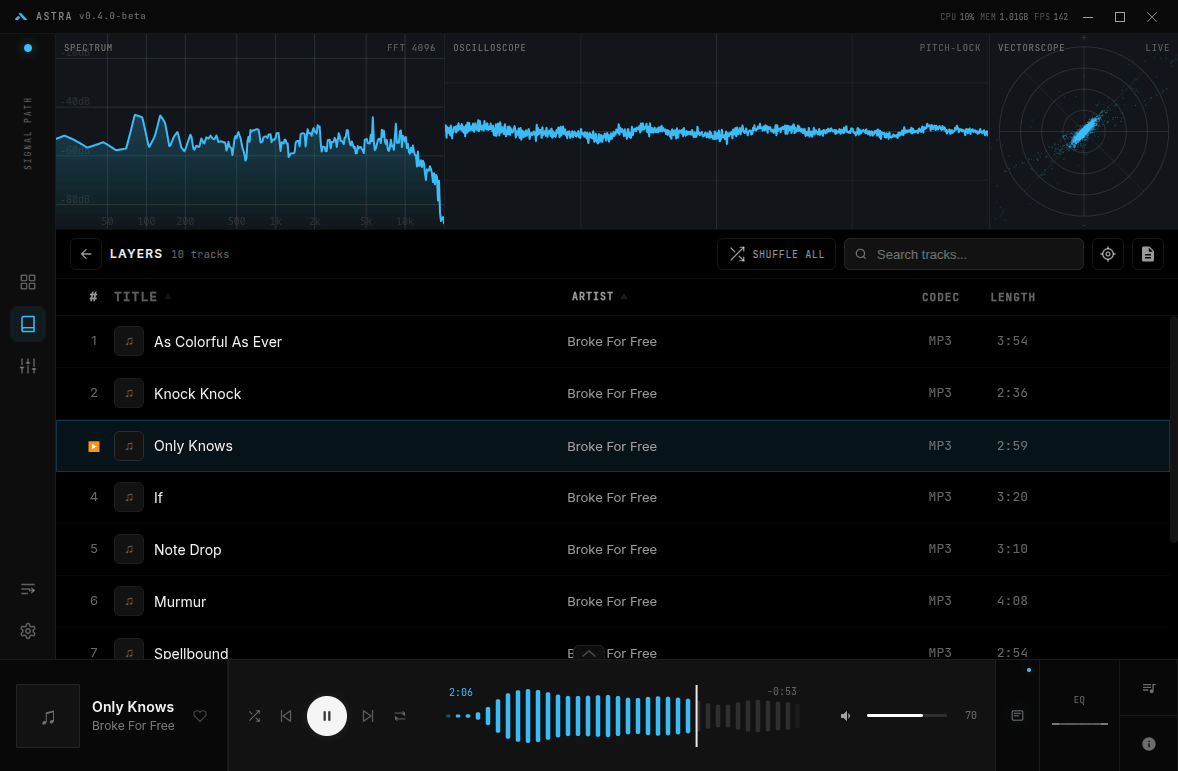
By default, a significant chunk of the UI is taken up with the program’s real-time visualizers. There’s a spectrum analyzer, oscilloscope, and even a vectorscope. They can be ‘popped’ out of the interface but can’t currently be removed. The developer is planning to make them optional which makes a lot of sense, as many users will just find them a real distraction.
The player supports a wide range of audio formats including MP3, FLAC, WAV, OGG, AAC, M4A, OPUS, WMA, and AIFF, with FFmpeg fallback support for additional codecs
Other Features
- Native C++ DSP engine for audio processing.
- Fully parametric equalizer with up to 10 bands and live frequency response graph.
- Import support for AutoEQ headphone calibration profiles.
- Automatic music library scanning with metadata extraction and artwork detection.
- Searchable library with browsing by artist, album, and track.
- Multichannel audio remapping and Dolby Atmos decoding.
- Output device selection, loudness normalization, and delay calibration.
- Built-in metadata editor for correcting tags within the player.
Summary
Astra is quite different from a typical Linux music player and shows promise. However, it currently suffers from several significant issues. For example, I am experiencing audio glitches during playback, and gapless playback does not work properly. There are noticeable gaps between tracks when playing FLAC albums. I tested both local files and music stored on a network, and the problem occurs in both cases.
The program is also extremely CPU intensive and uses a large amount of memory, exceeding 670MB of RAM. This is likely due in part to its use of Electron, a framework often regarded as inefficient compared to native applications.
I’ve compiled a long list of things that need fixing some of which are just cosmetic (and remember the project is in beta, so I’d expect problems). I won’t be adding them as issues on the project’s GitHub, as the developer would be best placed getting the fundamentals right (i.e. playback) and reducing system resource usage. However, it’s probably too late to move away from Electron at this stage.
Some of the program is written with the help of AI but this does not appear to be a vibe-coded project. AI assistance is getting more common these days in any event.
Website: github.com/boof2015/astra
Support:
Developer: Boof2015
License: GNU General Public License v3.0
Astra is written in TypeScript. Learn TypeScript with our recommended free books and free tutorials.
Is this program just AI slop?