

APTUI is a terminal user interface (TUI) written in Go for managing APT packages. Browse, search, install, remove and upgrade packages — all without leaving the terminal.
The software is built with Bubble Tea, Lip Gloss and Bubbles.
This is free and open source software.
Key Features
- Browse all packages — lists every available APT package with version and size info loaded lazily.
- Search & filter — single bar for fuzzy search and structured filters (section, architecture, size, status and more).
- Column sorting — sort packages by name, version, size, section or architecture (ascending/descending).
- Tabs — switch between All, Installed and Upgradable views.
- Multi-select — mark multiple packages with space, then bulk install/remove/upgrade.
- Mouse support — click to select packages, click again to toggle selection, click column headers to sort.
- Parallel downloads — installs and upgrades use parallel downloads by default for faster operations.
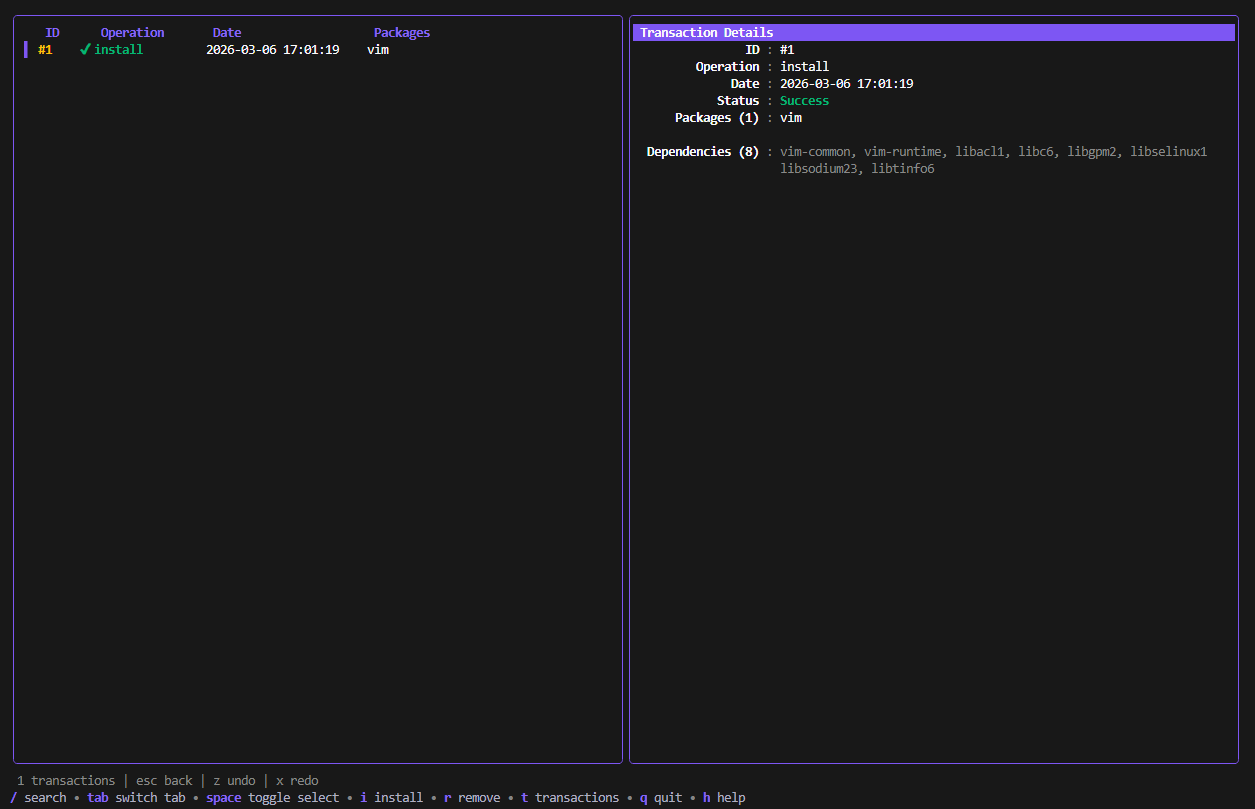
- Transaction history — every operation is recorded; undo (z) or redo (x) past transactions.
- Fetch mirrors — detect your distro, test mirror latency, and apply the fastest sources.
- PPA management — list, add, remove, enable and disable PPA repositories.
- Cleanup — dedicated tab listing autoremovable packages; clean them all with c.
- Error log — all errors are captured and shown in a dedicated tab with source, timestamp and full message detail.
- Pin favorites — pin packages with F to keep them at the top of the list (📌); pins are persisted across sessions.
- Export / Import — export installed packages to a JSON file (E) and import from a file to restore your environment.
- Inline detail panel — shows package metadata (version, size, dependencies, homepage, etc.).
Website: github.com/mexirica/aptui
Support:
Developer: Rodrigo Mecheri
License: MIT License
APTUI is written in Go. Learn Go with our recommended free books and free tutorials.
 Explore our comprehensive directory of recommended free and open source software. Our carefully curated collection spans every major software category. Explore our comprehensive directory of recommended free and open source software. Our carefully curated collection spans every major software category.This directory is part of our ongoing series of informative articles for Linux enthusiasts. It features hundreds of detailed reviews, along with open source alternatives to proprietary solutions from major corporations such as Google, Microsoft, Apple, Adobe, IBM, Cisco, Oracle, and Autodesk. You’ll also find interesting projects to try, hardware coverage, free programming books and tutorials, and much more. Discovered a useful open source Linux program that we haven’t covered yet? Let us know by completing this form. |