

LinuxLinks has kindly given me the space to publish a (semi) regular blog where I share my thoughts on open source, the Linux ecosystem, Windows, and other topics. It’s a place for my opinions and personal perspectives. As you might expect, everything I write here reflects my own views and prejudices.
For my first article, I’m going to take a look at an open source program I stumbled across the other day. I sometimes find myself browsing through the Arch User Repository in search of interesting or useful tools. When I find a gem that’s not covered on LinuxLinks, I usually complete the site’s software form.
During one of those browsing sessions I came across an image viewer that isn’t covered on the site. It’s called LeafView, billed as a minimalist image viewer. It would be better named General-Sherman-Tree-View.
As soon as I saw its dependency I should have stopped there and then.

Yes, that’s right, the program depends on Electron. That’s a framework designed to create desktop applications using web technologies (mainly HTML, CSS and JavaScript). In reality, it bundles the Chromium web browser engine, Node.js runtime together with the application’s own code into every program. Many well-known programs including Visual Studio Code, Discord, and Slack are built using it.
Why is this such a terrible choice here? In part because Electron inevitably generates programs that suffer from excessive resource consumption (particularly RAM) as well as often poor integration with the Linux ecosystem. They can also a security concern. The Electron bloat comes from the fact that an app effectively ships its own copy of Chromium.
For a small program like LeafView that bills itself as a minimalist image viewer, the choice of Electron is dismal.
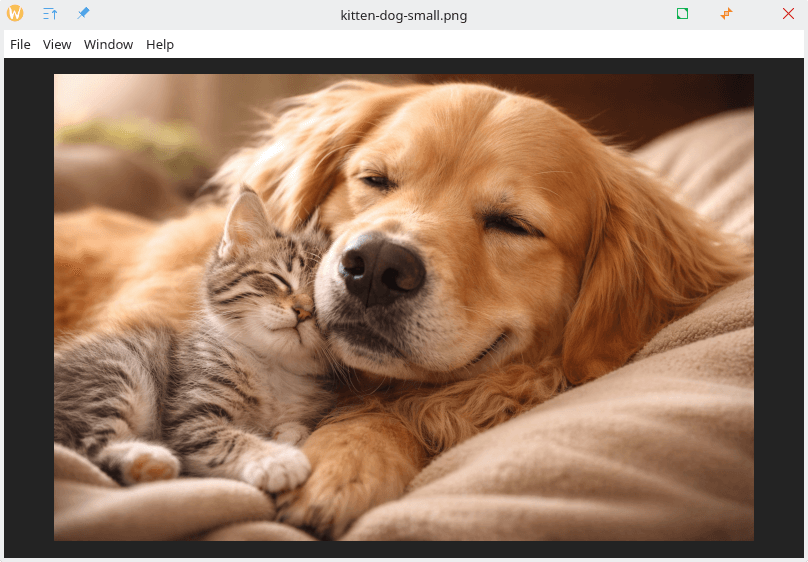
Here’s an image of LeafView.
Key Features
- Smooth pan and wheel zoom for navigating high-resolution images.
- Browse images directly within folders without requiring cataloging.
- Grid view for quickly scanning and selecting images.
- Keyboard shortcuts for efficient navigation and zoom control.
- Support for multiple languages.
That’s certainly a very minimal set of features. I don’t have a problem with that. Not everyone wants feature-laden software.
And the memory usage? For what is a very simple program, ps_mem reports:

Over 400MB of RAM used for what is a really basic GUI program. Madness. If you run 5 Electron-based apps, you may be running 5 separate Chromium environments simultaneously. Madness x 5.
Had a sensible choice been made, a simple image viewer can run consuming less than 50MB of RAM. And you’d avoid the large disk footprint, and the wasted CPU cycles.
Coupled with the fact that Electron apps often look out of place on the desktop with inconsistent theming, incorrect system font rendering, poor support for Wayland, broken system tray behavior, and the list goes on.
I guess Electron was chosen as a convenience for the developer. It makes it easy to build software that runs under Linux, macOS, and Windows. I fully understand the appeal of making cross-platform software with the same code base particularly given that Linux still has a tiny share for the desktop OS US market (yes 5% is tiny in my book).
Now choosing Electron might be understandable if there weren’t other options. But there are so many better options which use native desktop widgets and libraries and let you share the same code base.
Top of my list is Qt, a powerful cross-platform framework widely used in Linux development. Qt makes creating cross-platform software a breeze.
If Qt doesn’t float your boat, there’s GTK, the primary toolkit used by the GNOME desktop environment and many Linux applications.
Or why not use a Rust-based GUI framework?
And don’t forget Tauri, which is a promising Electron alternative. Instead of bundling Chromium, Tauri uses the operating system’s native web rendering engine (such as WebKitGTK on Linux).
Building a cross-platform app doesn’t mean you need to ship a large application size, high RAM usage, poor security architecture, or non-native system integration.
Closing words
LeafView goes to my bin given the decision to use Electron which treats the desktop like a web browser.
It’s received over 300 GitHub stars which is more than some software I regularly use. Remember that people star repositories simply as a way of bookmarking them because they might try them later. Many starred projects are never even installed or used by the person who starred them. Stars don’t measure code quality, and they are trivial to manipulate. And they tend to grow over time (LeafView saw its first public release in 2021).
I’m not going to give a link to LeafView. I’m doing you a favor there!
For developers targeting Linux, choosing efficient native frameworks not only results in better software, it also respects the design philosophy that has made Linux my preferred operating system.
Welcome Scott, excellent first article!
I like this concept, highlighting the bad along with the good helps us know what to either avoid, or at least know full well what we are stepping into before we do it.
Good choice with this one Steve. While I know this is not the first time you have pointed out less than great products, the idea of doing it more frequently should work out well.
(my two pennies)
I’ve got 128GB RAM in my PC. Doesn’t bother me how much RAM it uses.