
Last Updated on April 6, 2023
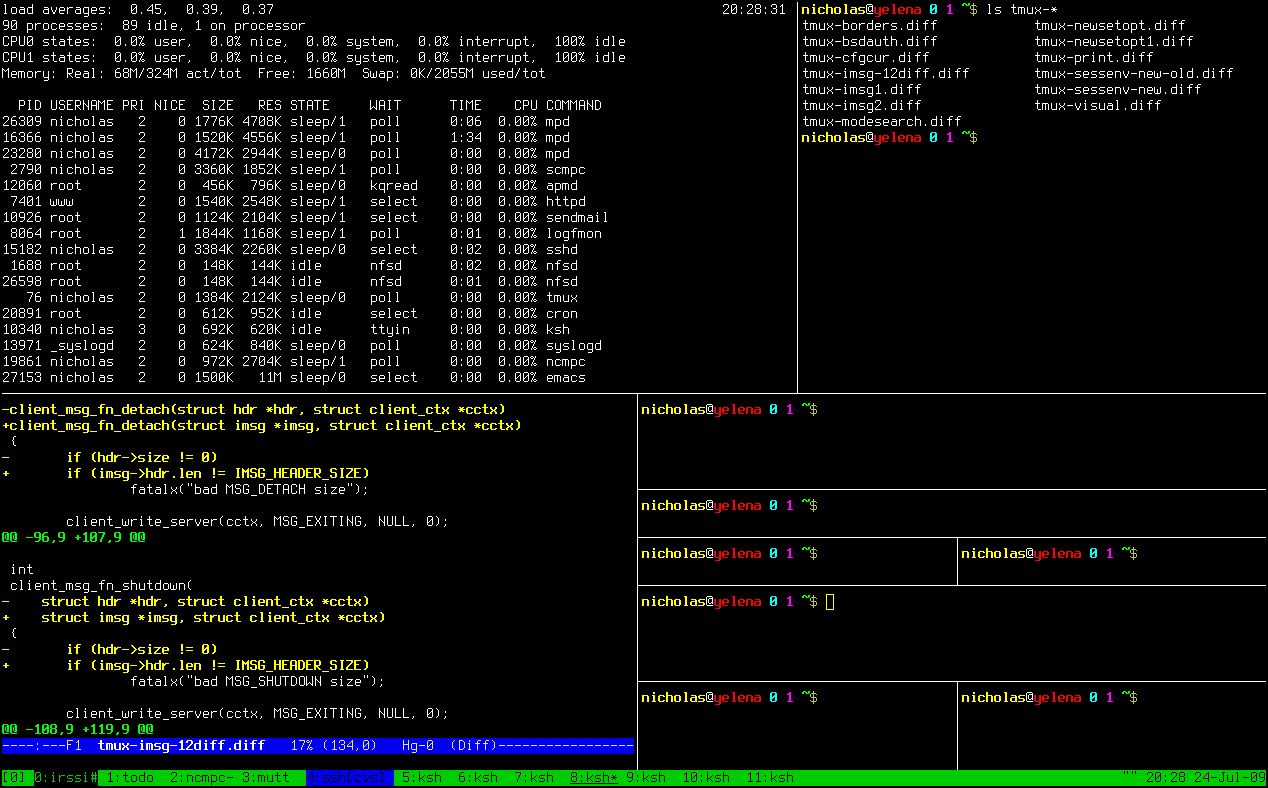
tmux is a “terminal multiplexer”. This application enables a number of terminals (or windows) to be created, accessed and controlled from a single screen.
tmux runs as a server-client system. A server is created automatically when necessary and holds a number of sessions, each of which may have a number of windows linked to it.The tmux server manages clients, sessions, windows and panes.
Any number of clients may connect to a session, or the server may be controlled by issuing commands with tmux. Communication takes place through a socket, by default placed in /tmp.
tmux provides a consistent and well-documented command interface, with the same syntax whether used interactively, as a key binding, or from the shell. It offers a choice of vim or Emacs key layouts.
tmux is included in the base system of OpenBSD.
Features include:
- Uses a clearly defined client-server model.
- A powerful, consistent, well-documented and easily scriptable command interface.
- A window may be split horizontally and vertically into panes.
- Panes can be freely moved and resized, or arranged into preset layouts.
- Menus for interactive selection of running sessions, windows or clients.
- Support for UTF-8 and 256-colour terminals.
- Copy and paste with multiple buffers.
- Interactive menus to select windows, sessions or clients.
- Change the current window by searching for text in the target.
- Window can be linked to the arbitrary amount of sessions.
- Terminal locking, manually or after a timeout.
- Multiple paste buffers.
- Choice of vi or emacs keybindings.
- Search in windows.
- Easily scriptable.
- Optional status line which is displayed in the bottom line of each terminal.
Website: github.com/tmux/tmux
Support:
Developer: Nicholas Marriott
License: BSD
tmux is written in C. Learn C with our recommended free books and free tutorials.
Return to Terminal Multiplexers Home Page | Return to Top Terminal Multiplexer Tools Home Page
| Explore Linux | |
|---|---|
 | Best Free and Open Source Software - A huge collection of recommended free and open source software covering every major category. |
 | In-depth Linux Software Reviews - Detailed assessments of Linux software covering features, usability and overall quality. |
 | The Big List of Active Linux Distros - An extensive collection of actively developed Linux distributions. |
 | Open Source Alternatives - Alternatives to software and services from Google, Microsoft, Apple, Adobe, IBM, Autodesk, Oracle and others. |
 | Essential Linux System Tools - Indispensable utilities for monitoring, maintaining and managing Linux systems. |
 | Linux Productivity Tools - Useful utilities for improving productivity and streamlining everyday tasks. |
 | Alternatives to Popular CLI Tools - Modern alternatives to familiar command-line utilities supplied with Linux systems. |
 | Awesome Free Linux Game Tools - Tools, utilities and companion software that improve gaming on Linux. |
 | Machine Learning on Linux - Machine learning and deep learning software, self-hosted applications and practical tools. |
 | Saving Money with Linux - Practical ways to reduce electricity consumption and lower computing costs with Linux. |
 | Linux Candy - Fun, entertaining and sometimes delightfully quirky software from the lighter side of Linux. |
Please read our Comment Policy before commenting.