

In Operation
This is what we see when starting the program. We can drag and drop images into the window, or click the Open Images button to get started.
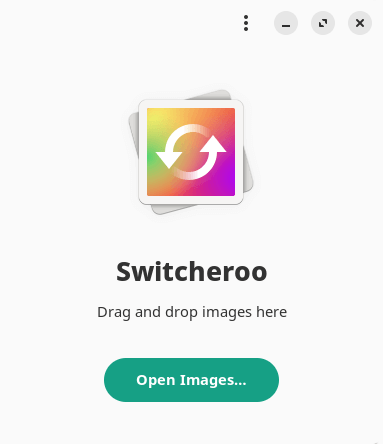
Switcheroo supports converting a variety of different formats including the popular PNG, JPG, WEBP, HEIF, PDF, GIF, TIFF, BMP, and ICO. There’s also support for the less popular HEIC, AVIF, and JXL formats.
In the image below, we’re in the process of converting 4 JPG files to PNG without any resizing.
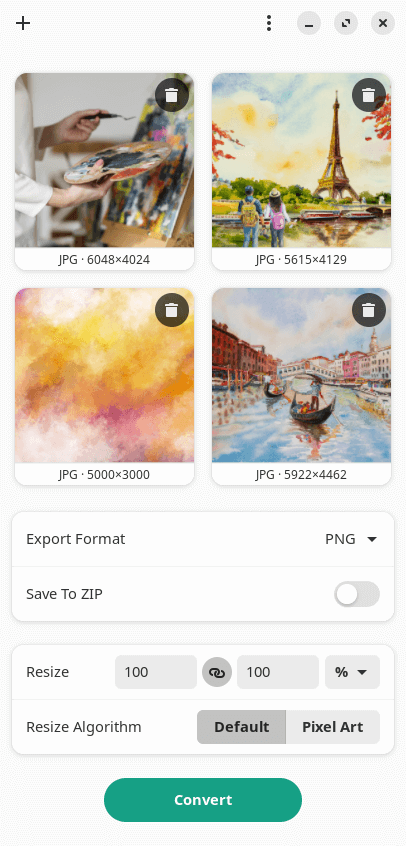
There’s more to the program than just image conversion. The software also lets you:
- Change the quality value of lossy compression.
- Change the color value of the alpha layer.
- Change the DPI of SVG images.
- Scale and resize an image to a given resolution or ratio with either the default, or Pixel Art resize algorithm.
- Divide animated GIF and WEBP into its individual frames.
- Batch processing of images.
- Save to ZIP format.
- Paste from the clipboard.
- Keyboard shortcuts.
- Internationalization support.
Summary
Switcheroo is a simple GUI tool which provides some of the functionality offered by ImageMagick. If you’re looking for a more feature-laden alternative to Switcheroo, we strongly recommend FotoKilof.
Website: gitlab.com/adhami3310/Switcheroo
Support:
Developer: Khaleel Al-Adhami
License: GNU General Public License v3.0
Switcheroo is written in Rust. Learn Rust with our recommended free books and free tutorials.
Pages in this article:
Page 1 – Introduction and Installation
Page 2 – In Operation and Summary
Related Software
| Graphical Frontends for ImageMagick | |
|---|---|
| FotoKilof | GUI for ImageMagick and Wand |
| Switcheroo | Fork of Upscaler to convert images instead of upscaling |
| Perspec | Perspective correction of images |
| Conjure | Simple GUI built on ImageMagick and Wand |
Read our verdict in the software roundup.
| Batch Image Processors | |
|---|---|
| ImageMagick | Create, edit, and compose bitmap images. Extremely versatile software |
| XL Converter | Easy-to-use image converter for modern formats |
| imgp | Multi-core batch image file resize and rotate |
| GraphicsMagick | Swiss army knife of image processing |
| FotoKilof | GUI for ImageMagick |
| Caesium | Image compression software |
| Converseen | Qt-based open source batch image converter and resizer |
| Switcheroo | Utility to convert and manipulate images |
| PixelBatch | Batch image optimization tool |
| Imagine Plus | Image optimisation utility for compressing, converting and resizing images |
| Image Normalizer | Batch-processing tool that resizes and compresses images |
Read our verdict in the software roundup.
 Explore our comprehensive directory of recommended free and open source software. Our carefully curated collection spans every major software category. Explore our comprehensive directory of recommended free and open source software. Our carefully curated collection spans every major software category.This directory is part of our ongoing series of informative articles for Linux enthusiasts. It features hundreds of detailed reviews, along with open source alternatives to proprietary solutions from major corporations such as Google, Microsoft, Apple, Adobe, IBM, Cisco, Oracle, and Autodesk. You’ll also find interesting projects to try, hardware coverage, free programming books and tutorials, and much more. Discovered a useful open source Linux program that we haven’t covered yet? Let us know by completing this form. |
Please read our Comment Policy before commenting.