

This is the sixth article in a series looking at a very interesting piece of kit from the folks at Orange Pi. It’s the Orange Pi 6 Plus single board computer.
This SBC is very different to the single-board computers I’ve previously covered. For example, it has a 12 core 64 bit ARMv9 processor with a total computing power of 45 TOPS (CPU/GPU/NPU) making it significantly more powerful.
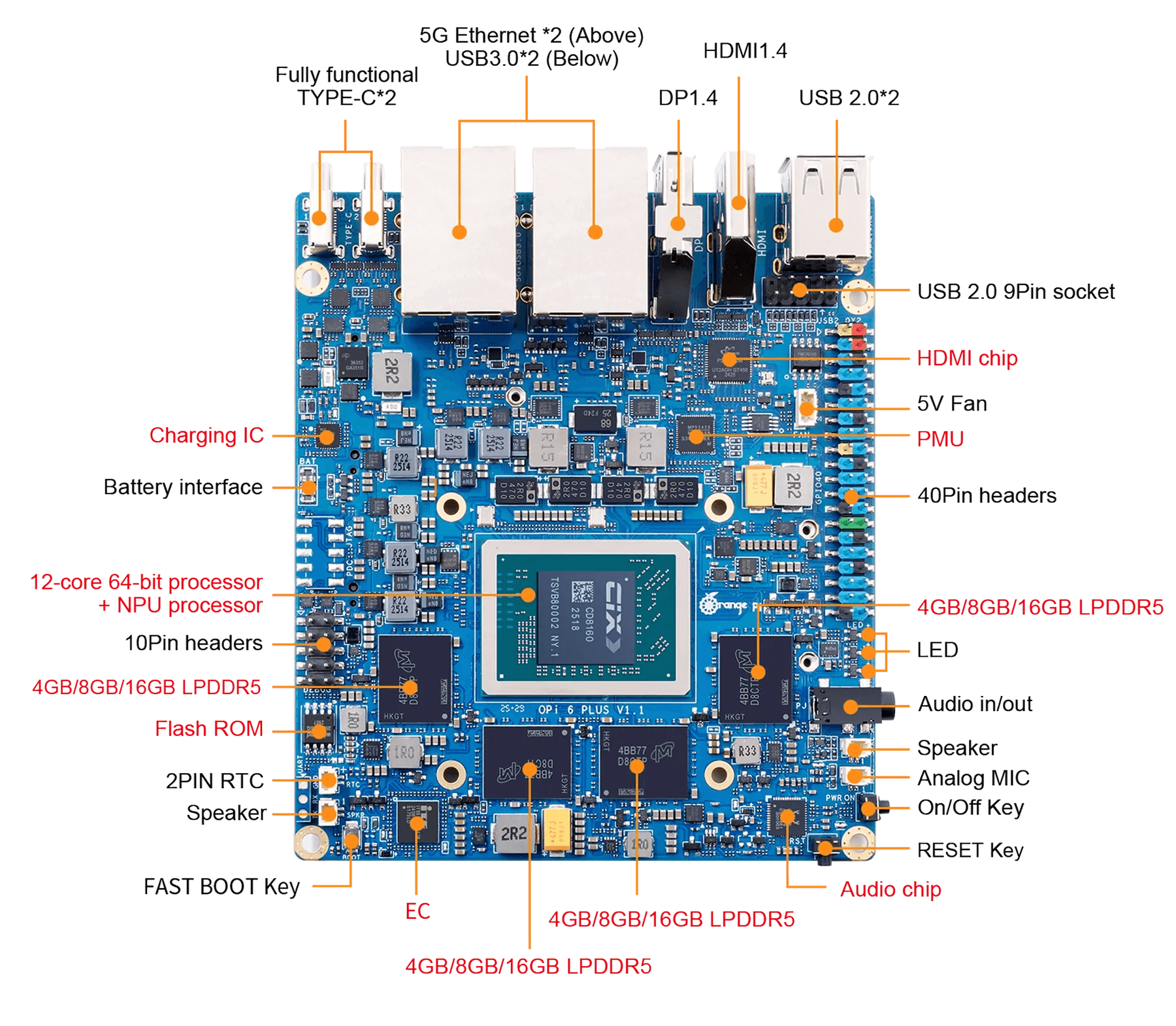
In the world of computing, BIOS, which stands for Basic Input/Output System, plays a crucial role. It’s a type of firmware that kicks in to provide essential runtime services for operating systems and programs, while also handling the hardware initialization needed during the boot-up process. When you power on your computer, the BIOS firmware, typically pre-installed on the motherboard, ensures everything starts up smoothly.
I’m using a basic video capture device to provide you with a quick tour of the Orange Pi 6 Plus’s BIOS. This device allows me to capture screenshots of the BIOS, which look better than anything a camera could produce. For the sake of brevity, I won’t be showing images of every single option available.
To access the BIOS, press the Esc key. This brings up the following image.
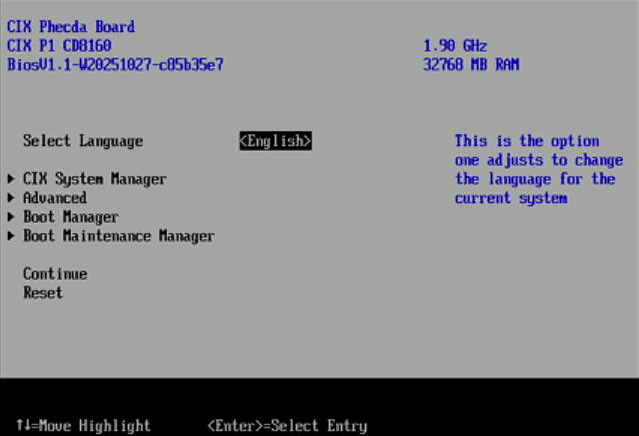
I’ll take you through some of the menus that are available in the CIX System Manager, Advanced, Boot Manager, and Boot Maintenance Manager sections.
CIX System Manager
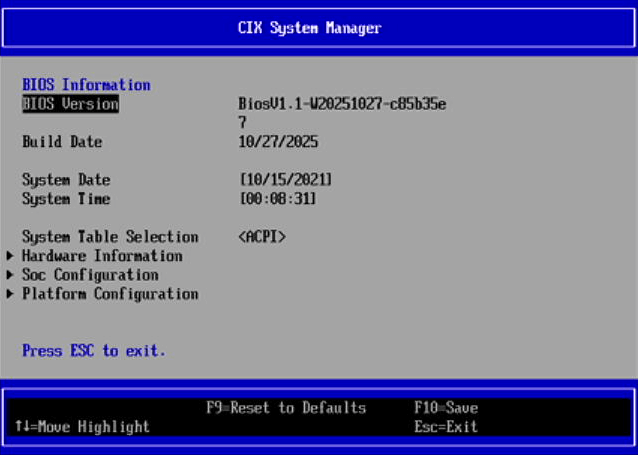
As you can see there are three main sections: Hardware Information, Soc Configuration, and Platform Configuration.
Let’s take a look at the hardware information section.
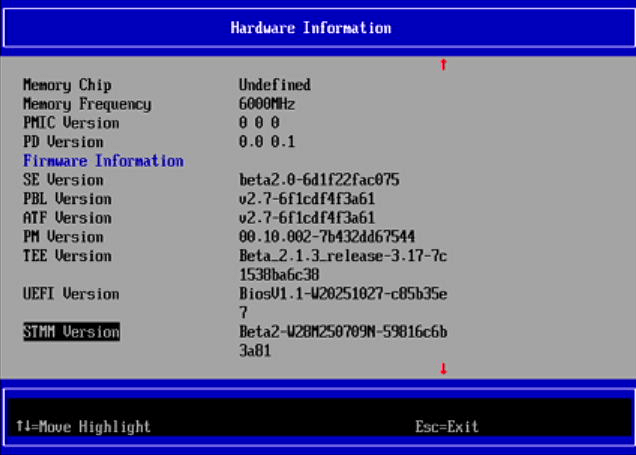
There are a few additional lines in the hardware information section which are UEFI Version, STMM Version, and EC Version, but like the other entries, there’s nothing to configure — it’s purely informational.
The Soc Configuration section is a lot more interesting.
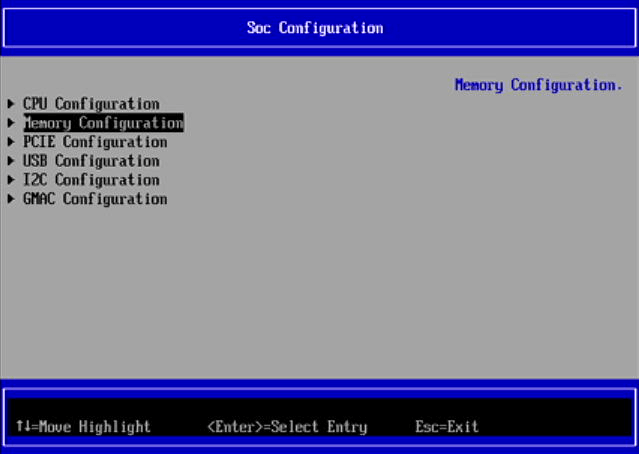
Here we can configure the CPU, memory, PCIE, USB, I2C and GMAC.
In the CPU we can set the LPI Max State, CPPC Interface Type, and Enable/Disable each of the Pi 6’s 12 cores. By default they are all enabled.
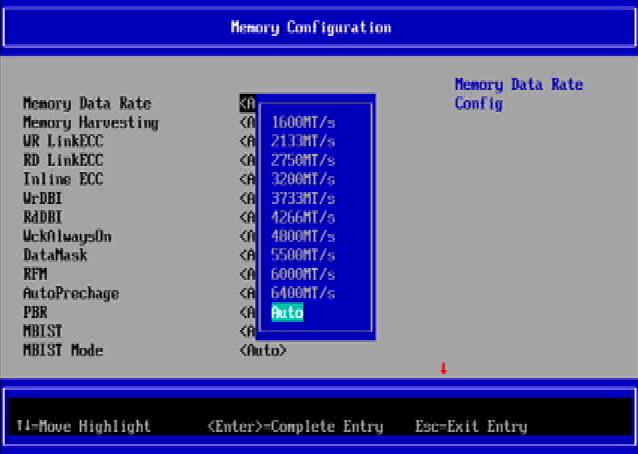
Memory – there are two many options available so I’ll just show one of them which lets you set the memory data rate.
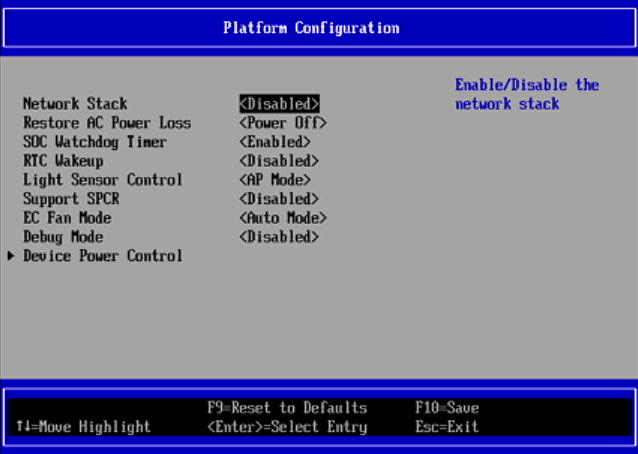
There are lots of options available in the Platform Configuration.
Pages in this article:
Page 1 – CIX System Manager
Page 2 – Advanced
Page 3 – Boot Manager
Page 4 – Boot Maintenance Manager
Complete list of articles in this series:
| Orange Pi 6 Plus | |
|---|---|
| Introduction | Introduction to the series and interrogation of the single-board computer |
| Benchmarks | Benchmarking the Orange Pi 6 Plus |
| Cores | The 3 different types of core |
| Power | Testing and comparing the power consumption |
| Ubuntu | Testing the Ubuntu 24.04 LTS image |
| BIOS | Exploring the BIOS |