

Last Updated on January 5, 2026
The latest version of ONLYOFFICE Docs is already available, bringing an AI-powered grammar and spelling checker that can be enabled through the built-in AI plugin. However, the 9.2 release also brings more customization (custom keyboard shortcuts), automation (macro recording), improved PDF redaction, and clearer form-building tools, all the small changes that add up to a smoother editing workflow.
In general, the release of ONLYOFFICE Docs 9.2 reinforces the suite’s commitment to delivering a refined, efficient, and user-centric editing experience for Linux users.
Here is a comprehensive breakdown of what the new version offers.
AI-powered grammar and spelling
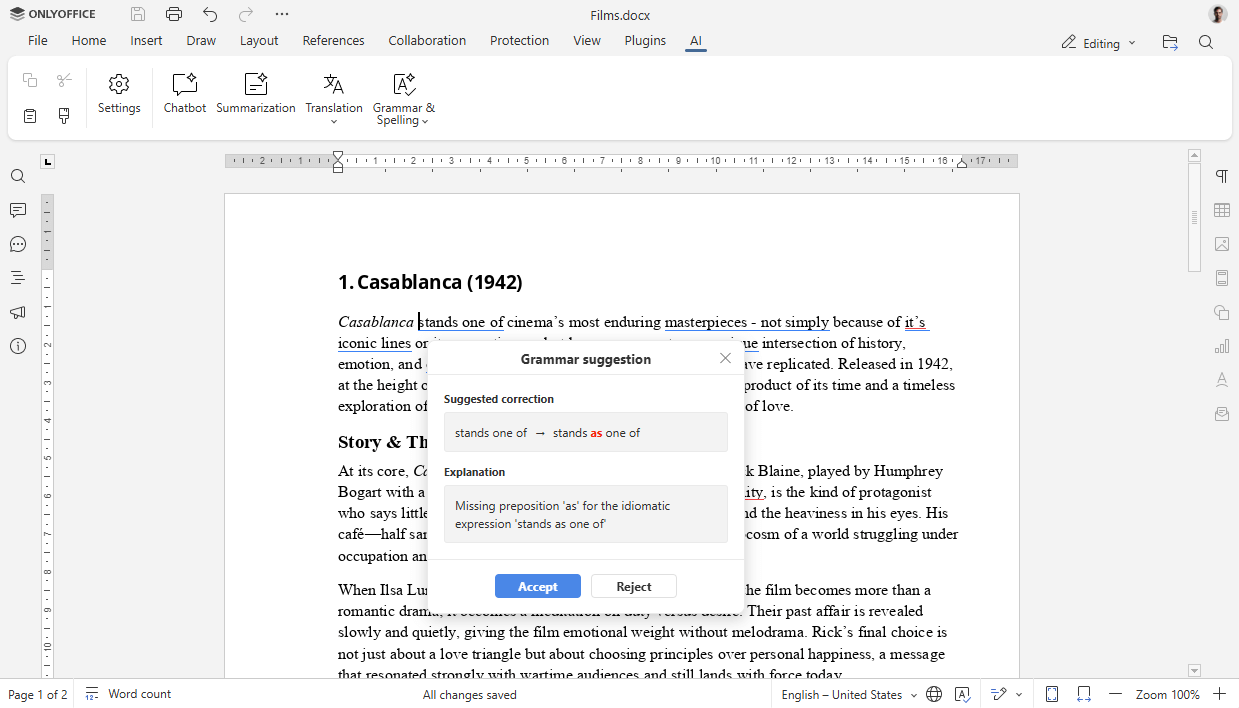
You can run a full-document or selection-based grammar and spelling check through the AI plugin. Suggestions include descriptions that you can either accept or reject with confidence.
While spell-checking has become the norm, advanced grammar suggestions are where significant time savings occur. The workflow is simple: From the AI on the toolbar (or right-click inside the document), choose Grammar & Spelling and review the AI’s recommendations. For writers, administrators, and collaborators, this means preventing small typographical and grammatical errors from appearing in final documents.
Customizable keyboard shortcuts
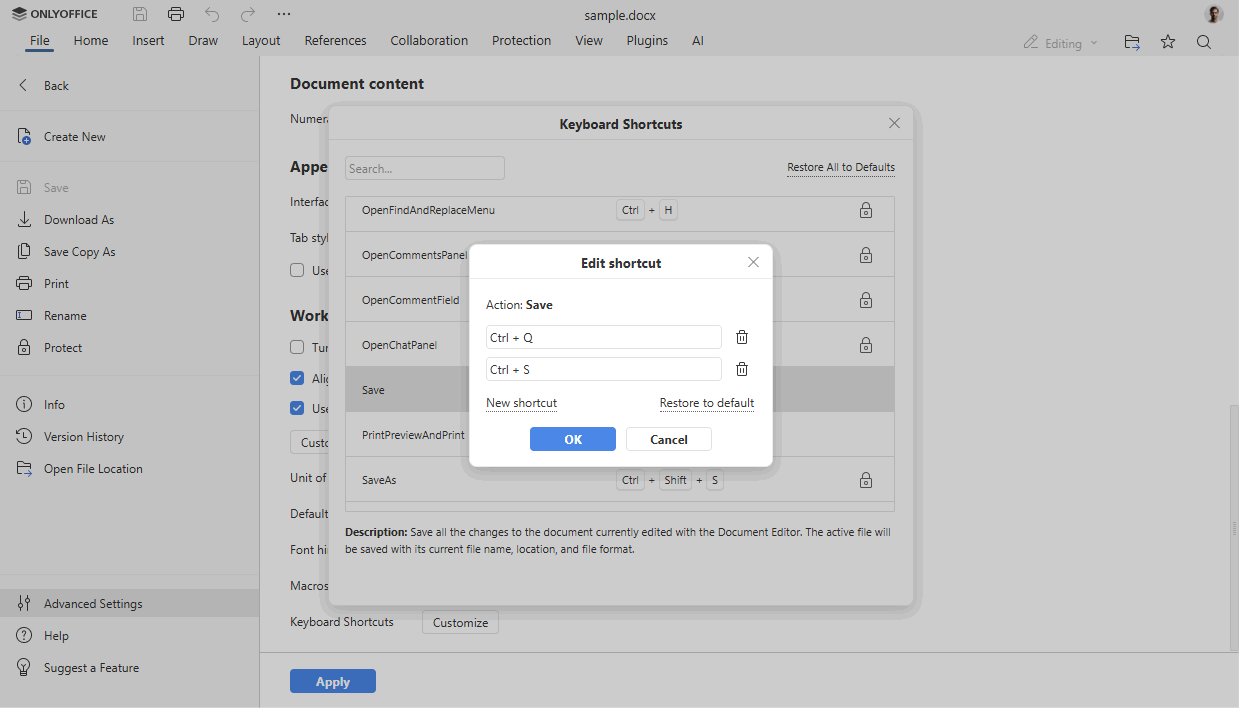
With version 9.2, it is easier to map the key combinations that you prefer from File -> Advanced settings to accelerate editor navigation and editing tasks.
Experienced users rely heavily on keyboard shortcuts. In version 9.2, you can remap key bindings to match your habits or the arrangements you are used to from other suites.
Macro recording
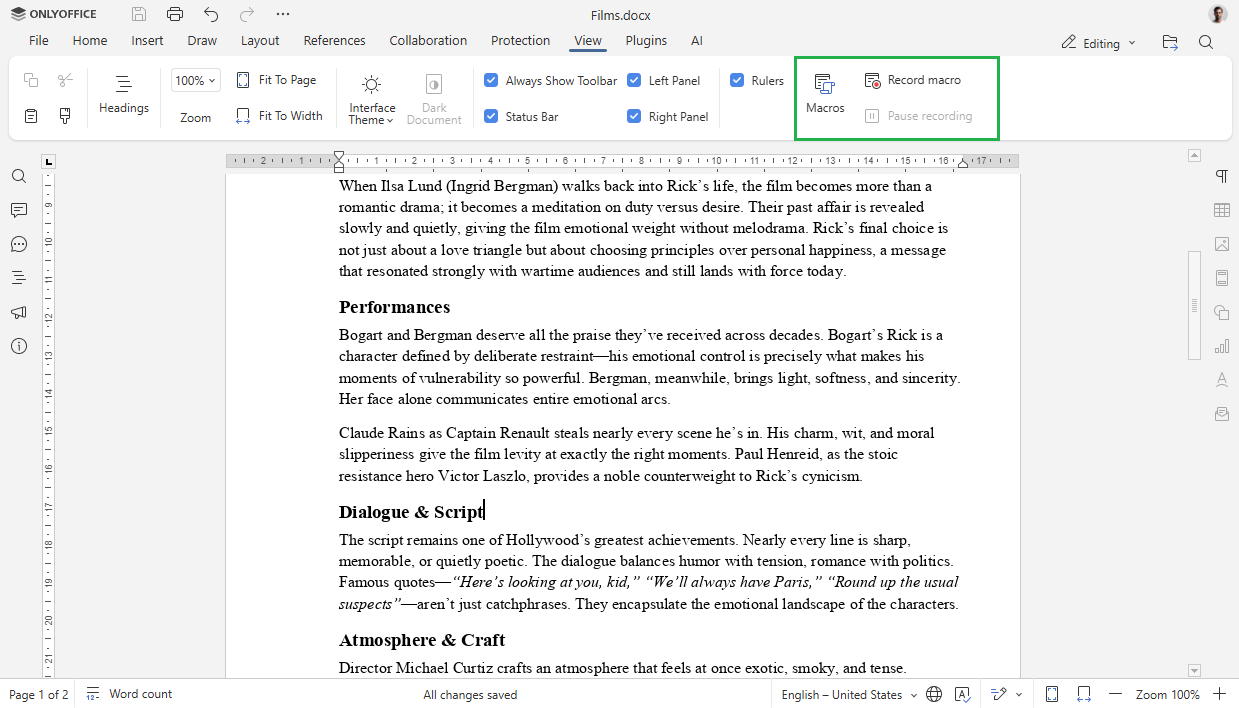
You can record repetitive action sequences and replay them as macros from View -> Record macro to automate document tasks that are a part of a routine.
Not everyone writes scripts, but they benefit from automating repetitive work. The new macro recorder records your actions (formatting, inserts, navigations) so you can replay them later. This is convenient for the time savings of automation without needing to learn a macro language.
Enhanced PDF redaction
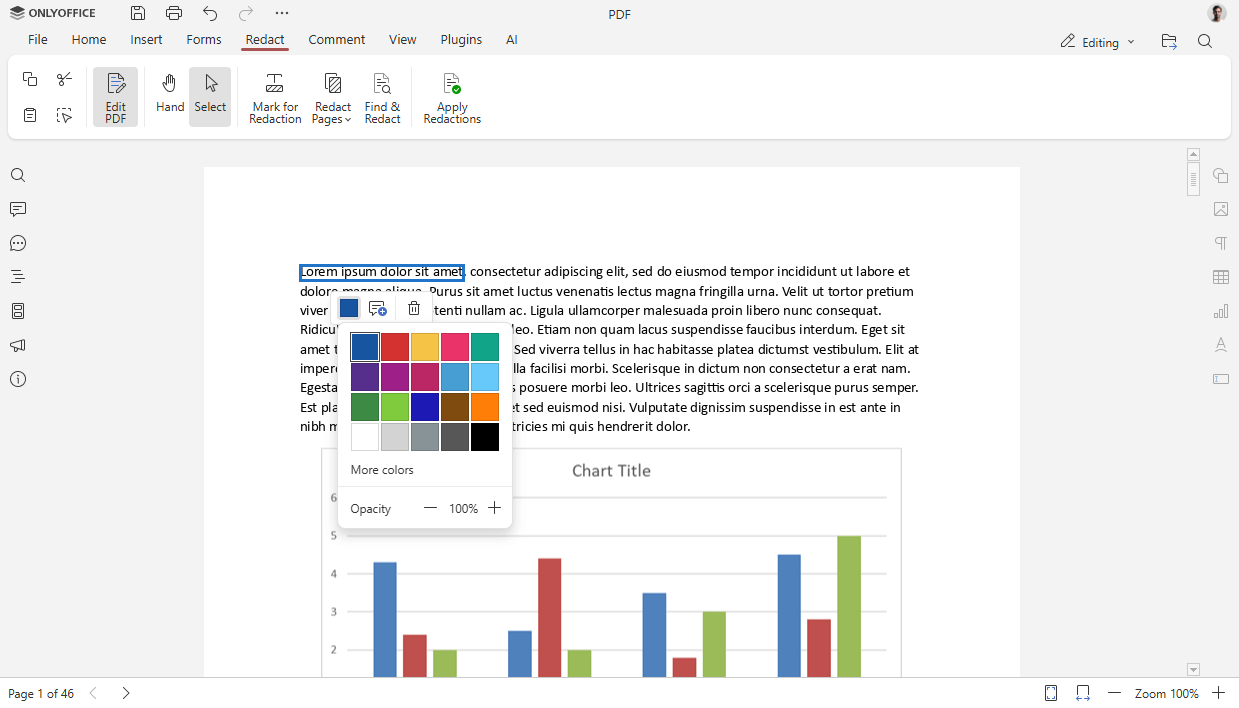
While redacting PDFs, you can now choose to redact color. This allows you to use more visual control when you prepare documents for publication or sharing. You can find this under PDF Editor -> Redact tab.
Redaction is essential for teams that handle sensitive content. It’s a small UX improvement that helps when preparing documents for different audiences or meeting organizational visual needs.
Improved form creation
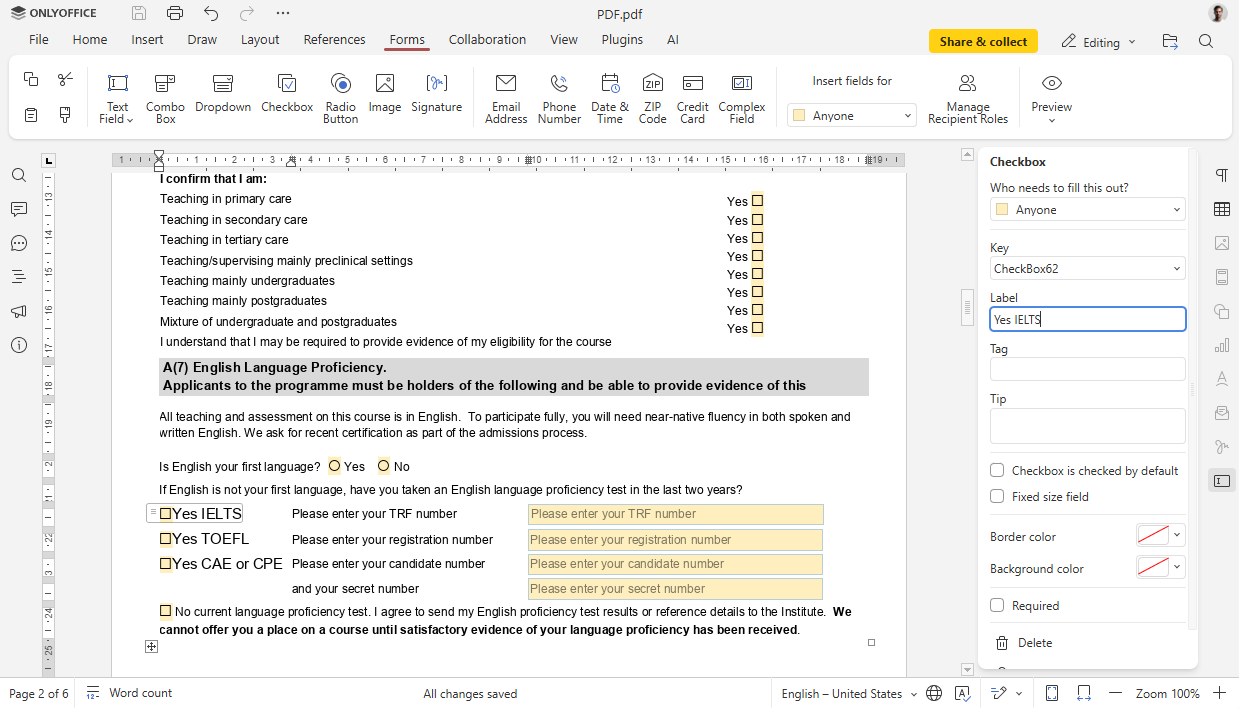
You can assign roles to inserted fields and add descriptive text labels to check boxes and radio buttons. This makes the form clear and tailored to respondents, and also makes form maintenance and downstream processing more reliable.
What’s new in ONLYOFFICE Desktop Editors 9.2
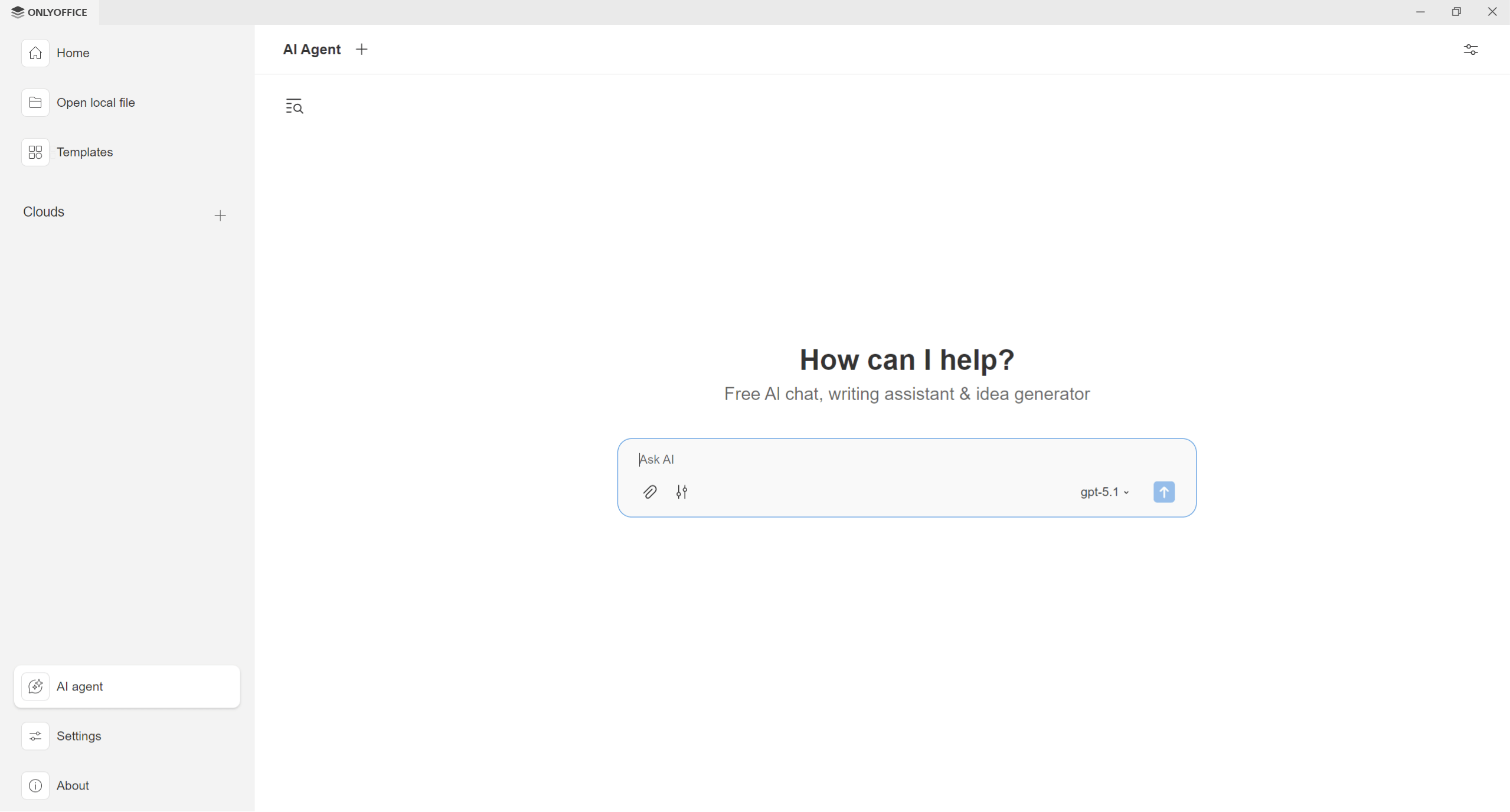
ONLYOFFICE Desktop Editors, the free desktop version of the ONLYOFFICE Docs suite for Linux, Windows, and macOS, has also been updated to version 9.2 introducing AI agents to the desktop experience. These agents can assist with a wide range of tasks, from answering questions and providing writing assistance to generating new documents and automating the form-filling process in PDFs. The desktop app supports various AI providers, including local models via Ollama, ensuring user data privacy.
You can get the latest version of ONLYOFFICE Desktop Editors for various Linux distributions from the official website or GitHub.
Why these updates matter
These enhancements make version 9.2 particularly valuable for several types of Linux users:
- Writers and editors will value the AI grammar checks and contextual suggestions.
- Power users will enjoy customized shortcuts and macros to speed routine work.
- Administrators and privacy-conscious teams will find the improved PDF redaction and clearer form role assignments useful.
How to try the new features in Docs 9.2
Deploy ONLYOFFICE Docs 9.2 on your Linux server and integrate it with your favourite platform, such as Netxcloud, ownCloud, Redmine, Alfresco, Plone, Nuxeo, Moodle, etc., choosing among more than 40 available integrations enabled by ready-to-use connectors. The corresponding packages (ONLYOFFICE Document Server) are available on the ONLYOFFICE website and GitHub.