

This is a new series where I’ll pick one proprietary Linux application each week. Although LinuxLinks primarily focuses on open source software, we’ll explore proprietary software along the way.
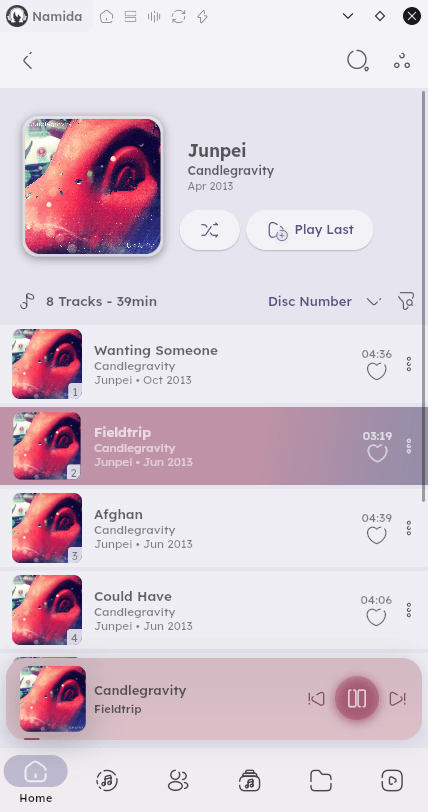
Namida is a modern music and video player. Written in Dart, the application aims to combine an attractive interface with a powerful local music library and optional online streaming features.
Namida focuses primarily on local media playback, scanning folders on the system to build a library organised by artists, albums, tracks, and genres. The application places a strong emphasis on usability, allowing users to browse music collections quickly while maintaining rich metadata such as artwork and tags.
What makes Namida stand out from many open source Linux music players is that the project combines traditional music player functionality with additional features such as video playback and integration with YouTube content. The result is a hybrid media application that attempts to unify offline libraries and online media discovery in a single interface.
One of Namida’s most noticeable qualities is its modern, visually polished interface. Considerable effort has gone into the project. The application uses a Material-style design with dynamic themes that automatically adapt colours based on album artwork.
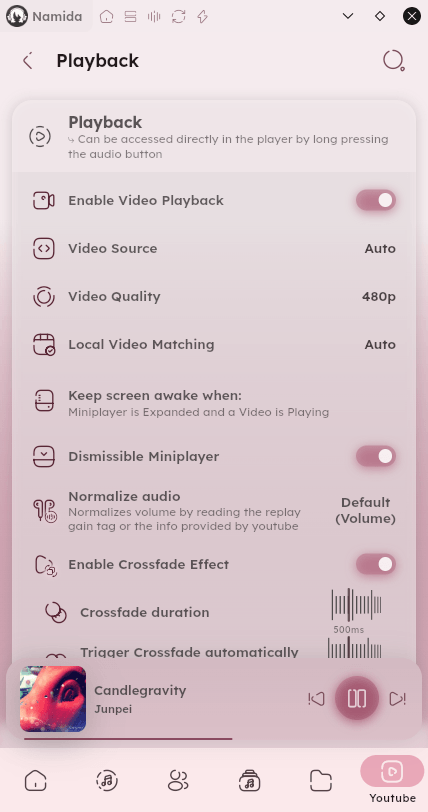
The interface includes dedicated pages for tracks, albums, artists, genres, playlists, queues, and folders. Navigation is intuitive and clearly structured, making it easy to explore large music libraries.
Overall, the UI is considerably more visually ambitious than many traditional Linux music players, which often favour minimalism over design.
Beyond basic playback, Namida includes several features that extend its usefulness:
- Playlist creation and queue management.
- Video playback support.
- YouTube integration with options such as audio-only playback, caching, and downloads. The YouTube integration is one of Namida’s most distinctive features.
Unfortunately, the Linux version currently lacks gapless playback, although this feature is available as an experimental option on Android. Hopefully, gapless playback will be added to the Linux version in a future release.
The Good
|
The Bad
|
Namida is an impressive app. The Linux version is in a beta stage of development.
Website: github.com/namidaco/namida-snapshots
Support:
Developer: Namidaco
License: Proprietary but source code can be compiled and modified for personal use / contribution
Tell us what you think of Namida in the Comments section.