
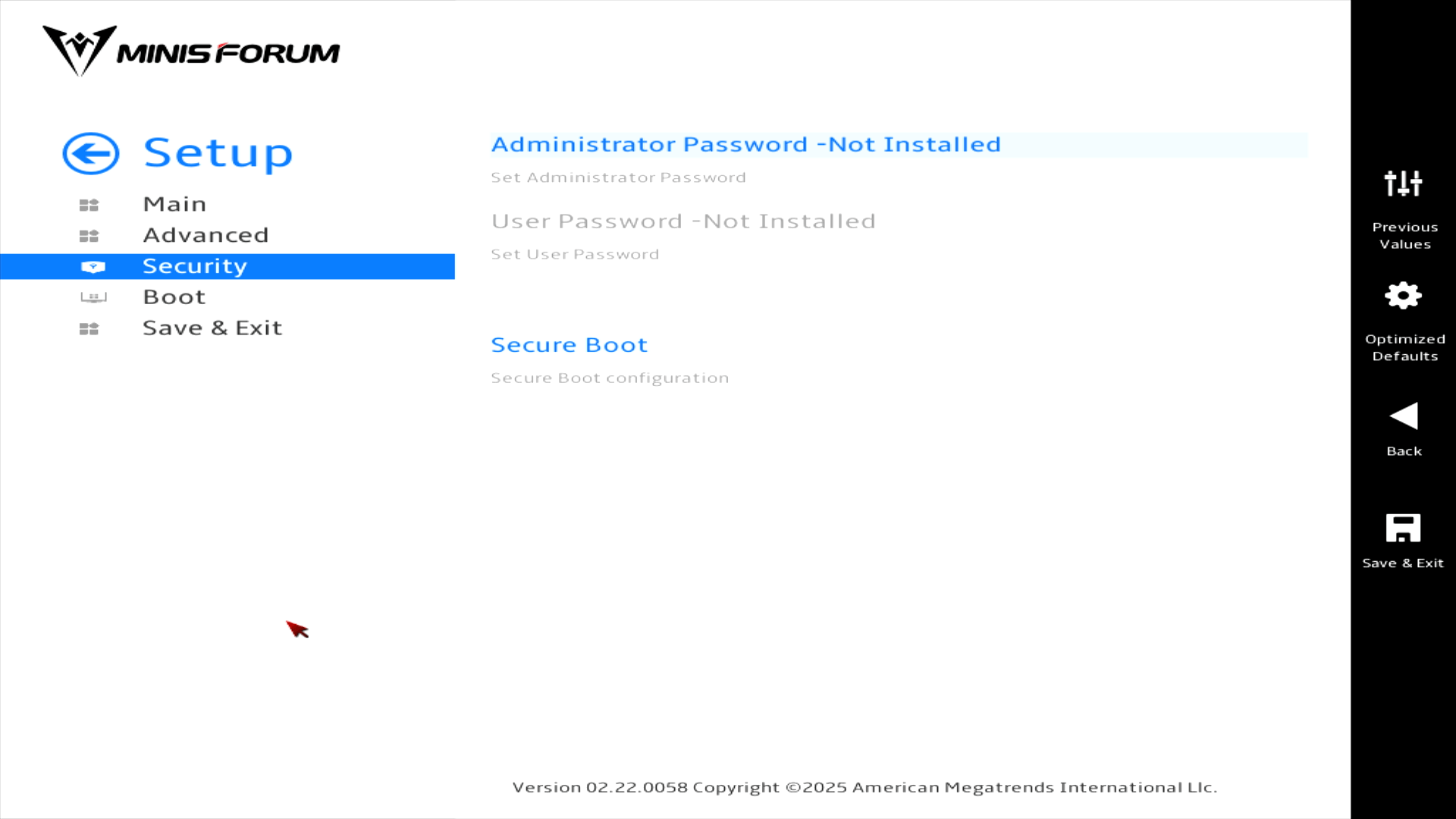
Security
Here we can set the administrator password and configure Secure Boot.
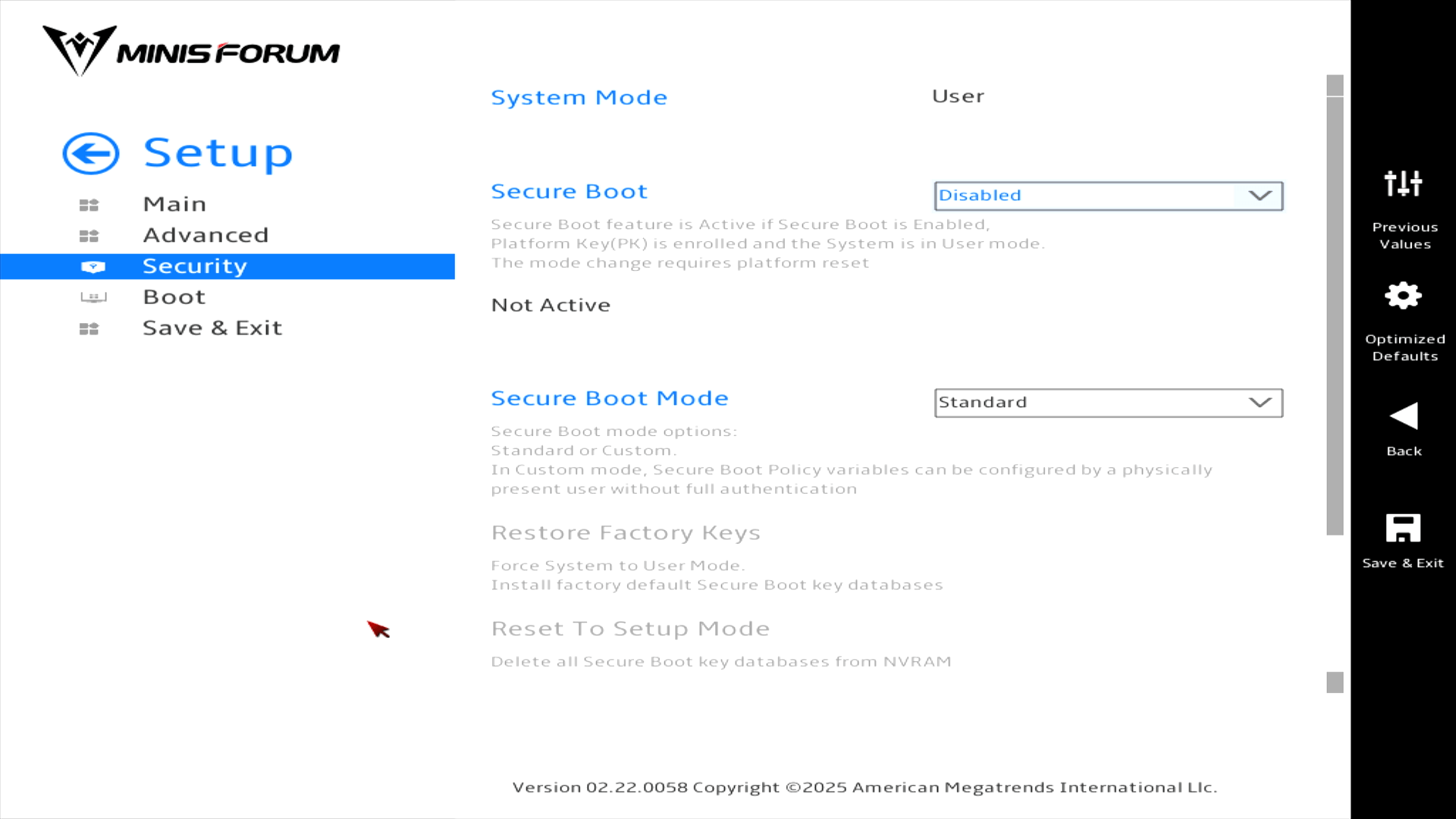
Disabling Secure Boot is essential in order to install Linux.
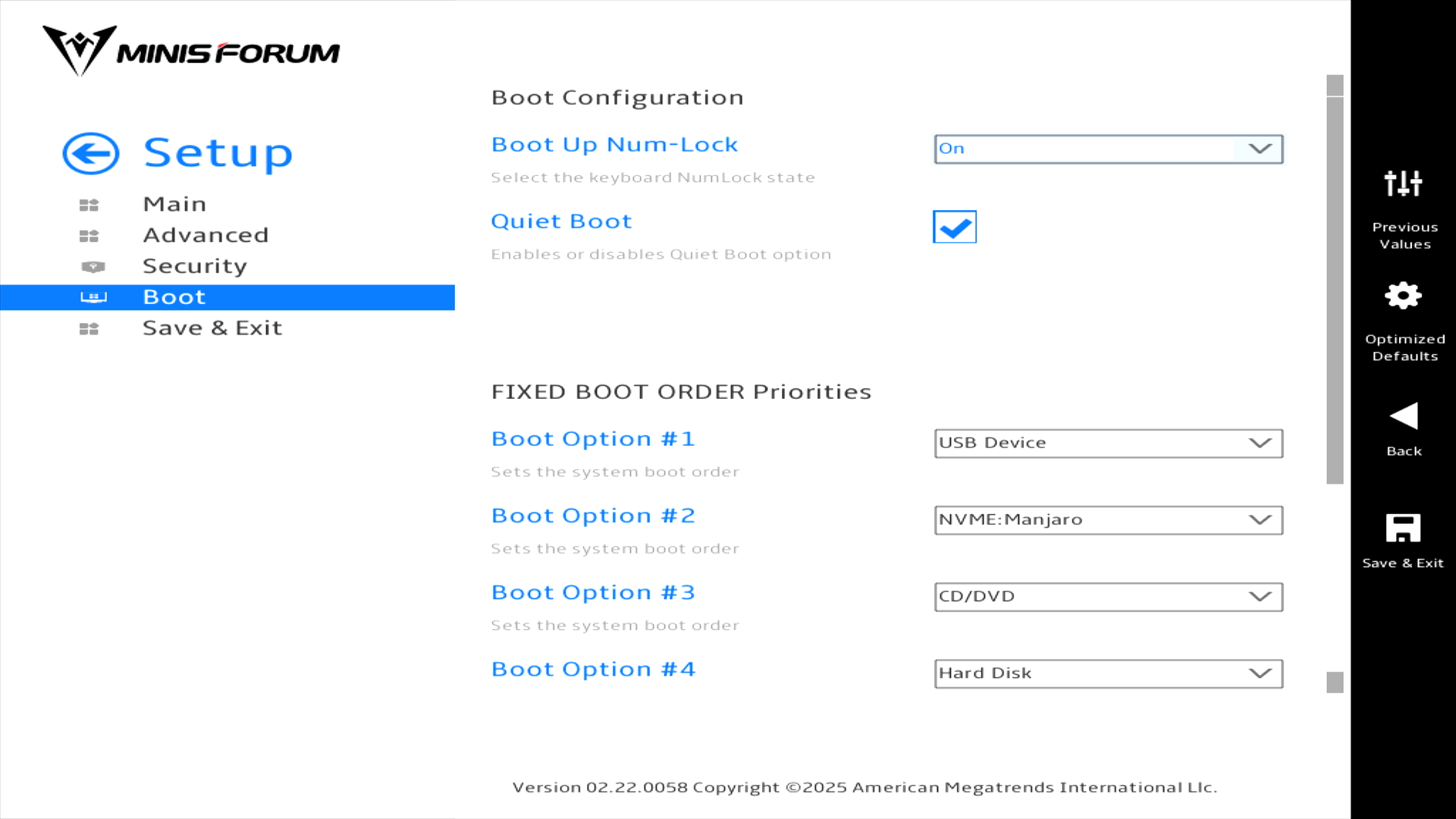
Boot
This is another useful section as it lets you choose the boot order. The AI X1 Pro offers fast USB ports, so I’ve used the boot order in the past to boot from USB external devices. It’s a quick way of testing Linux distributions with a far more faithful representation of performance compared to virtual machines.
Pages in this article:
Page 1 – Introduction / Main
Page 2 – Advanced
Page 3 – Security and Boot
Complete list of articles in this series:
| Minisforum AI X1 Pro | |
|---|---|
| Introduction | Introduction to the series and interrogation of the machine |
| Benchmarks | Benchmarking the Minisforum AI X1 Pro |
| Power | Testing and comparing the power consumption |
| Jan | ChatGPT without privacy concerns |
| ComfyUI | Generate video, images, 3D, audio with AI |
| AMD Ryzen AI 9 HX 370 Cores | Primary (Zen 5) and Secondary Cores (Zen 5c) |
| Gerbil | Run large language models locally |
| Neural Processing Unit (NPU) | Introduction |
| Gaia | Run LLM Agents |
| Noise | Comparing the machine's noise with other mini PCs |
| Bluetooth | Fixing Bluetooth when dual-booting |
| BIOS | A tour of the Basic Input/Output System |