

A news aggregator is software which collect news, weblog posts, and other information from the web so that they can be read in a single location for easy viewing. For individuals that read lots of weblogs, a news aggregator makes keeping track of them effortless, and particularly useful if the weblogs are only updated occasionally. If you follow specific writers, publications and channels, an RSS reader app helps you see all new content that interests you in a central source.
There are a number of different file formats which information publishers use. Popular formats are RSS and Atom. RSS is an acronym for Really Simple Syndication. It’s a defined standard based on XML with the specific purpose of delivering updates to web-based content. In other words, RSS is a Web content syndication format.
Fluent Reader is a desktop news reader application. It’s built using Electron, a popular framework with developers, together with React and Fluent UI. Electron makes it easier to build a desktop app that works cross-platform. One code base and create an app that works on popular operating systems.
Installation
We tested Fluent Reader with the Arch distro. There are binary and source packages available in the Arch User Repository. The project also provides a distro-agnotic AppImage. The full source code is available.
AppImage is a universal software format for distributing portable software on Linux without needing superuser permissions to install the application. AppImage doesn’t really install software. It’s a compressed image with all the dependencies and libraries needed to run the desired software.
Fluent Reader is cross-platform software. Besides Linux, the project also provides binaries for macOS and Windows.
In Operation
Fluent Reader sports a rather snazzy user interface. It’s inspired by Fluent Design System, a design language developed by Microsoft.
Here’s Fluent Reader in action.
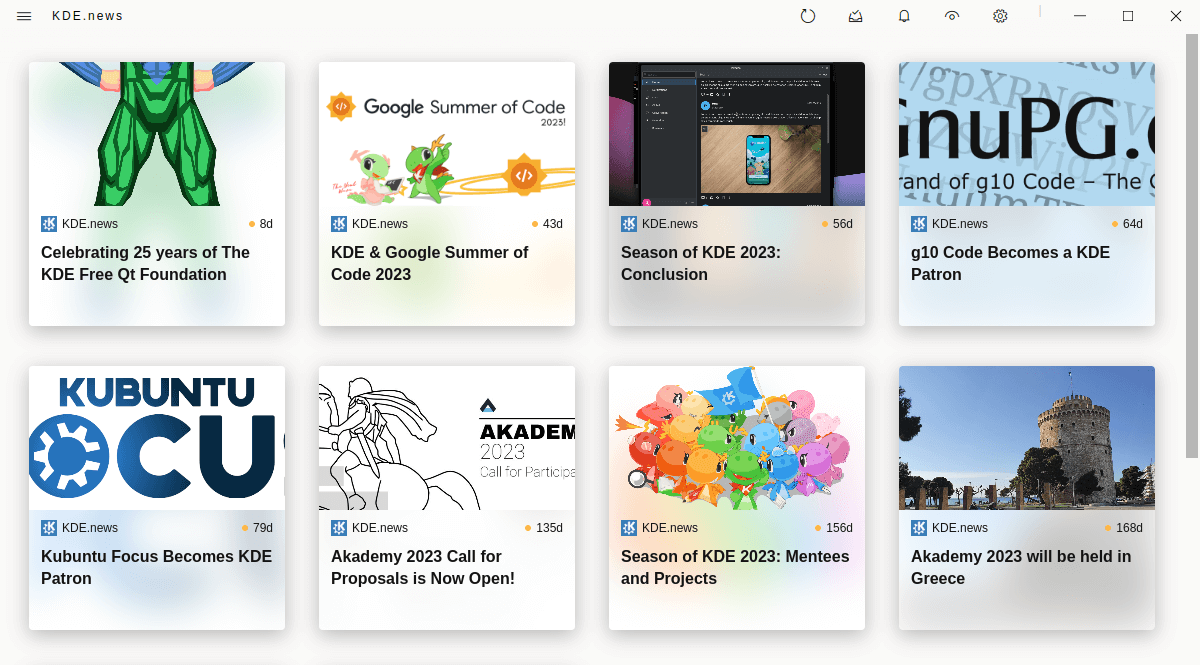
The icons in the top bar offer the following functionality: refresh, mark articles as read, notifications, view (offering 4 different views, filtering, starring, searching, and the option to show hidden articles), and settings. We love the presentation even though the icons are rather small. The key with a news aggregator is that you want the focus to be on reading content, rather than seeing inelegant elements such as menus.
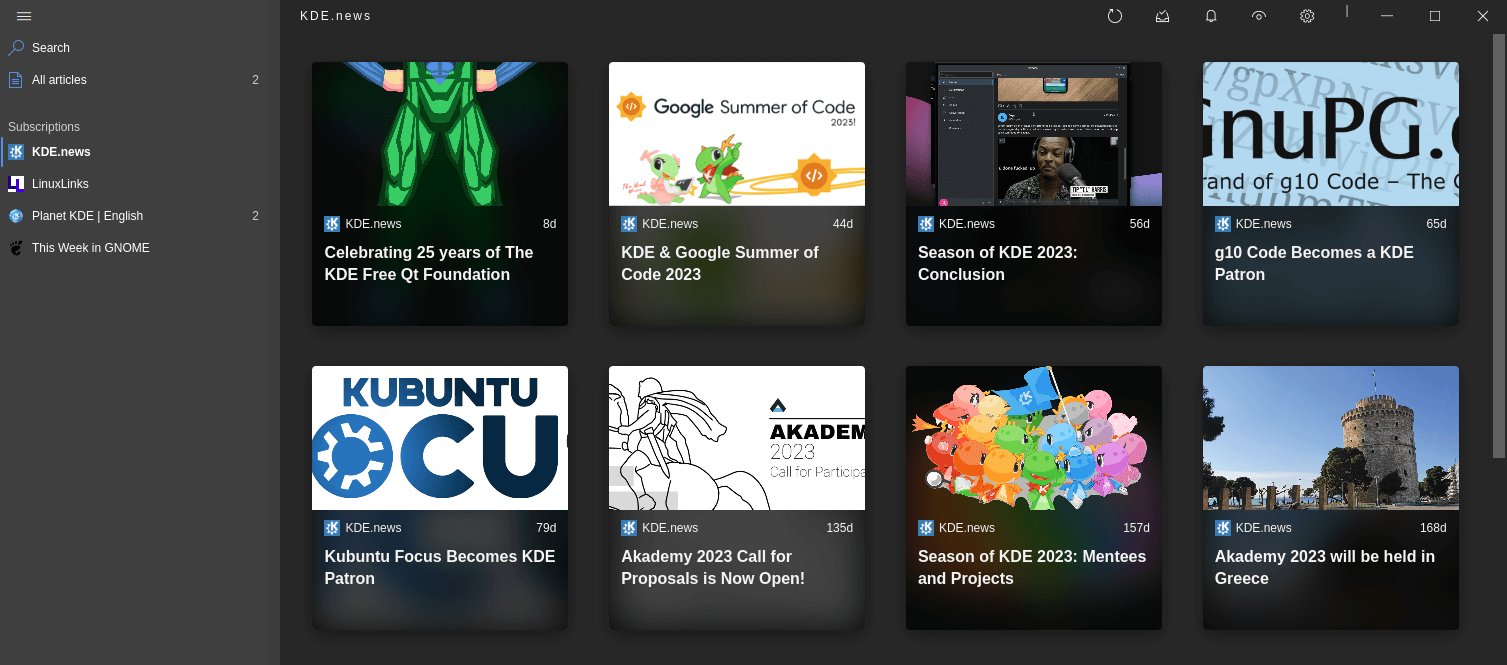
We mentioned there’s support for multiple ways to view articles. These views modes are: Card, List, Magazine, and Compact. Here are images for each view.
Card view
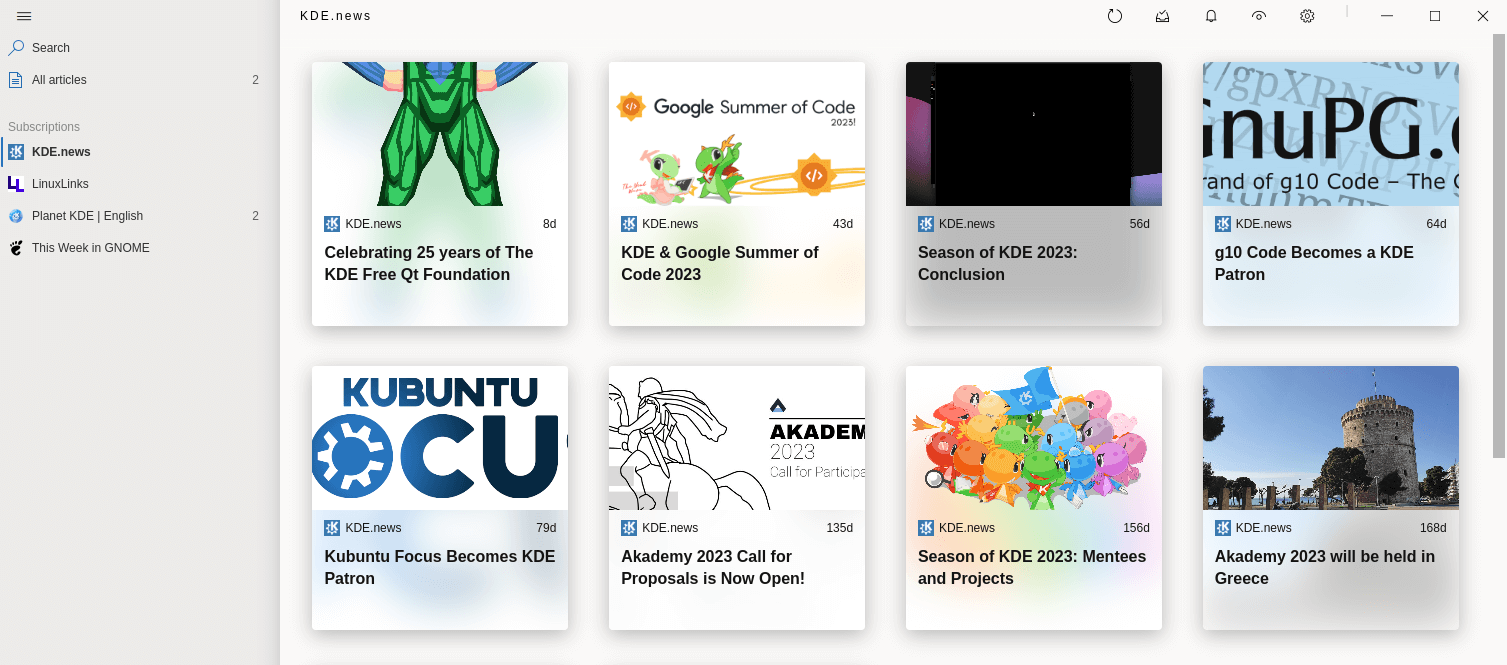
List view
Do you prefer a traditional 3 pane approach? The list view is what you’ll want.
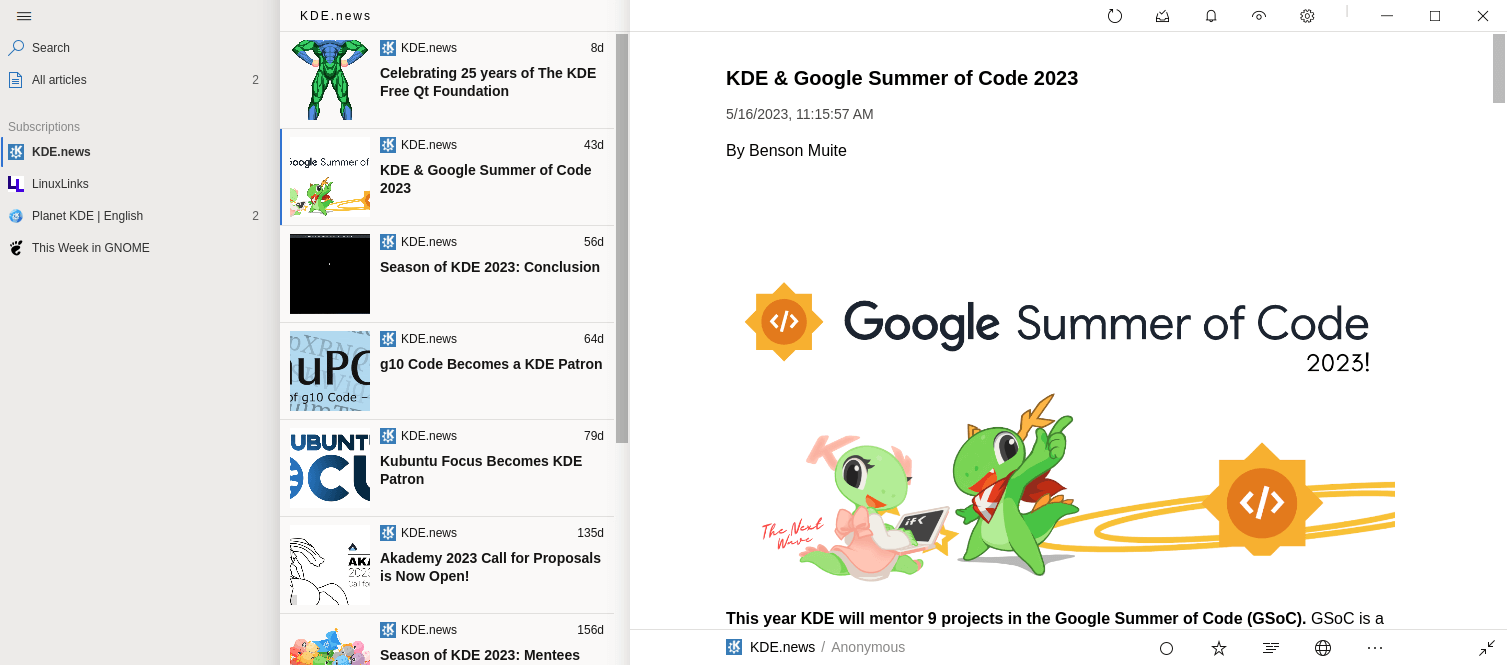
Magazine view
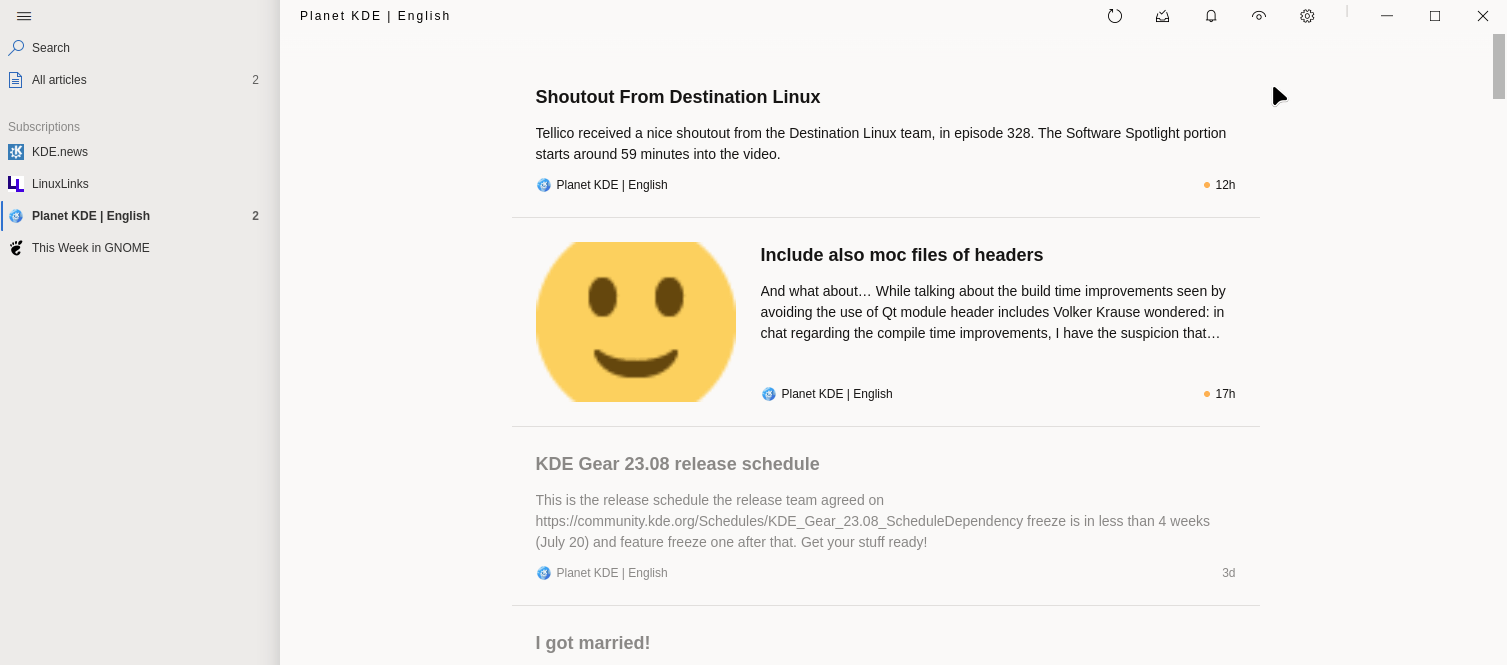
Compact view
This is the view we seem to gravitate to most often.
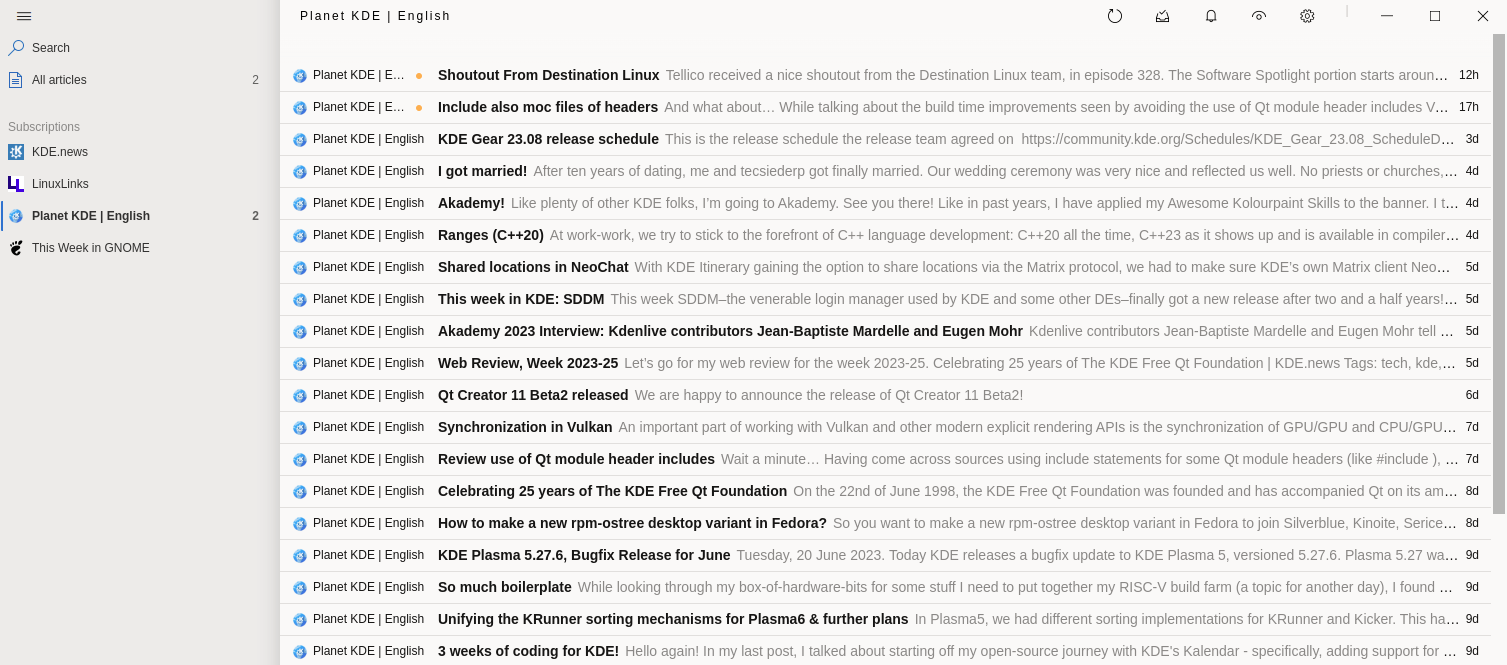
Here’s the dark view which looks fantastic.
When you’re reading an article, there are various text configuration options such as changing the font, font size, and text direction. There’s also a built-in web view.
Summary
Fluent Reader is a really strong RSS reader. It gets our firm recommendation.
The software offers a variety of view modes catering for most people’s needs, together with a swanky dark mode, and some powerful functionality such as the ability to hide, mark as read or star articles automatically based on regular expression rules.
There’s the ability to import/export OPML files, together with data backup.
Besides reading locally, we can sync with self-hosted services and RSS services. There’s support for a good range of services: Fever API, Feedbin, Google Reader API (beta), Inoreader, Miniflux, and Nextcloud News API.
Not everything is perfect. As Fluent Reader is Electron-based, it’s definitely not lightweight compared to many other RSS readers. The wonderful ps_mem utility reports memory usage is a whopping 797MB after performing a set of actions. Following the same steps, FeedReader and Akregator consume significantly less memory (87MB and 251MB respectively).
Website: hyliu.me/fluent-reader
Support: GitHub Code Repository
Developer: Haoyuan Liu
License: BSD 3-Clause “New” or “Revised” License
Fluent Reader is written in TypeScript. Learn TypeScript with our recommended free books and free tutorials.
Related Software
| Graphical News Aggregators | |
|---|---|
| NewsFlash | Follow your favorite blogs and news sites |
| Fluent Reader | Modern desktop RSS reader |
| Liferea | Three-pane GNOME based news aggregator |
| Folo | AI-powered news aggregator |
| Akregator | News feed reader for KDE |
| RSS Guard | Simple, light and easy-to-use RSS/ATOM feed aggregator |
| FeedDeck | RSS and social media feed reader, inspired by X Pro |
| Thunderbird | Popular free, cross-platform e-mail, RSS and newsgroup client |
| Feeds | News reader for GNOME |
| QuiteRSS | Qt5-based news aggregator for RSS and Atom news feeds |
| FeedReader | High quality RSS client for various webservices |
| Communique | Supports a wide range of RSS services and local RSS feeds |
| Alligator | Convergent, cross-platform feed reader, supporting standard RSS/Atom feeds |
| FeedFlow | Minimalistic RSS reader |
| Lettura | Built with speed in mind |
| TICKR | RSS reader displaying RSS feeds in a ticker bar |
| Raven Reader | Flexible settings to optimize your experience |
| Pulp | Skim excessive feeds |
| InfoDash | Displays RSS feeds, weather and stock information |
Read our verdict in the software roundup.
 Explore our comprehensive directory of recommended free and open source software. Our carefully curated collection spans every major software category. Explore our comprehensive directory of recommended free and open source software. Our carefully curated collection spans every major software category.This directory is part of our ongoing series of informative articles for Linux enthusiasts. It features hundreds of detailed reviews, along with open source alternatives to proprietary solutions from major corporations such as Google, Microsoft, Apple, Adobe, IBM, Cisco, Oracle, and Autodesk. You’ll also find interesting projects to try, hardware coverage, free programming books and tutorials, and much more. Discovered a useful open source Linux program that we haven’t covered yet? Let us know by completing this form. |
Please read our Comment Policy before commenting.
I’m not an Electron lover. There are much better frameworks to make cross-platform software such as Qt. Electron packages a web application as a desktop application. Hence the huge memory hogging.
Electron is a really heavy framework for a basic application. Electron is frequently used because it’s easy. A developer doesn’t need to spend learning GTK or Qt. Unfortunately the user is left saddled with bloat, not just in terms of memory but also CPU.