
Last Updated on February 19, 2026
This is a new series looking at the BOSGAME M6 HX370 AI PC running Linux. In this series, I’ll examine every aspect of this Mini PC in detail from a Linux perspective. I’ll compare the machine with other machines, including desktop machines, to put the results into context.
The BOSGAME M6 HX370 AI PC is the latest addition to the wide range of mini PCs from BOSGAME. This mini PC is based on the AMD Ryzen AI 9 HX 370 processor with integrated AMD Radeon 890M iGPU. The processor has 12 cores (24 threads) with a CPU Mark of 35116. The machine came with 32GB of RAM and a 1TB NVMe disk which will be sufficient for most use cases. The machine retails for £666.
What’s in the Box
- Mini PC
- Power adapter with UK plug. You can specify the appropriate plug for your region when ordering.
- HDMI Cable
- Instruction manual
Design
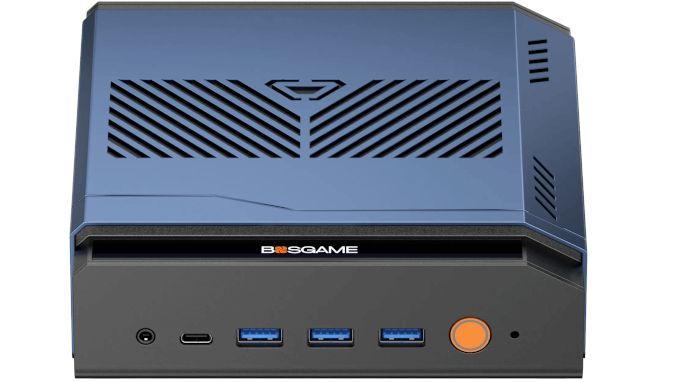
The BOSGAME M6 has a rather distinctive design. Rather than the traditional rectangular box shape found in most mini PCs, the M6 has a novel metal body with a sloped side (the base of the machine is plastic). The case is larger than many mini PCs but it’s still very small measuring 154mm x 152mm x 50mm.
As you can see there are lots of vents on the case which is an important part of the cooling design and, fortunately, doesn’t create noise issues as the fans in the machine are exceptionally quiet.
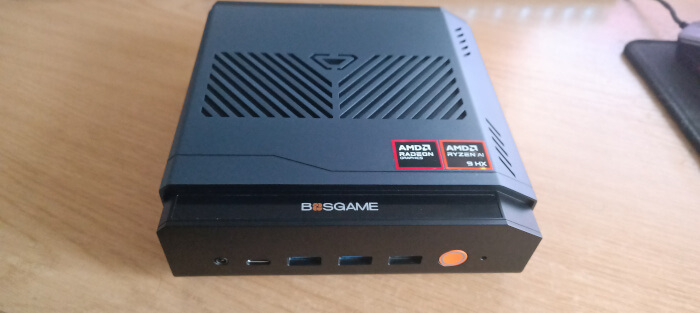
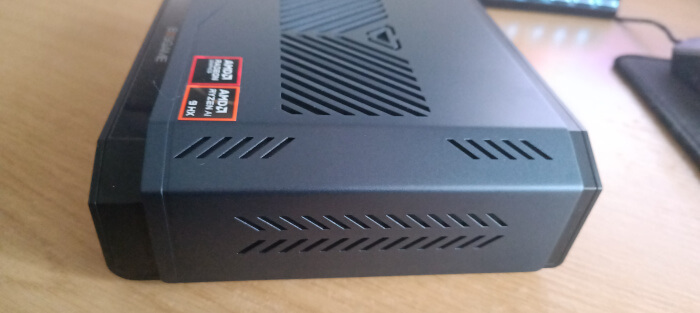
Here are images of the front and rear of the machine.
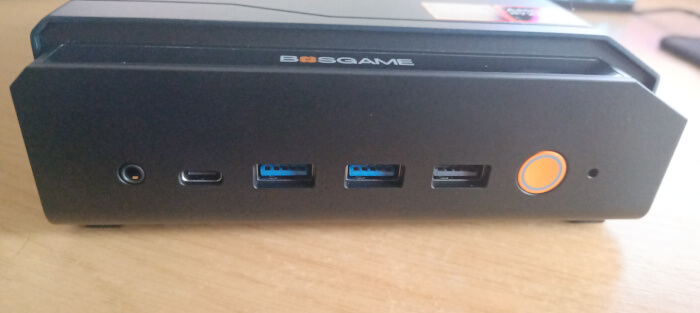
From left to right, the front of the machine hosts an audio jack, USB-C port, three USB 3.2 10Gbps ports, and an attractive pale orange coloured power button.
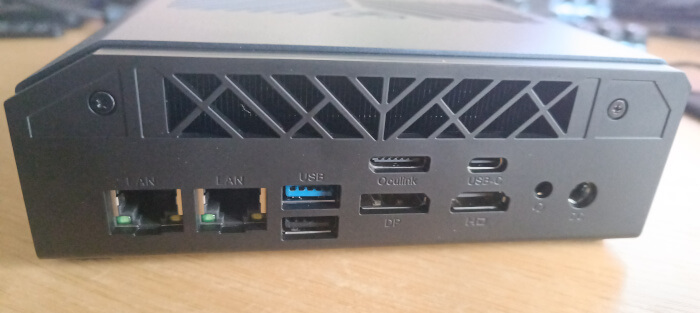 The rear of the machine hosts dual 2.5 GBPS LAN ports, a further USB 3.2 10 Gbps port, a USB 2.0 port, Oculink, DisplayPort1.4 4K@144Hz, USB 4.0, HDMI2.1 4K@144Hz, an audio jack, and a power port.
It’s unusual to have an audio jack on both the front and rear of the machine, but some users may find that handy.
I’ve connected 4K and lower resolution monitors to the machine’s HDMI and DisplayPort ports, as well as a few monitors to its USB-C ports.
My machine came with a UK plug, but it’s also available with US, EU, JP, and AU plugs.
Next page: Page 2 – First Impressions running Linux with the Manjaro distribution
Pages in this article:
Page 1 – Introduction and Design
Page 2 – First Impressions running Linux
Page 3 – Interrogation of the System
Complete list of articles in this series:
| BOSGAME M6 HX370 AI Mini PC | |
|---|---|
| Introduction | Introduction to the series and interrogation of the machine |
| Benchmarks | Benchmarking the BOSGAME M6 HX370 AI Mini PC |
| Power | Testing and comparing the power consumption |
| BIOS | In the world of computing, BIOS, which stands for Basic Input/Output System, plays a crucial role |
| Noise | How quiet is this mini PC? |