

A volume mixer is a tool that allows users to adjust the individual volume levels of different applications and audio devices running on a computer or system.
Instead of changing the overall system volume, this type of software lets you control the sound for specific programs, like turning down the volume for a game while keeping a internet radio streamer playing at its current level, or muting a browser tab without silencing everything.
Here’s our verdict captured in a legendary LinuxLinks-style ratings chart. Only free and open source software is eligible for inclusion here. We only include terminal-based tools in this roundup. We’ve already published a separate roundup for graphical volume mixers.
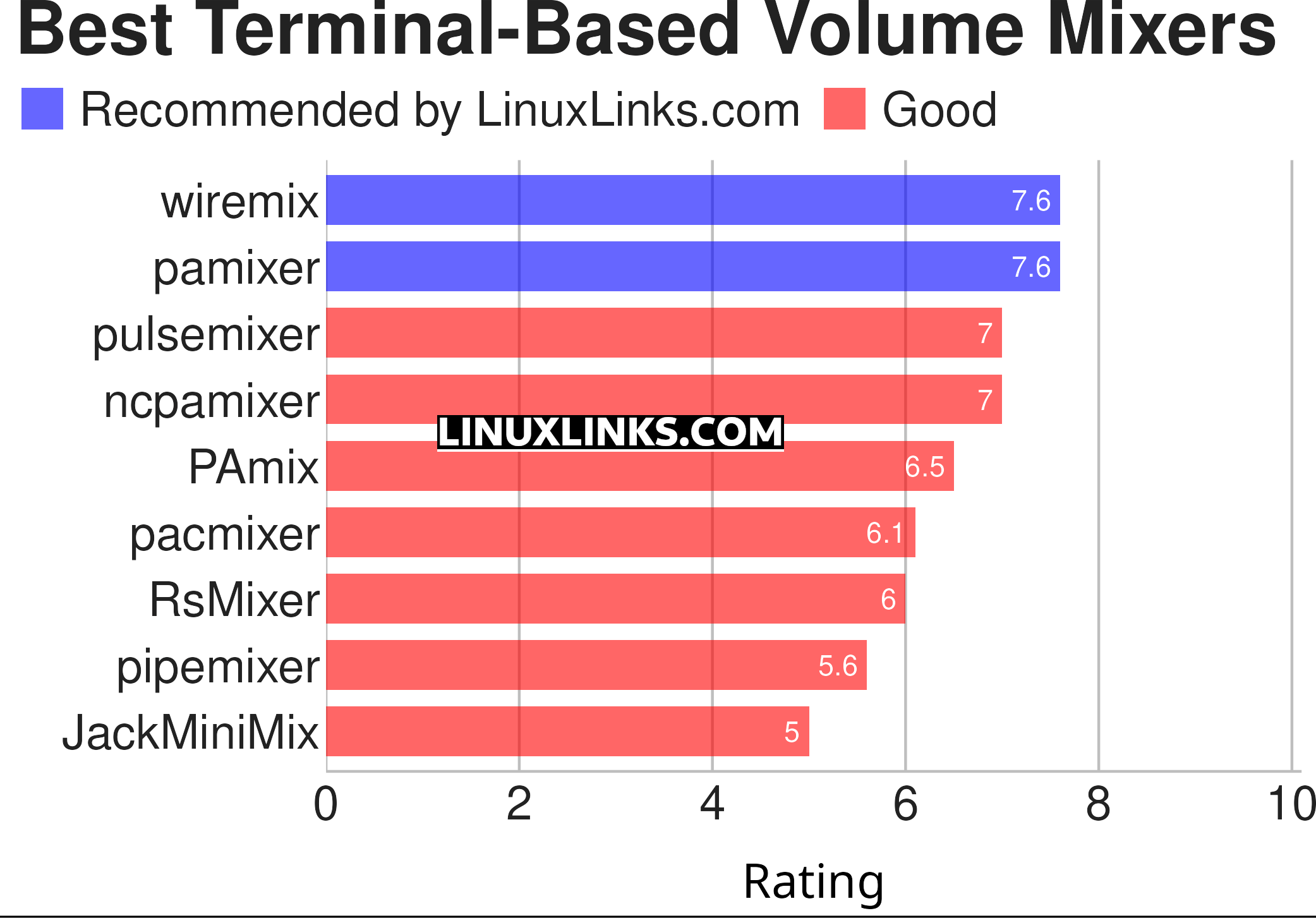
Explore each tool in detail by clicking the links below.
| Terminal-Based Audio Mixers | |
|---|---|
| wiremix | Simple TUI audio mixer fort Pipewire |
| pamixer | PulseAudio command line mixer |
| pulsemixer | CLI and curses mixer for PulseAudio |
| ncpamixer | ncurses mixer for PulseAudio inspired by pavucontrol |
| PAmix | ncurses/curses PulseAudio mixer written in C |
| pacmixer | PulseAudio tool similar to alsamixer |
| RsMixer | PulseAudio volume mixer |
| pipemixer | TUI volume control software for pipewire |
| JackMiniMix | Simple mixer for the Jack Audio Connection Kit |
 Explore our comprehensive directory of recommended free and open source software. Our carefully curated collection spans every major software category. Explore our comprehensive directory of recommended free and open source software. Our carefully curated collection spans every major software category.This directory is part of our ongoing series of informative articles for Linux enthusiasts. It features hundreds of detailed reviews, along with open source alternatives to proprietary solutions from major corporations such as Google, Microsoft, Apple, Adobe, IBM, Cisco, Oracle, and Autodesk. You’ll also find interesting projects to try, hardware coverage, free programming books and tutorials, and much more. Know a useful open source Linux program that we haven’t covered yet? Let us know by completing this form. |