

There’s a real burning passion inside us for small productivity tools. Lean tools that focus on a single productivity enhancing activity can make an enormous difference to the way time is spent. Bloated, complex productivity tools tend to only slow you down, and complex solutions require too much maintenance.
The desktop environment with its bundle of programs sharing a common graphical user interface (GUI) remains a firm favorite with users. Not surprising really given that a good desktop environment makes computing fun and simple.
Here’s our verdict of the tools succinctly summarized in a LinuxLinks styled ratings chart. Only free and open source software is eligible for inclusion.
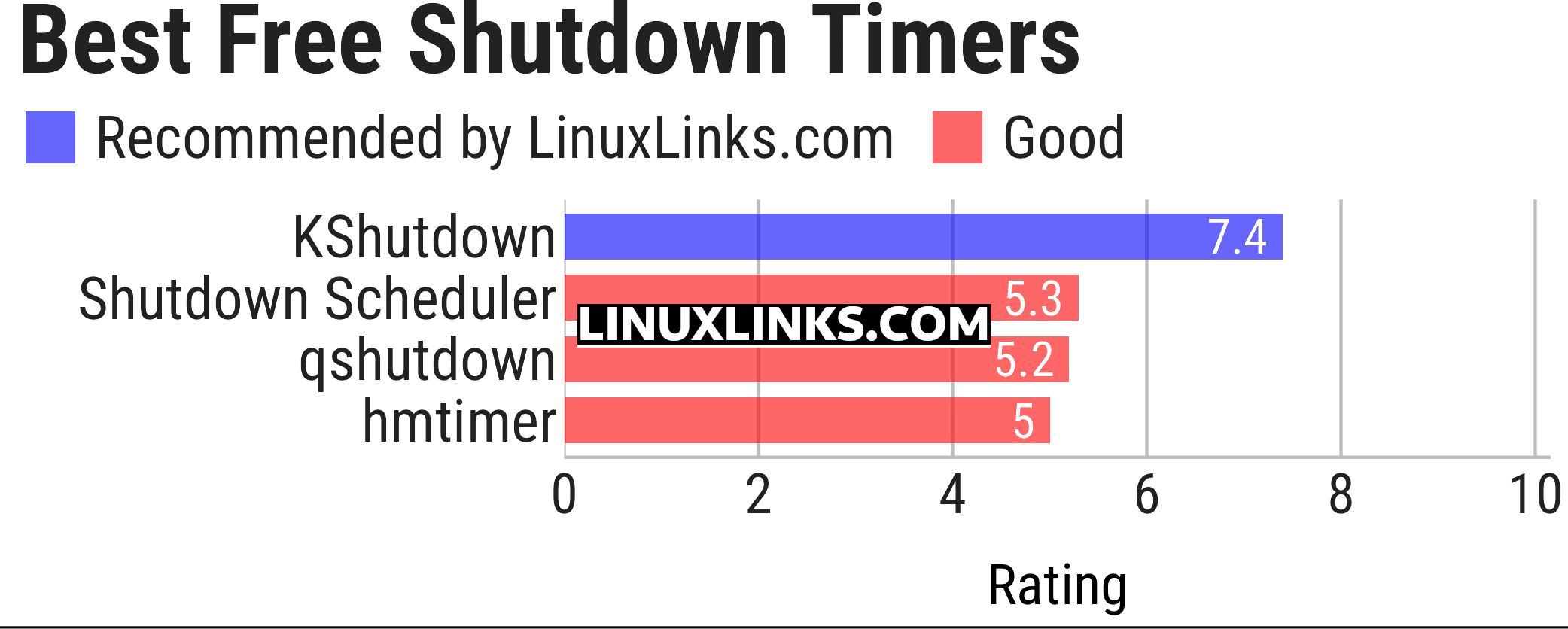
Let’s explore the 4 shutdown timers at hand. For each title we have compiled its own portal page, a full description with an in-depth analysis of its features, a screenshot of the software in action, together with links to relevant resources.
| Shutdown Timers | |
|---|---|
| KShutdown | Time and delay options, command-line support, and notifications |
| Shutdown Scheduler | Schedule shutdown and restart tasks |
| qshutdown | Offers DBus Interface method |
| hmtimer | Command-line and graphical tool |
This article has been updated to reflect the changes outlined in our recent announcement.
 Explore our comprehensive directory of recommended free and open source software. Our carefully curated collection spans every major software category. Explore our comprehensive directory of recommended free and open source software. Our carefully curated collection spans every major software category.This directory is part of our ongoing series of informative articles for Linux enthusiasts. It features hundreds of detailed reviews, along with open source alternatives to proprietary solutions from major corporations such as Google, Microsoft, Apple, Adobe, IBM, Cisco, Oracle, and Autodesk. You’ll also find interesting projects to try, hardware coverage, free programming books and tutorials, and much more. Know a useful open source Linux program that we haven’t covered yet? Let us know by completing this form. |
Please read our Comment Policy before commenting.
Why on earth does anyone need a shutdown timer? Sounds rather frivolous! Look at your watch. My Dell Latitude 7490 with 64GB of memory and Ubuntu 24.04 with MATE DE shuts down in about 5 seconds.
Judging by your comment, it seems you’ve identified one of the two keywords. Try focusing on the timer word.
sleep 60m; systemctl poweroff
Fine if you like the command-line but I only use graphical tools unless there’s no alternative.