
Linux is an attractive platform for professional audio production. It is an extremely stable operating system that has good support for audio hardware. Using a Linux machine as the focus of your recording setup opens a world of possibilities for an affordable price.
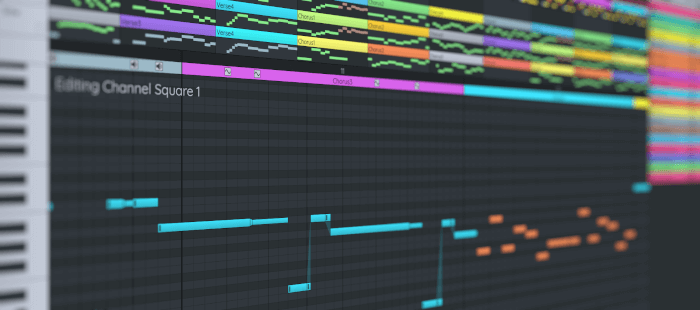
A music tracker (short version tracker) is a type of music sequencer software for creating music. The music is represented as discrete musical notes positioned in several channels at discrete chronological positions on a vertical timeline.
A music tracker’s user interface is usually number based. Notes, parameter changes, effects and other commands are entered with the keyboard into a grid of fixed time slots as codes consisting of letters, numbers and hexadecimal digits. Separate patterns have independent timelines; a complete song consists of a master list of repeated patterns.
Here’s our verdict on the best music trackers captured in one of our legendary ratings chart. All of the software is free and open source.
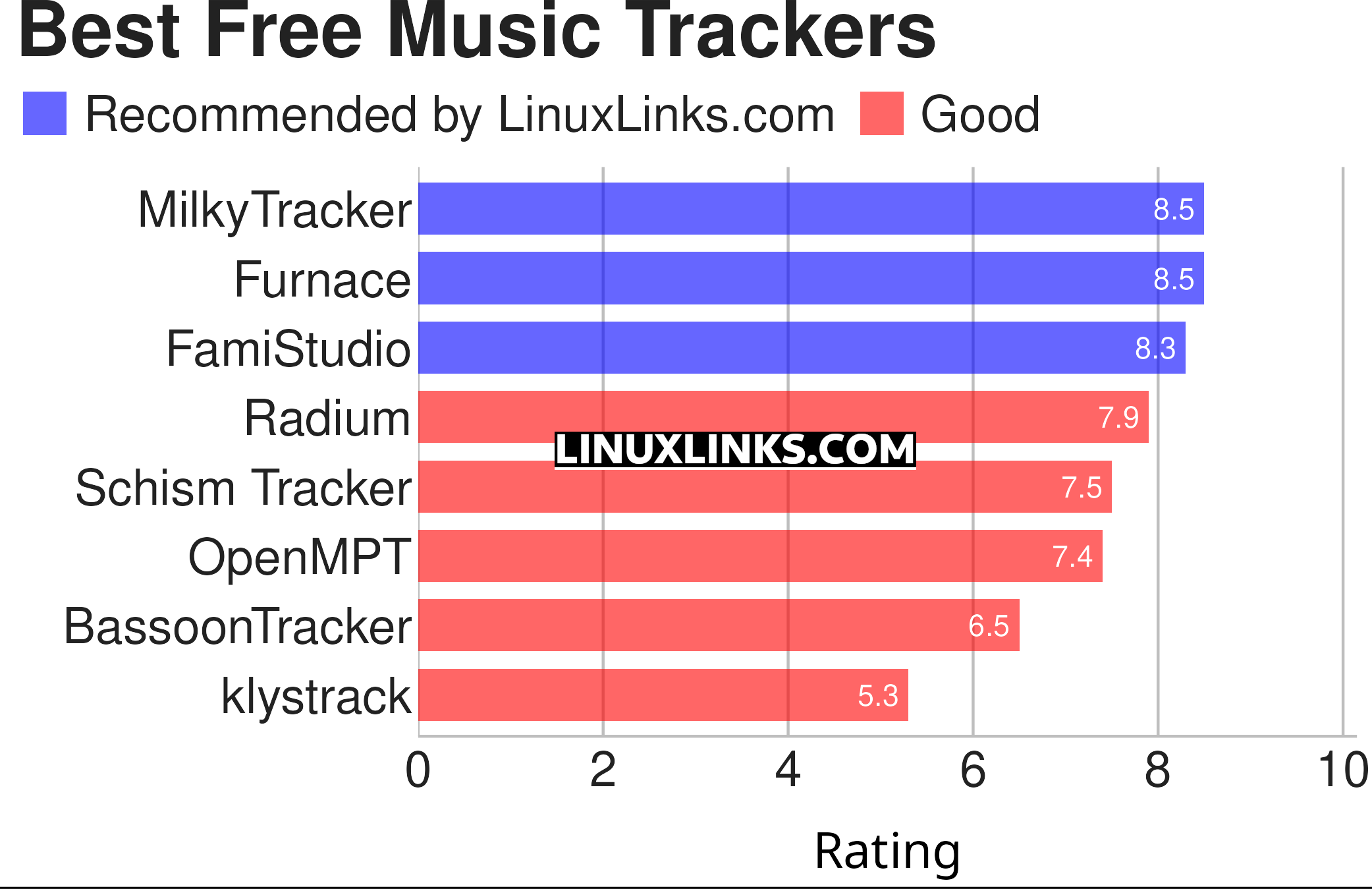
Let’s explore the 8 music trackers. For each title we have compiled its own portal page, a full description with an in-depth analysis of its features, a screenshot of the software in action together with links to relevant resources.
| Music Trackers | |
|---|---|
| MilkyTracker | FT2 compatible music tracker |
| Furnace | Multi-system chiptune tracker |
| FamiStudio | NES music editor |
| Radium | Music editor sporting a sleek interface billed as a next generation tracker |
| Schism Tracker | Reimplementation of Impulse Tracker |
| OpenMPT | Audio module tracker (needs Wine to run) |
| BassoonTracker | Browser-based old-school Amiga music tracker |
| klystrack | Tracker for making C64/NES/Amiga-style chiptunes |
This article has been revamped in line with our recent announcement.
 Explore our comprehensive directory of recommended free and open source software. Our carefully curated collection spans every major software category. Explore our comprehensive directory of recommended free and open source software. Our carefully curated collection spans every major software category.This directory is part of our ongoing series of informative articles for Linux enthusiasts. It features hundreds of detailed reviews, along with open source alternatives to proprietary solutions from major corporations such as Google, Microsoft, Apple, Adobe, IBM, Cisco, Oracle, and Autodesk. You’ll also find interesting projects to try, hardware coverage, free programming books and tutorials, and much more. Know a useful open source Linux program that we haven’t covered yet? Let us know by completing this form. |