

A color picker is a software tool used to select colors and, in some cases, to create color schemes.
The eyedropper is a tool available in most color pickers and graphics software that allows a user to read a color at a specific point in an image, or position on a display. This enables the color to be transferred to other applications particularly quickly.
To provide an insight into the quality of software that is available, we have compiled a list of 17 high quality color pickers. All of the software is published under an open source license. The vast majority of tools included sport a modern graphical user interface.
We only include dedicated color picker software in this roundup. Some other graphics programs also include color picker functionality.
We make the following recommendations captured in a legendary LinuxLinks-style chart.
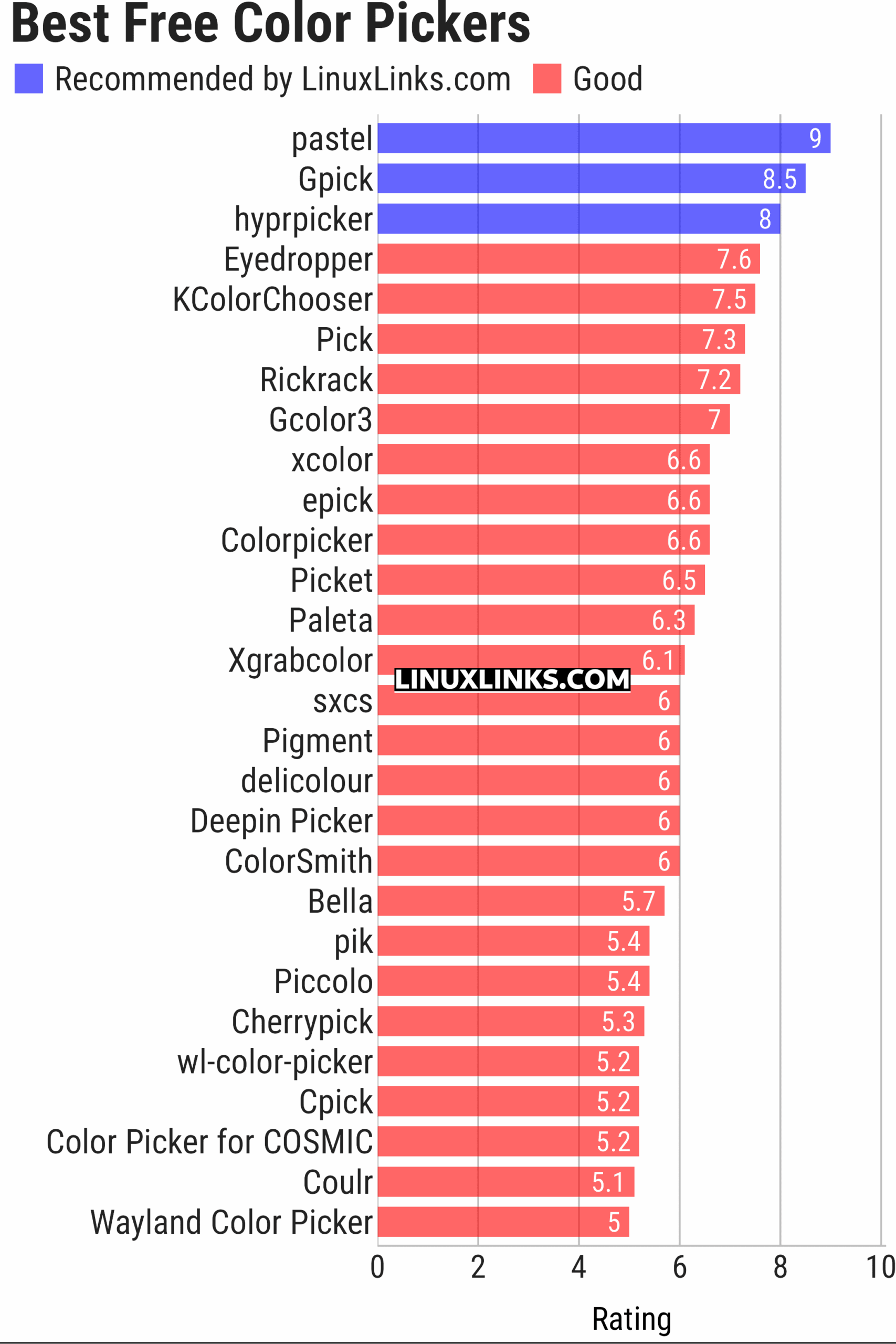
Let’s explore the color pickers at hand. For each title we have compiled its own portal page, providing a screenshot of the software in action, a full description with an in-depth analysis of its features, together with links to relevant resources.
| Color Pickers | |
|---|---|
| pastel | Generate, analyze, convert and manipulate colors |
| Gpick | Advanced color picker and palette editor |
| hyprpicker | wlroots-compatible Wayland colour picker for Linux |
| Eyedropper | Pick and format colors; this tool is geared towards advanced users |
| KColorChooser | Color picker designed for KDE but runs on any desktop environment |
| Pick | Python-based color picker |
| Rickrack | User-friendly color editor. |
| Gcolor3 | Color selection dialog written in GTK+ 3 |
| xcolor | Lightweight color picker written in Rust |
| epick | Color picker for creating harmonic color palettes |
| Colorpicker | Minimal but complete colorpicker Electron-based desktop app |
| Picket | Screen color picker with magnifier and custom/user defined formats |
| Paleta | Generates color palettes with ease |
| Xgrabcolor | Basic color picker |
| sxcs | Minimal X11 color picker and magnifier |
| Pigment | Extracts color palettes from your images |
| delicolour | Lightweight color finder |
| Deepin Picker | Simple color picker |
| ColorSmith | Color picker tool |
| Bella | Simple eye dropper and color picker |
| pik | Terminal-based color picker |
| Piccolo | GTK4 colour picker with screen sampling and session history |
| Cherrypick | Screen colour picker with history and multiple output formats |
| wl-color-picker | Shell script for Wayland and wlroots sessions |
| Cpick | Extensive color picker for the terminal |
| Color Picker for COSMIC | Native COSMIC colour utility supporting six colour spaces |
| Coulr | Color box to help developers and designers |
| Wayland Color Picker | GTK4 application for Wayland desktops |
This article has been updated to reflect the changes outlined in our recent announcement.
 Explore our carefully curated directory of recommended free and open source software, covering every major software category. Explore our carefully curated directory of recommended free and open source software, covering every major software category.The directory forms part of our extensive collection of articles for Linux enthusiasts. It includes hundreds of detailed reviews, together with free and open source alternatives to proprietary software from companies such as Google, Microsoft, Apple, Adobe, IBM, Cisco, Oracle, and Autodesk. LinuxLinks also covers interesting projects worth exploring, Linux-compatible hardware, free programming books and tutorials, and much more. Know a useful free and open source Linux application that we haven’t covered? Tell us about it using our submission form. |
Please read our Comment Policy before commenting.
We have retained comments for historic purposes.
For 95% of jobs, KDE’s Colour Picker is the most convenient of tools – can display a history end easily edit colours.
Thanks for your feedback.
We’re aware of KDE’s Colour Picker widget. It’s a basic yet functional picker. We didn’t include that here because this roundup focuses on standalone apps, not DE-specific widgets. We featured the widget in our KDE Plasma Widgets roundup.
Or maybe you mean KColorChooser, which is a standalone app and runs under any DE. That one should have been included. We’ll update this roundup.
Roundup updated.
Pastel is probably very good at doing what it does — “generate, analyze, convert and manipulate colors.¨ However it is not a color picker (use the mouse to select a pixel on screen and show its color code) so I do not know why it is included in this list of colorpicker utilities,.
One of the subcommands of pastel is “pick” which interactively picks a color from the screen.
Sure the program does a lot more than other pickers.