

This is a new series where I’ll pick one proprietary Linux application each week. Although LinuxLinks primarily focuses on open source software, we’ll explore proprietary software along the way.
I’ve used Hyper as my go-to terminal emulator for years. It still does the job and looks great in screenshots, but it now feels dated and has seen no development for a long time. Maybe you’re in the same boat looking for something different.
Warp is a Rust-based terminal for developers and teams.
Installation
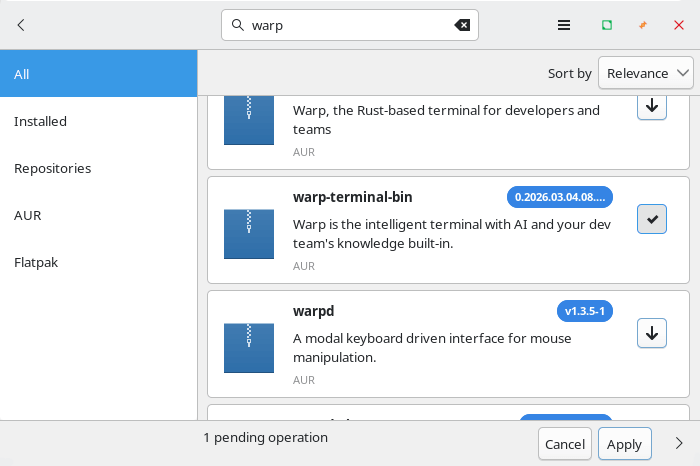
I evaluated Warp using Manjaro. There’s a package in the Arch User Repository which I installed using Pamac. That’s Manjaro’s rather nifty GUI package manager.
Besides Arch-based distributions, the project provides installation options for Debian/Ubuntu, and Fedora/RHEL/SuSE. There’s also an AppImage so you’ll be able to try the software whatever Linux distro floats your boat. Both x86_64 and ARM64 architectures are supported.
The software is also cross-platform software running under macOS and Windows too. My testing focused solely on Linux.
In Operation
Here’s an image of Warp Terminal in action
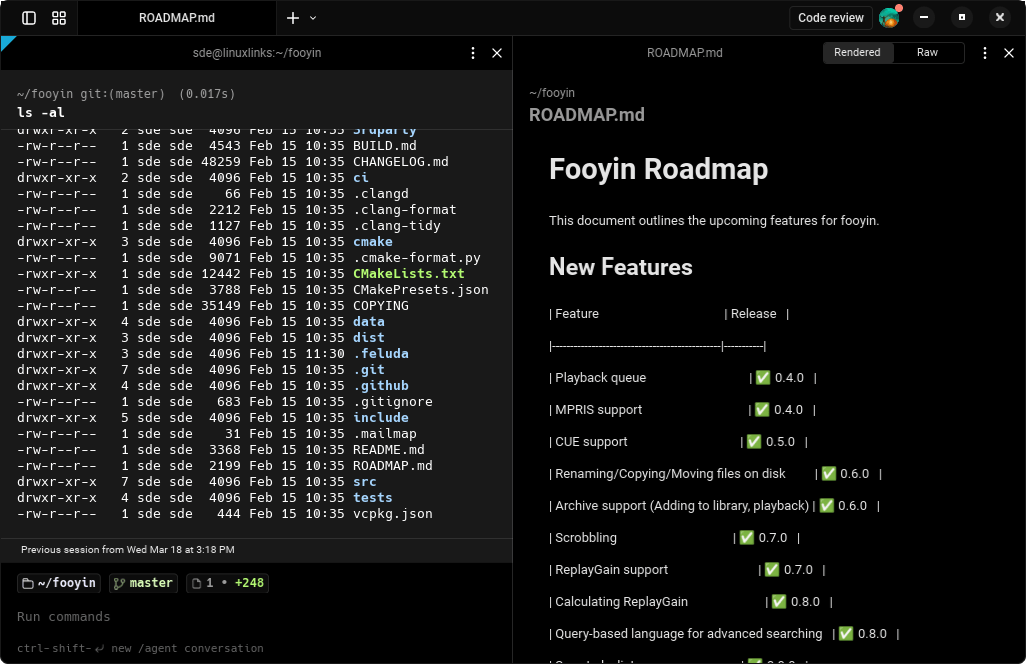
Let’s have a look at the main features of Warp.
Key Features
- Modern terminal interface with editor-style input, cursor movement, and multi-line command editing.
- Displays commands and prompts in navigable blocks for cleaner session history and easier reuse.
- Built-in AI agents for writing code, debugging issues, generating commands, and assisting with development workflows.
- Integrated code review tools for inspecting and refining agent-generated diffs before applying changes.
- Can manage multiple agent tasks at once from a dedicated panel.
- Supports bash, zsh, fish, and PowerShell on Linux.
- Includes optional native Wayland support with fallback to X11.
- Core terminal features continue to work offline after the initial online setup.
Summary
What makes Warp stand out from most open source terminal emulators is less about the underlying terminal engine and more about the overall experience of using it day to day.
Its main strength is that it feels closer to an IDE than a traditional terminal. You get editor-like input, a clearer block-based history, a command palette, and built-in AI features for writing commands, debugging problems, reviewing code, and handling repetitive tasks. That puts it in a very different category from terminals like Ghostty, kitty, and WezTerm, which are generally more focused on speed, standards compliance, rendering, multiplexing, and deep configuration.
For many people, Warp may feel easier to use. You can move faster without having to remember quite as much shell syntax or stitch together lots of separate tools. The block-based layout makes old commands easier to find and reuse, and the AI tools can help with everything from explaining errors to handling multi-step development tasks. With most open source terminals, you often have to build that kind of setup yourself using shell plugins, tmux, editors, and separate AI tools.
Warp also puts a lot of emphasis on a polished, guided default experience. Many open source terminals (and there are a lot) are all extremely capable, but they tend to feel more like powerful terminal toolkits than a complete developer environment out of the box. Ghostty leans into native UI design and modern terminal features, kitty is known for performance and extensive customization, and WezTerm is especially strong if you want terminal and multiplexer features with Lua-based configuration.
Warp offers a lot. While I think it’s unlikely to be a permanent fixture on my machines, it might be a good fit if you’re happy using proprietary software.
Website: github.com/warpdotdev
Support:
Developer: Warp
License: Proprietary
Warp is written in Rust. Learn Rust with our recommended free books and free tutorials.