

Scrobbling is the process of automatically tracking and recording the music you listen to, sending the data (like song title, artist, and timestamp) to a service like Last.fm.
This information creates a personal listening history on a profile, which can be used to generate statistics, get personalized music recommendations, and connect with other users’ musical tastes. The term “scrobble” can also refer to the individual data point or “play” of a song that is logged
This article picks some useful tools to help you scrobble.
Here’s our verdict captured in a legendary LinuxLinks-style ratings chart. Only free and open source software is eligible for inclusion here.
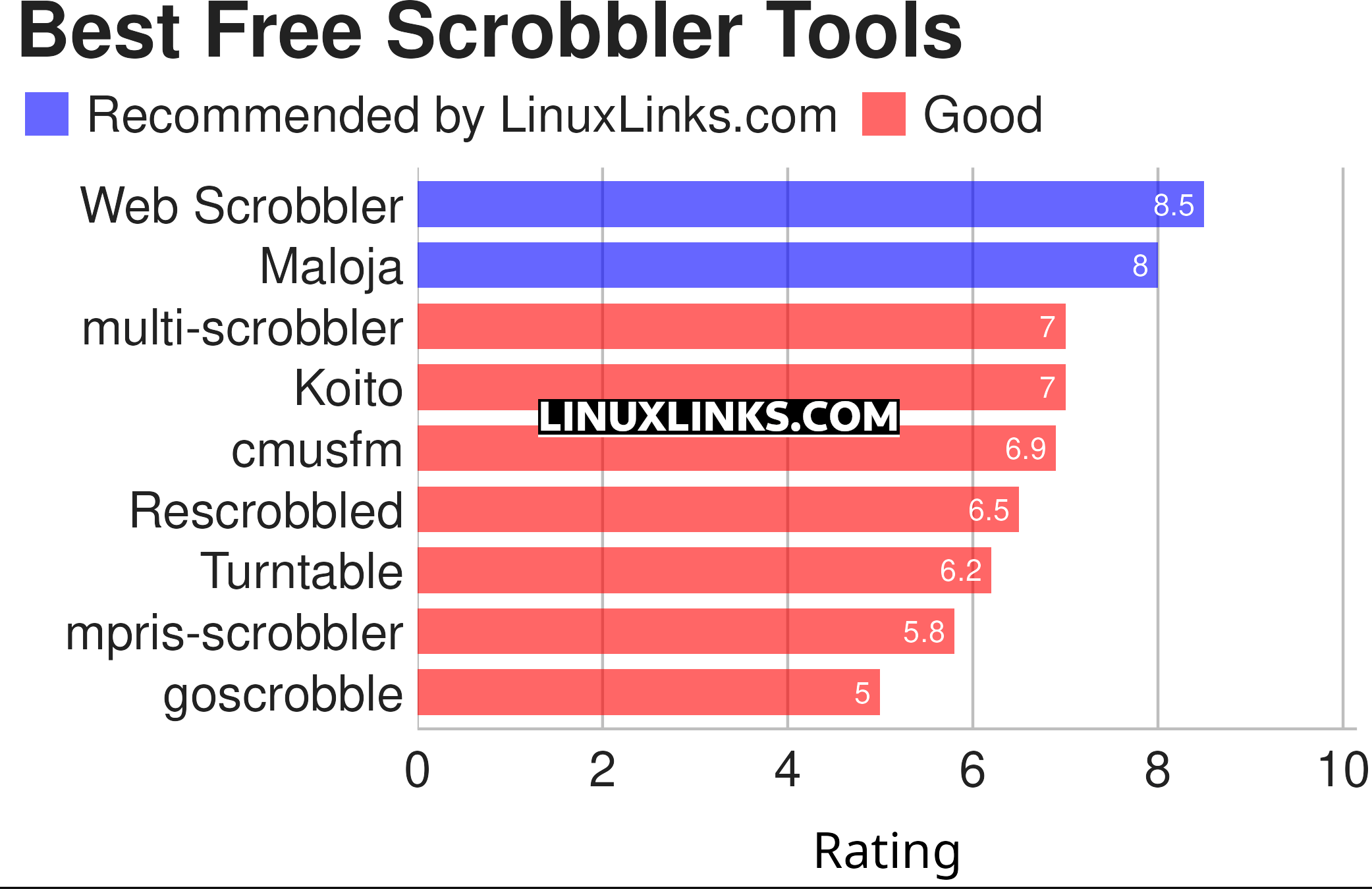
Click the links in the table below to learn more about each tool.
| Scrobbler Tools | |
|---|---|
| Web Scrobbler | Scrobble playback history |
| Maloja | Simple self-hosted music scrobble database |
| multi-scrobbler | JavaScript app to scrobble music you listened to |
| Koito | ListenBrainz-compatible scrobbler |
| cmusfm | Last.fm scrobbler for cmus music player |
| Rescrobbled | Music scrobbler daemon |
| Turntable | GUI and CLI tool to scrobble your music |
| mpris-scrobbler | Minimalistic user daemon |
| goscrobble | Simple music scrobbler daemon |
 Explore our comprehensive directory of recommended free and open source software. Our carefully curated collection spans every major software category. Explore our comprehensive directory of recommended free and open source software. Our carefully curated collection spans every major software category.This directory is part of our ongoing series of informative articles for Linux enthusiasts. It features hundreds of detailed reviews, along with open source alternatives to proprietary solutions from major corporations such as Google, Microsoft, Apple, Adobe, IBM, Cisco, Oracle, and Autodesk. You’ll also find interesting projects to try, hardware coverage, free programming books and tutorials, and much more. Know a useful open source Linux program that we haven’t covered yet? Let us know by completing this form. |