

YouTube, launched in February 2005 and acquired by Google in November 2006, is a platform for sharing videos that connects billions of users around the globe. It’s a treasure trove of both user-generated content and corporate media, making it easy for anyone to find, watch, and share unique videos. Moreover, it fosters communication among people worldwide, serving as an effective distribution platform.
However, a common frustration with YouTube is that it requires a web browser for access. Luckily, some innovative developers have stepped in with applications that let you access YouTube beyond just the web interface. These tools create a more TV-like viewing experience, making it easier and more enjoyable to watch your favorite content.
I’ve covered quite a few GUI tools that let you access YouTube content without using a web browser. Pipeline goes one step further by letting you also view PeerTube content. Pipeline is free and open source software.
PeerTube aims to be a decentralized and free/libre alternative to video broadcasting services. It’s powered by ActivityPub and WebTorrent. There’s no vendor lock-in. PeerTube allows you to upload your videos to a platform that you choose by yourself. And each community can help each other by caching one another’s videos. Each platform has its own terms of service, moderation and federation policies.
Installation
I evaluated Pipeline with Manjaro, a rolling Linux Arch-based distribution, and Ubuntu.
For Manjaro and other Arch-based distributions, you’ll find a package available in the Arch User Repository. I took care of the installation using Pamac, which is the graphical package manager for Manjaro.
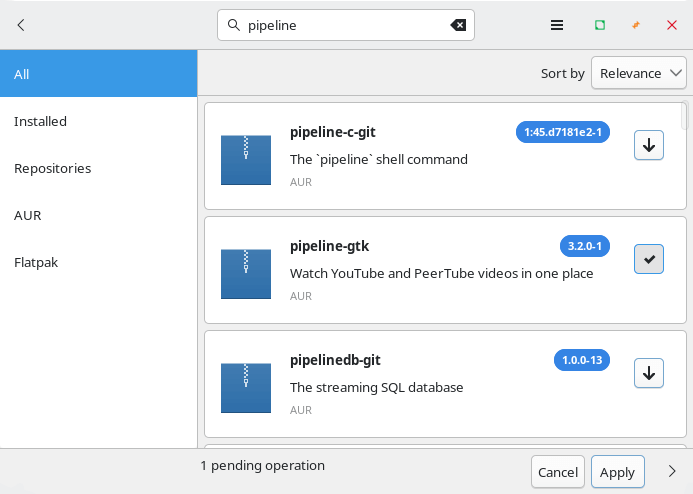
Installation proceeds with no issues.
If you’re not using an Arch-based distro, I recommend installing Pipeline with Flatpak. Or you can compile the source code if you fancy the manual approach.
In Operation
Here’s an image of Pipeline in action. As you can see I’ve performed a basic search. You can also search for your favourite channels and subscribe to them.
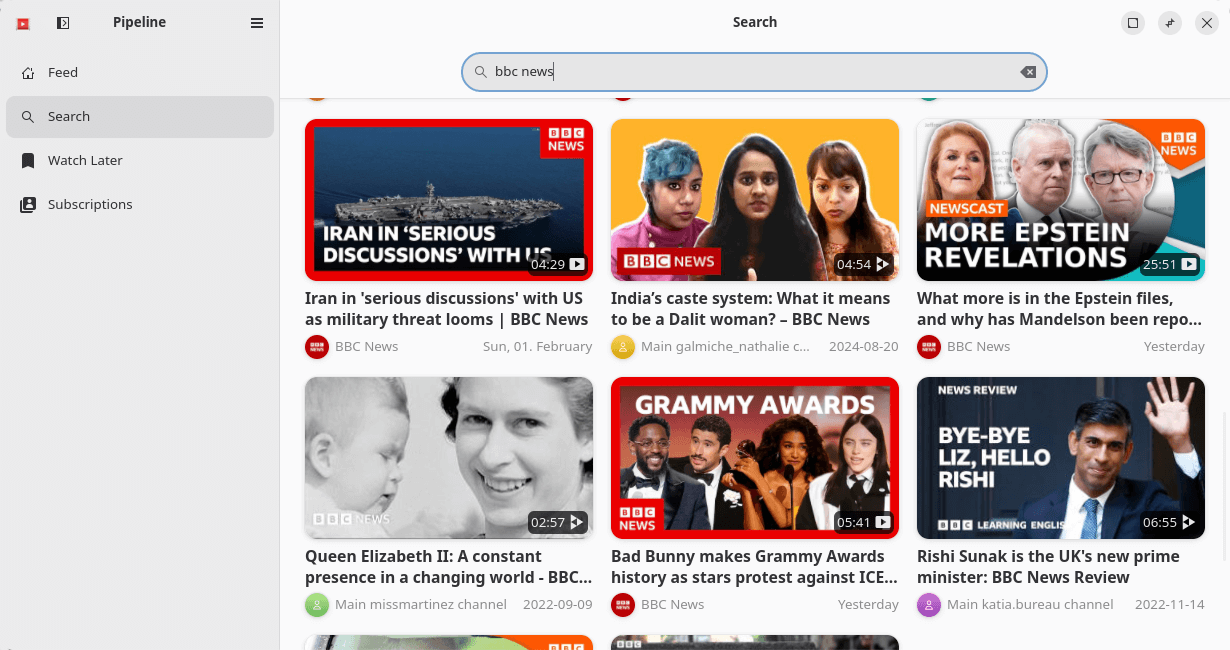
The UI is fairly basic but it’s simple to use. And it offers an adaptive design which means the UI adapts to your screen size.
There is some customization available. By default Pipeline fetches YouTube and Peertube video but either can be disabled. You can play videos with an external player such as mpv if you don’t like the internal video player used (which is Clapper).
Videos can be downloaded to view at a later date. By default the software uses youtube-dl to download videos but I wasn’t able to download videos with it. Fortunately the software lets you choose an alternative downloader. I mostly experimented with yt-dlp, an actively maintained fork of youtube-dl which works well. By default videos are downloaded to your home directory, but there’s no option to change the download directory.
If you find Pipeline’s playback is poor on your device, you can enable software rendering, but I didn’t find any issues here.
What else does the software offer?
- Aggregate videos from all subscriptions into a single feed.
- Filter out unwanted items from the feed, like short videos or videos from a series.
- Manage videos you want to watch later.
- Import subscriptions.
Summary
If you want an integrated way to watch YouTube and PeerTube with a simple UI away from a web browser, Pipeline might be all you need. It works well with videos of all resolutions including 16K video ultra HD.
But the software is lacking some really useful functionality such as a history page and better filtering options to name a couple.
Pipeline is under active development.
Website: gitlab.com/schmiddi-on-mobile/pipeline
Support:
Developer: Julian Schmidhuber
License: GNU General Public License v3.0
Pipeline is written in Rust. Learn Rust with our recommended free books and free tutorials.