

Luke is our resident music expert but I like to dabble with music players too.
NoctaVox recently caught my attention. It’s billed as a lightweight, plug and play TUI music player for local music collections. I’m dedicating one of our test machines to TUI software. There’s so much good open source software available that doesn’t have a GUI.
Installation
I tested NoctaVox with the Ubuntu and Fedora distributions. There aren’t distro-specific packages I could find, so I’ll use cargo to install the program. cargo is Rust’s package manager.
First, clone the project’s GitHub repository.
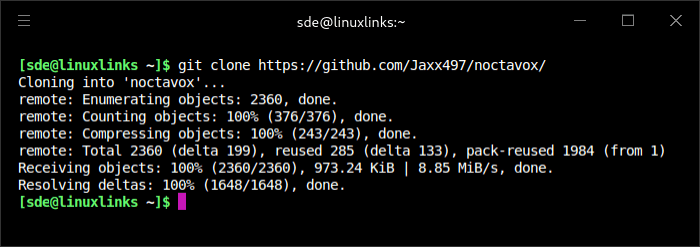
Change into the freshly created directory and install the program.
$ cargo install --path noctavox
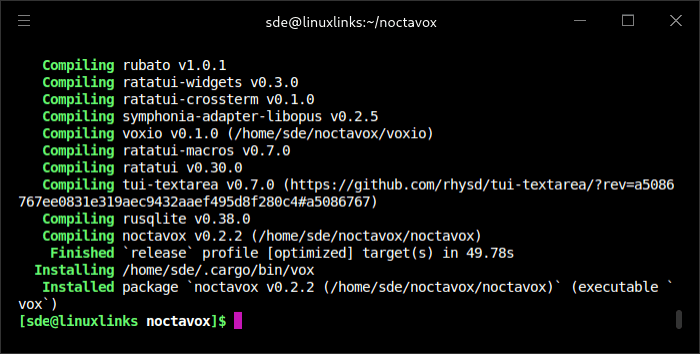
The vox binary is saved to /home/sde/.cargo/bin which is in my PATH. If you don’t have ~/.cargo/bin in your PATH you can either add that directory to your PATH or copy/move the file to a directory that is. /usr/local/bin might be a good choice.
For testing, I’ve moved over to a different terminal emulator as the program has issues with hyper. That’s probably an issue with hyper itself, software that hasn’t been maintained for years but something I still use regularly.
In Operation
I tested the software initially with our in-house compilation of CC-licensed music. It’s useful to use this specific music set so that we can make accurate comparisons between different clients.
Issuing the command vox starts the music player. I’m prompted to set my root music directory. You can define additional directories from settings.
The easiest way to start listening is to navigate to the album pane (via tab) and queue an album with the q key. The project’s GitHub has a comprehrensive list of the keyboard shortcuts. There are quite a few.
At the bottom of the screen is the oscilloscope view.
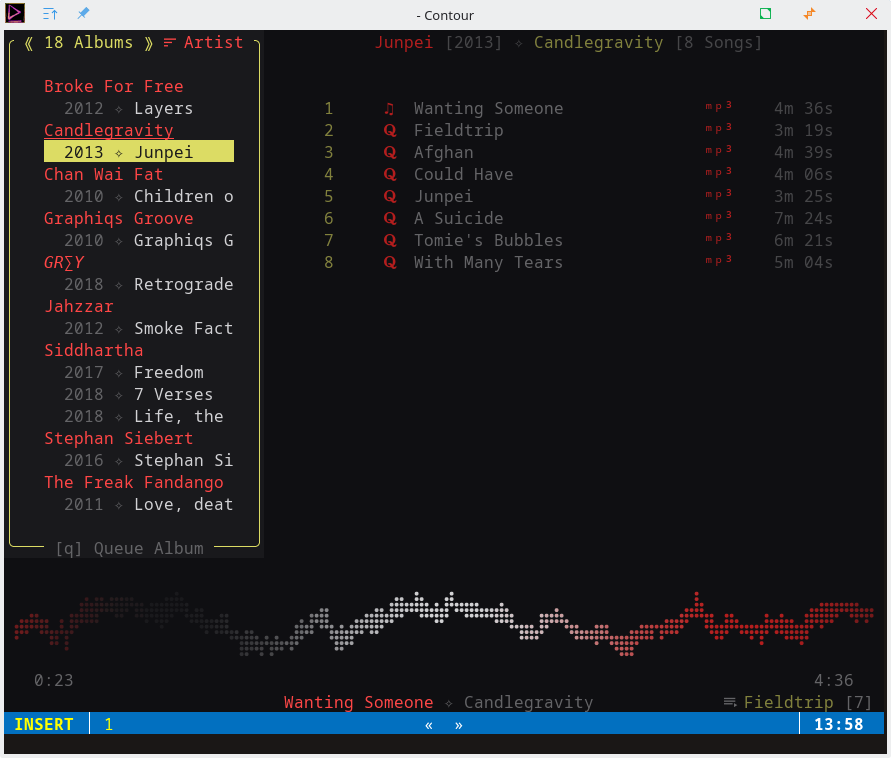
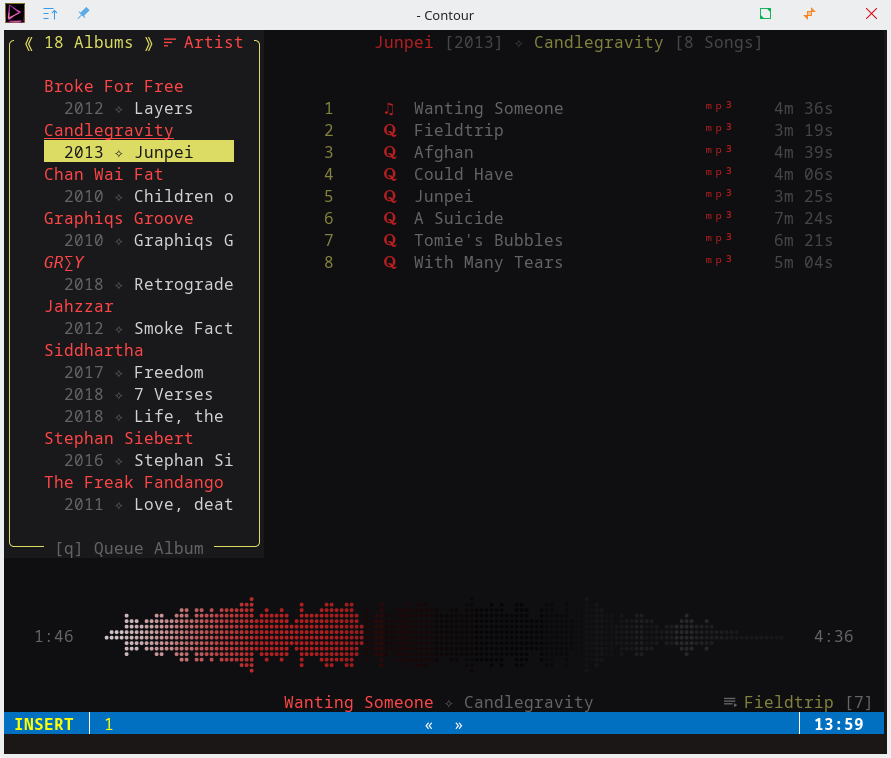
There’s also a waveform view and a progress bar view (shown below). Out of the three views I find the progress bar view fits my personal preference although it annoyingly alternates in colour (and I haven’t found a way to stop that behaviour).
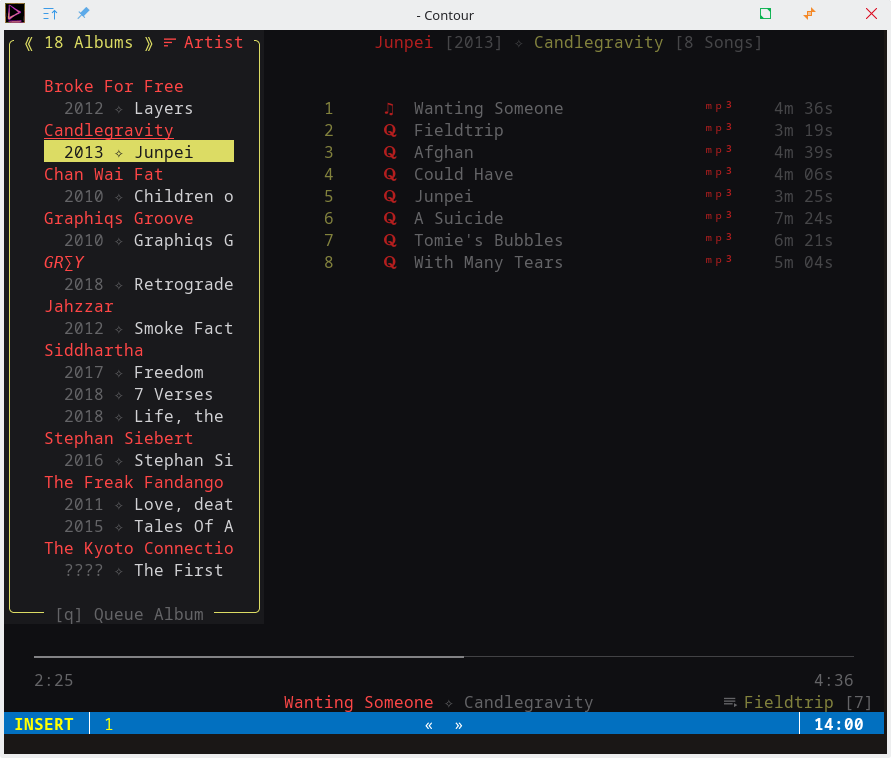
I listen to a lot of classical music, and as such gapless playback is an essential requirement for me. Gapless playback means tracks flow into the next song without pause. This allows seamless transitions from track to track. This is so important for albums that were designed to have the tracks run together. It’s not just classical music that so often mandates gapless playback. Listening to electronic music, concept albums, and progressive rock is often ruined when artificial gaps are inserted between tracks. NoctaVox supports gapless playback so that’s awesome.
The music player doesn’t support all music formats but the important ones (for me) are supported including FLAC, MP3, OGG, and OPUS.
The software doesn’t have a huge range of features but there is playlist support, live library reloading, and Vim-like keybindings (although I’d really like to be able to change some of them).
Summary
NoctaVox is a surprisingly decent music player that you’ve probably never heard about. It has its own custom backend, it’s really easy to install, supports the mandatory gapless playback, and seems pretty stable in operation from my limited testing.
Your music collection does need to have perfect metadata though, otherwise albums will be scattered around. If you’ve got a large music collection with spotty metadata, you’ll be better off with a different music player unless you’re willing to spend the time editing the metadata (outside of NoctaVox as it doesn’t have any editing facilities)
NoctaVox faces particularly strong competition from other TUI-based music players which are covered in this roundup. It’ll definitely be added to this roundup but it isn’t yet up there with the likes of our recommended players. But it’s not far off!
I’m not a fan of the default theme. Albums are hard to read with its red foreground and black background. The program supports custom theming but there doesn’t appear to have been any other themes set up by default. Maybe that’s an issue with my system?
Website: github.com/Jaxx497/NoctaVox
Support:
Developer: Jaxx497
License: MIT License
NoctaVox is written in Rust. Learn Rust with our recommended free books and free tutorials.
Hi Steve,
I don’t know how you found my project but I’m glad you did! I haven’t received much feedback regarding my project (outside of compile errors), so I’d love to hear if you had a stable experience.
Regarding the alternating color on the progress bar, you can create your own theme very easily. To stop the alternating colors, set a static color in the elapsed field (a single rgb value) or simply set the speed field to 0. No other themes are installed by default, but there are several examples in the repo to try out.
Thanks Jaxx497, I’ll definitely experiment with the themes. I’m a firm believer in sane defaults. Not sure alternating colors on the progress bar should be the default as it’s a bit distracting. But that’s just my opinion.
A visitor filled in our contact form and told me about your project. I’m also curious how you found my review.
To be honest, I lazily searched the name of my repo into google instead of just typing the GitHub link and I saw this article, so I clicked it and was pleasantly surprised to see something thoughtfully written and not low-effort AI article.
Anyway, I really do appreciate the feedback- I’m a 100% hobbyist programmer and it’s my first time sharing anything with the world; naturally, there’s admittedly a fair amount of guesswork done, as well as questionable defaults (the default theme is not popular, but I’m colorblind hence the high contrast palette). I will likely take your advice on the alternating colors, I can see how many people would prefer a more static appearance. There’s a lot to be done, hopefully I can get a proper binary out sometime in March after polishing up a few more aspects of the project.
I actually found your music player via cargo-seek rather than from a site visitor.
From my personal perspective I prefer a music player not to be a source of distraction — I prefer my focus to be the music itself but I like keeping a music player visible (at least for some of the time).
I’ll monitor your project and will be happy to revisit and publish a fresh review for any significant updates.