

Escuelas Linux is a lightweight Linux distribution designed specifically for educational environments. It provides a complete computing platform for schools, teachers, and students, with a large collection of preinstalled educational software covering subjects from early learning to advanced science and programming.
The project focuses on promoting the use of free and open source software in education, delivering a ready-to-use system that requires minimal configuration. All applications are preconfigured and optimized for classroom environments, allowing students and educators to start working immediately after installation.
Escuelas Linux includes a wide selection of educational applications covering many subjects and age groups. Examples include:
- GCompris – educational activities for children
- Scratch – programming environment for beginners
- GeoGebra – mathematics and science visualization
- wxMaxima – computer algebra system
- Kalzium – chemistry learning tool
These tools allow students to explore topics such as mathematics, programming, physics, and chemistry within a single operating system.
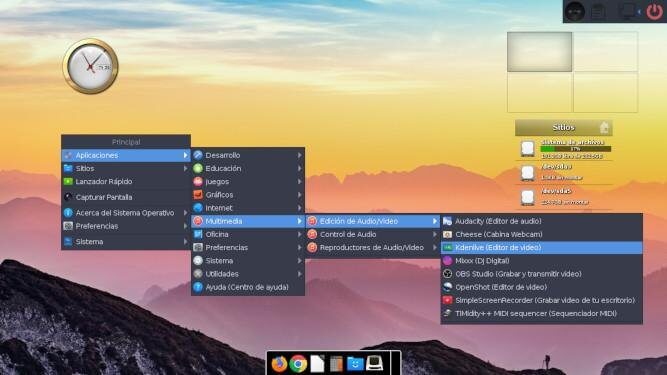
Escuelas Linux is a low-resource distribution. As it uses Moksha as the graphical interface, the RAM and disk requirements are very low, making it possible to install it even on computers with at least 512 MB of RAM and 40 GB of hard disk space
Escuelas Linux was initially developed for Spanish language schools. Now, the developers expanded their reach by adding support for English language.
| Working state: | Active |
| Desktop: | Moksha |
| Init Software: | systemd |
| Package Management: | APT |
| Release Model: | Fixed |
| Platforms: | x86_64, i586 |
| Home Page: | escuelaslinux.sourceforge.io |
| Developer: | Escuelas Linux |
This entry was written with the assistance of a visitor who completed the distro form.
| This article is part of our Big List of Active Linux Distributions. |
What's a Linux distribution ("distro")? |
| A distro provides the user with a desktop environment, preloaded applications, and ways to update and maintain the system. Each distro makes different choices, deciding which open source projects to install and provides custom written programs. They can have different philosophies. Some distros are intended for desktop computers, some for servers without a graphical interface, and others for special uses. Because Linux is an open source operating system, combinations of software vary between Linux distros. |