

Handwritten note-taking applications bring pen-and-paper workflow to the Linux desktop. They are ideal for jotting lecture notes, marking up PDFs, sketching diagrams, brainstorming ideas, and working naturally with a stylus, graphics tablet, or touchscreen. For many users, typing is not always the fastest or most expressive way to capture information. Handwriting apps fill that gap by offering digital ink, flexible page layouts, and annotation tools in a graphical environment.
Linux has a growing collection of software in this area, but the field is narrower than for general-purpose typed notes. Some programs focus on PDF annotation, some on infinite-canvas note-taking, while others blur the line between a notebook and a digital whiteboard. This roundup concentrates on GUI applications that are genuinely suited to handwritten notes on Linux, rather than traditional text-first note managers.
We’ve compiled this roundup of the finest free and open source handwritten GUI note-taking software available for Linux. Only free and open source software is eligible for inclusion here.
Here’s our verdict captured in a legendary LinuxLinks-style ratings chart.
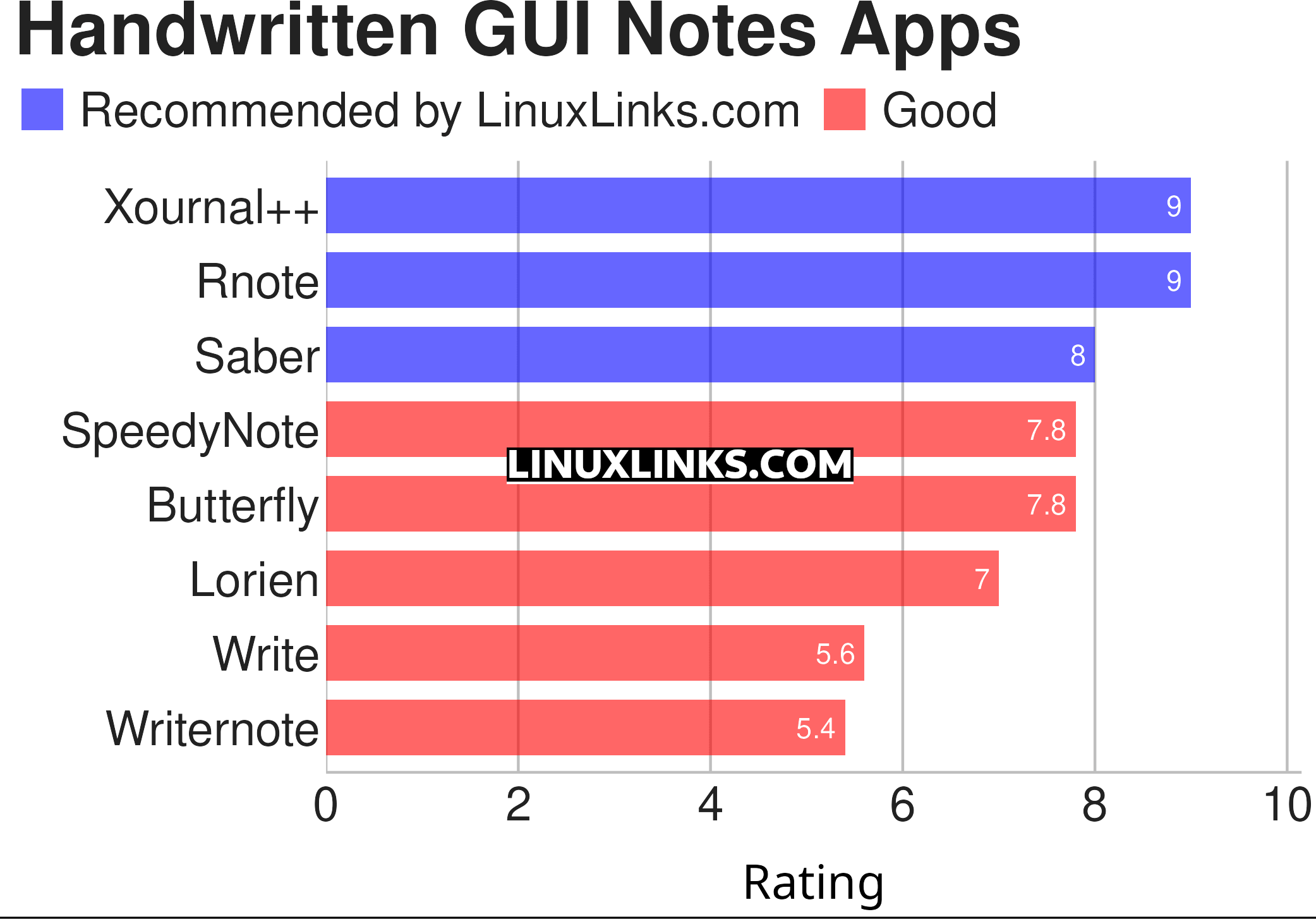
Click the links to learn more about each apps.
| Handwritten GUI Notes Apps | |
|---|---|
| Xournal++ | Handwriting notetaking software with PDF annotation support |
| Rnote | Sketch and take handwritten notes |
| Saber | Notes app built for handwriting |
| SpeedyNote | Built for classic tablet PCs, low-resolution screens, and vintage hardware. |
| Butterfly | Provides a simple UI with powerful customization. |
| Lorien | Infinite canvas drawing/note-taking app |
| Write | Designed for note-taking, brainstorming, and sketching. |
| Writernote | Take notes in an intelligent way |
 Explore our comprehensive directory of recommended free and open source software. Our carefully curated collection spans every major software category. Explore our comprehensive directory of recommended free and open source software. Our carefully curated collection spans every major software category.This directory is part of our ongoing series of informative articles for Linux enthusiasts. It features hundreds of detailed reviews, along with open source alternatives to proprietary solutions from major corporations such as Google, Microsoft, Apple, Adobe, IBM, Cisco, Oracle, and Autodesk. You’ll also find interesting projects to try, hardware coverage, free programming books and tutorials, and much more. Know a useful open source Linux program that we haven’t covered yet? Let us know by completing this form. |