

This is a series where I pick one proprietary Linux application each week. Although LinuxLinks primarily focuses on open source software, we’ll explore proprietary software along the way.
In 2024, I reviewed HiFile. Instead of repeating points covered there, I’ll focus on what’s changed since then.
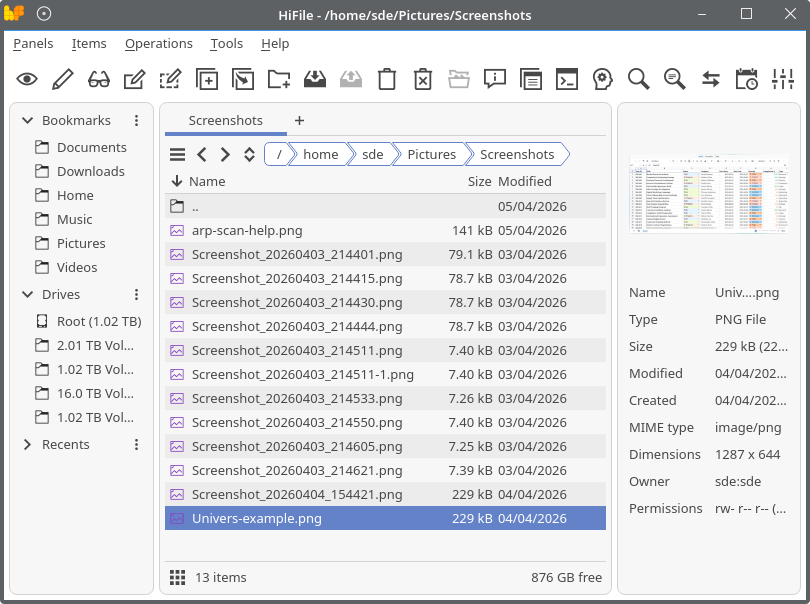
Probably the biggest change is that HiFile is now much more flexible in layout and navigation. The newest release adds an optional single-pane mode, an optional Preview panel, and an optional basic built-in terminal. Before that, HiFile had already introduced a major UI overhaul with a new left-side Navigation Panel, later making that panel removable, faster, and more interactive. Cloud folders such as Google Drive, Dropbox, iCloud, and OneDrive are now identified as drives and shown in that navigation area.
In the image below, I’m showing HiFile with its single-pane mode and preview panel enabled.
Command Center has matured, even though its still described in the project’s documentation as experimental.
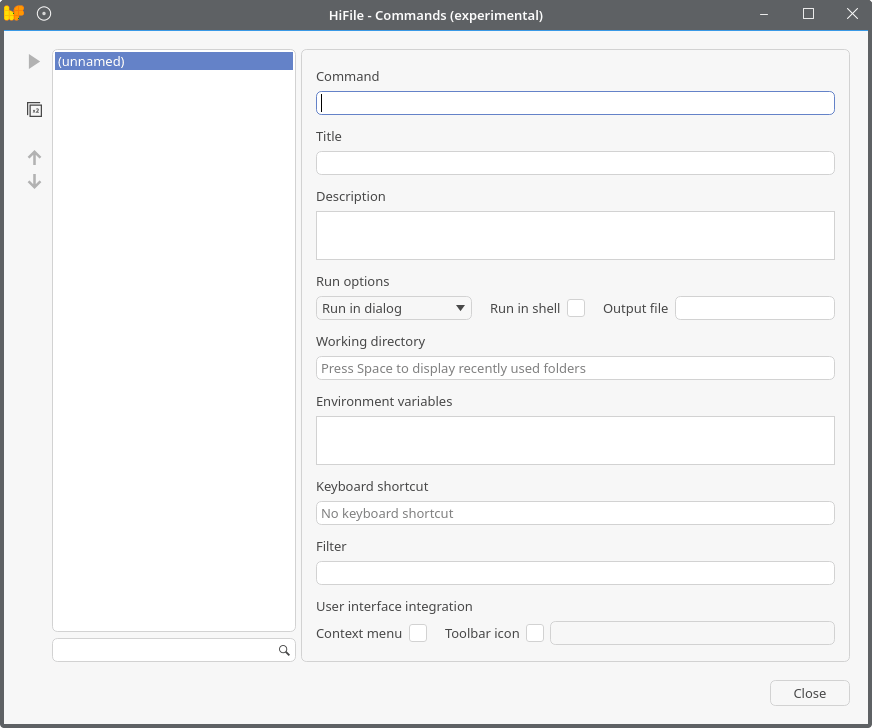
There are commands with run modes, working directory, environment variables, toolbar icons, and keyboard shortcuts. Since my review, releases also added multi-path placeholders for selected files, context-menu integration for commands, a Run again button, and much broader terminal support on Linux.
Linux integration is much deeper than it was in early 2024. HiFile now has a Linux Device manager for mounting and unmounting devices, explicit support for many terminals including ptyxis, elementary terminal, alacritty, kitty, xterm, wezterm, foot, and cosmos-term, and experimental Wayland support aimed at running on distros without X11.
There has also been a lot of performance and polish work. Things like asynchronous loading for the Info panel and quick search, startup improvements of about 400 ms from async loading of recent items, fixes for UI freezes when synchronizing large files, and optimizations for the Navigation Panel when loading slow disks or network paths.
One non-technical but important change: the pricing model changed. My review said only the Linux version was free. In January 2026 HiFile changed so it became free to use on all platforms, and the purchase page now positions the license as an optional way to support development and remove a small footer reminder. Unfortunately that footer reminder does appear under Linux though.
Summary
HiFile has evolved from a promising orthodox file manager with a few standout ideas into a far more customizable, tab-centric, automation-friendly manager with better Linux integration, better cloud/navigation handling, and a more ambitious UI. In my opinion it’s the best file manager for Linux. It’s therefore definitely worthy of the Proprietary App of the Week.
There’s still room for improvement. I’d like to see more attractive icons, along with a few tweaks to make the default settings more sensible. For example, I’m not keen on the time thermometer being enabled by default.
Some of the website content also needs updating to reflect the revised pricing model, including the FAQs, though that’s only a minor issue.
Website: www.hifile.app
Support:
Developer: Vladimir Kraus
License: Proprietary