

Accessibility is the degree to which products, devices, services, or environments are available to as many people as possible whatever their circumstances. Accessibility can be viewed as the ability to access and benefit from a system or entity. Accessibility is paramount. Social inclusion is not an act of charity but a fundamental human right.
This roundup focuses on screen magnification accessibility tools.
Here’s our verdict captured in a legendary LinuxLinks-style ratings chart. Only free and open source software is eligible for inclusion.
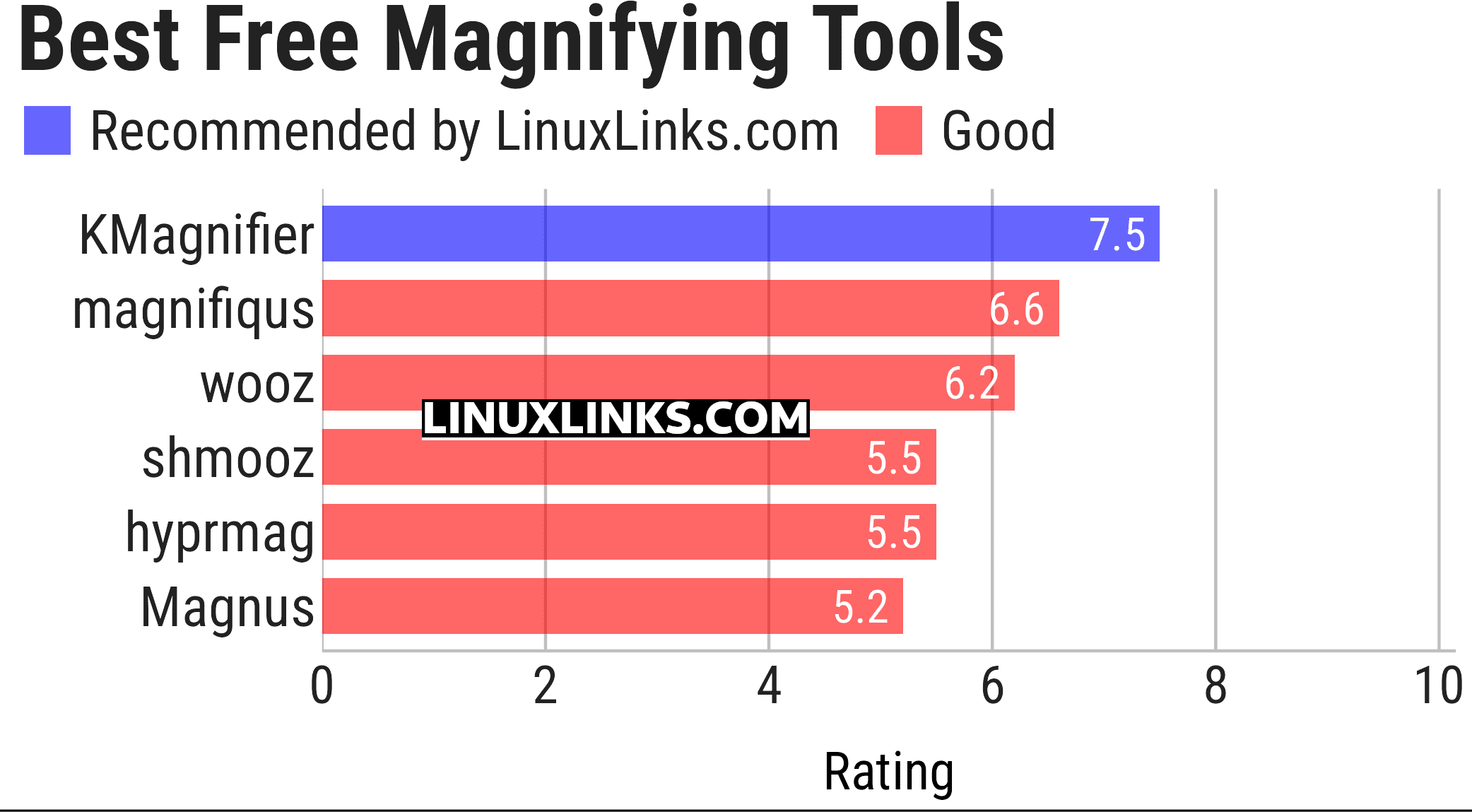
Let’s explore the programs in more detail. For each application, we’ve written a dedicated page.
| Magnifying Tools | |
|---|---|
| KMagnifier | Screen magnifier for KDE Plasma |
| magnifiqus | Qt based screen magnifier |
| wooz | Zoom / magnifier utility for Wayland compositors |
| shmooz | Wayland presentation tool with zoom, annotation and screenshots |
| hyprmag | Screen magnifier for wlroots-compatible Wayland compositors |
| Magnus | Very simple screen magnifier. It’s designed for Ubuntu |
GNOME is a hugely popular open source desktop environment, known for its user-friendly interface and applications.
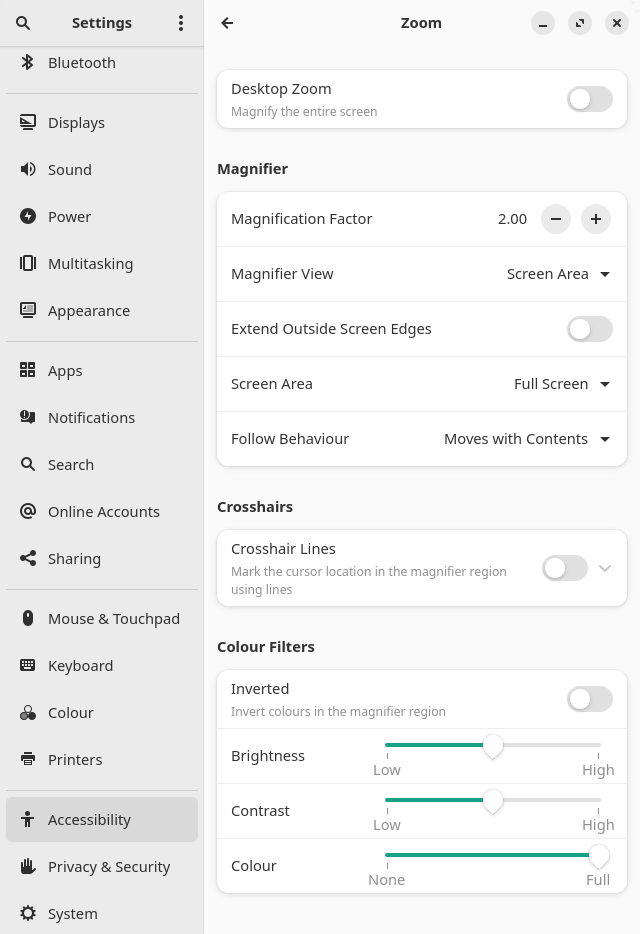
GNOME includes a Settings panel. Navigate to Accessibility and Zoom, and you’re presented with magnifier options including a nifty desktop zoom.
KDE Plasma also includes full-screen zoom and related visual aids under Accessibility with recent improvements to the Zoom and Magnifier feature, including a new tracking mode.
This article has been updated to reflect the changes outlined in our recent announcement.
 Explore our carefully curated directory of recommended free and open source software, covering every major software category. Explore our carefully curated directory of recommended free and open source software, covering every major software category.The directory forms part of our extensive collection of articles for Linux enthusiasts. It includes hundreds of detailed reviews, together with free and open source alternatives to proprietary software from companies such as Google, Microsoft, Apple, Adobe, IBM, Cisco, Oracle, and Autodesk. LinuxLinks also covers interesting projects worth exploring, Linux-compatible hardware, free programming books and tutorials, and much more. Know a useful free and open source Linux application that we haven’t covered? Tell us about it using our submission form. |
Please read our Comment Policy before commenting.