
HexMe is a terminal-based hex editor written in C++ that uses the Curses library for its text user interface.
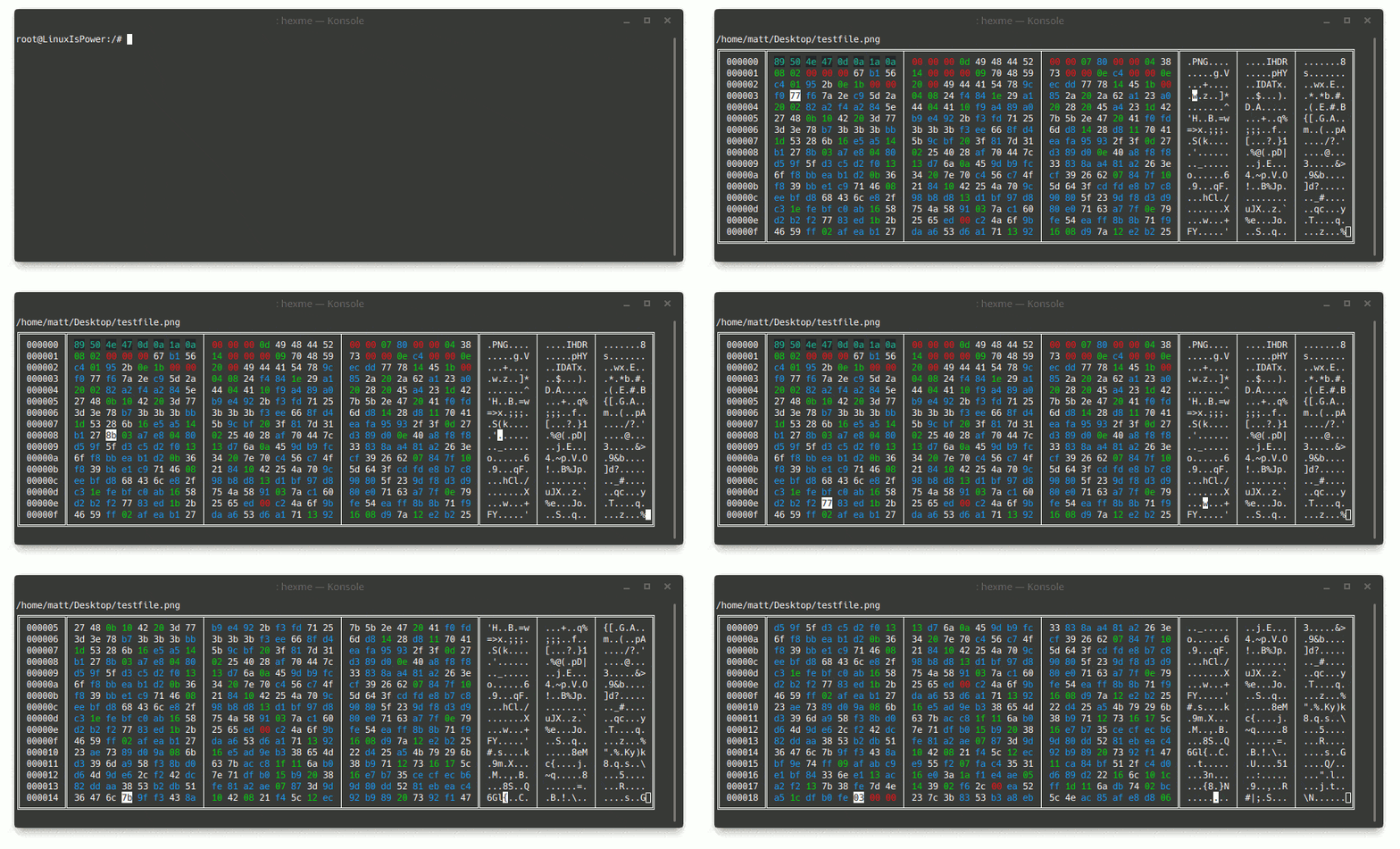
It’s designed for inspecting and editing binary data from the command line, with visual cues that make different byte types easier to distinguish and built-in commands for navigating files, searching content, and modifying bytes.
This is free and open source software.
Key Features
- Terminal hex editor with a command-line interface built around the Curses library.
- Applies different colours to different byte types to help identify null bytes and printable ASCII data.
- Recognises a variety of file types by examining file header bytes and assigning them unique colours.
- Supports loading another file from within the application.
- Can save changes back to disk, optionally to a different path.
- Includes cursor navigation with the
gotocommand using hexadecimal or decimal offsets. - Provides search functionality to jump to the first, next, or last match for a query.
- Lets you insert, replace, and delete bytes directly from the interface.
Website: github.com/MatthijsReyers/HexMe
Support:
Developer: MatthijsReyers
License: MIT License
HexMe is written in C++. Learn C++ with our recommended free books and free tutorials.
 Explore our comprehensive directory of recommended free and open source software. Our carefully curated collection spans every major software category. Explore our comprehensive directory of recommended free and open source software. Our carefully curated collection spans every major software category.This directory is part of our ongoing series of informative articles for Linux enthusiasts. It features hundreds of detailed reviews, along with open source alternatives to proprietary solutions from major corporations such as Google, Microsoft, Apple, Adobe, IBM, Cisco, Oracle, and Autodesk. You’ll also find interesting projects to try, hardware coverage, free programming books and tutorials, and much more. Discovered a useful open source Linux program that we haven’t covered yet? Let us know by completing this form. |