

A volume mixer is a tool that allows users to adjust the individual volume levels of different applications and audio devices running on a computer or system.
Instead of changing the overall system volume, this type of software lets you control the sound for specific programs, like turning down the volume for a game while keeping a internet radio streamer playing at its current level, or muting a browser tab without silencing everything.
Here’s our verdict captured in a legendary LinuxLinks-style ratings chart. Only free and open source software is eligible for inclusion here. We only include terminal-based tools in this roundup. We’ve already published a separate roundup for graphical volume mixers.
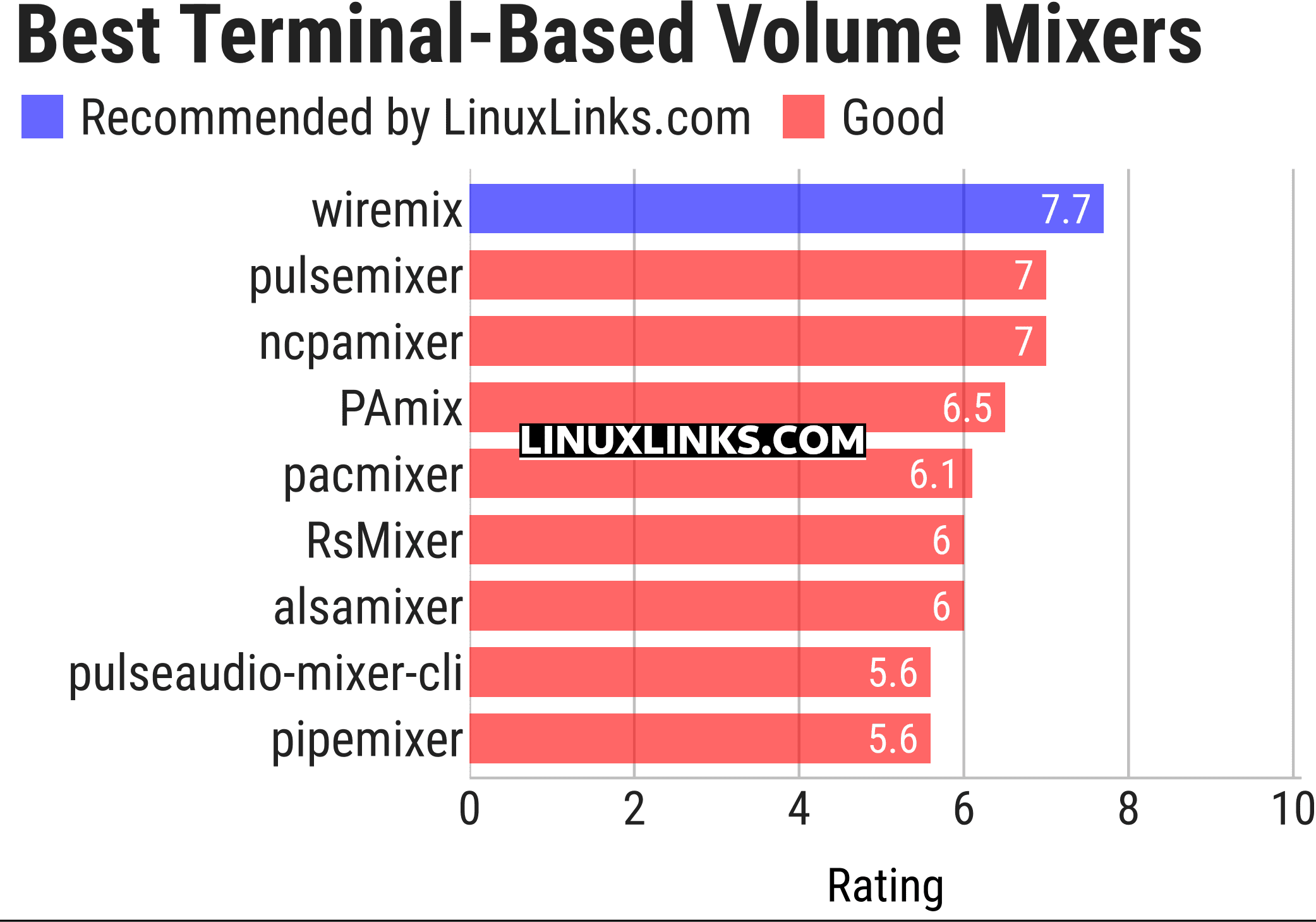
Explore each tool in detail by clicking the links below.
| Terminal-Based Audio Mixers | |
|---|---|
| wiremix | Simple TUI audio mixer fort Pipewire |
| pulsemixer | CLI and curses mixer for PulseAudio |
| ncpamixer | ncurses mixer for PulseAudio inspired by pavucontrol |
| PAmix | ncurses/curses PulseAudio mixer written in C |
| pacmixer | PulseAudio tool similar to alsamixer |
| RsMixer | PulseAudio volume mixer |
| alsamixer | Terminal-based mixer for the ALSA sound system |
| pulseaudio-mixer-cli | Control PulseAudio volumes and audio devices from the terminal |
| pipemixer | TUI volume control software for pipewire |
This article has been updated to reflect the changes outlined in our recent announcement.
 LinuxLinks helps you discover the best free and open source software for Linux. Explore our extensive collection of recommended applications, including alternatives to popular proprietary software. We also publish software reviews, Linux tutorials, hardware reviews, free programming books and articles covering the wider open source community. Browse our Linux resources to discover more. Know a useful free and open source Linux application we haven't covered? Suggest a program for inclusion. Has your software been featured on LinuxLinks? Display one of our Featured on LinuxLinks badges on your website or GitHub README. |
Please read our Comment Policy before commenting.